


Key Takeaways:
- PNG Files: PNG files at 300 DPI with a transparent background are the most widely accepted and easiest format to submit for DTF printing.
- Vector Files: Vector files (AI, EPS, SVG) are ideal for logos and text-heavy designs because they scale without quality loss, making them the most reliable option for bulk runs.
- PDF Files: PDF files can work well for DTF if they are print-ready, high-resolution, and set up with the correct color profile, but require more preparation than PNG or vector formats.
What happens when a great design gets sent in the wrong file format? It slows production, causes color problems, and, in the worst cases, results in a reprint. For print shops placing bulk DTF orders, getting the file right before submitting is one of the most practical things you can do to protect your turnaround time. Lion DTF Transfers works with print professionals every day to streamline production, and understanding the right DTF file format for your artwork is a foundational part of that process. In this piece, we will break down PNG, PDF, and vector files so you can submit with confidence and keep your orders moving.
Why File Format Matters for DTF Printing
DTF printing transfers digital artwork onto film before applying it to fabric. The quality of the final result depends partly on the submitted file. Low-resolution images can look blurry, incorrect color profiles can cause color shifts, and rasterized logos may have jagged edges when enlarged.
These problems become more costly with bulk orders. A file issue affecting hundreds of shirts or caps can lead to delays and reprints. Understanding the right format before ordering helps prevent these problems.
New to the process? Learn what is a DTF transfer in our beginner's guide.

PNG for DTF Printing: The Most Common Submission Format
PNG is one of the most widely used formats for DTF printing because it supports transparent backgrounds and preserves image quality without compression loss. Transparency ensures the transfer carries only the design, without an unwanted white or colored background.
For clean results, submit PNG files with:
- 300 DPI resolution at the intended print size
- A transparent background
- RGB color mode
- No visible compression artifacts
Most design programs export PNG files easily, making this format a convenient option for shops submitting finalized artwork in bulk.
PDF for DTF: When It Works and When It Does Not
PDFs can work for DTF printing when properly prepared. A print-ready PDF should include embedded or outlined fonts, accurate color profiles, and sufficient resolution for the final print size.
For best results, export PDFs from professional design software such as Adobe Illustrator or InDesign. Set the color profile to sRGB and match the document dimensions to the intended print size.
Low-resolution images, mixed elements, and incorrect color settings can cause production issues. Before placing a large order, confirm that your PDF is ready with Lion DTF's team. They're available seven days a week at 833-350-5466 or info@liondtf.com.
DTF Vector Files: The Best Option for Logos and Text
DTF vector files offer the most flexibility for print production. Unlike raster images, vector files use mathematical paths instead of pixels, allowing artwork to scale from small hat logos to large back prints without losing quality.
The most common formats are AI (Adobe Illustrator), EPS, and SVG. AI is the industry standard, EPS offers broad compatibility, and SVG works with most modern design tools. All three are suitable for DTF when properly prepared.
For bulk orders involving logos, wordmarks, uniform numbers, or designs in multiple sizes, vector files help maintain consistent quality. If your artwork is only available as a raster file, Lion DTF offers vectorization services at liondtf.com to prepare it for production.

Choosing the Right Format for Your Bulk Order
The best file format depends on your artwork. Use PNG at 300 DPI with a transparent background for graphics, illustrations, and photos. Choose vector formats (AI, EPS, or SVG) for logos, text, and brand marks to maintain quality across sizes. PDFs also work for print-ready layouts when properly prepared and approved by the production team.
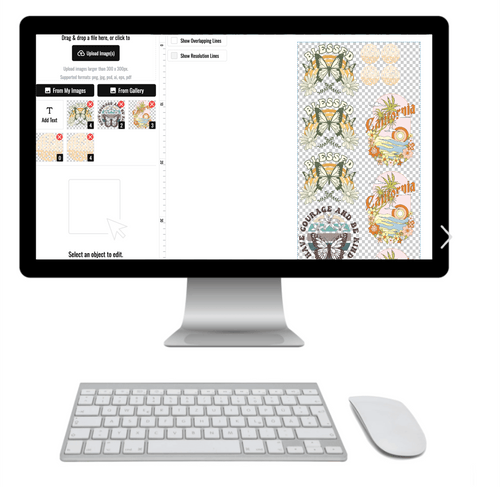
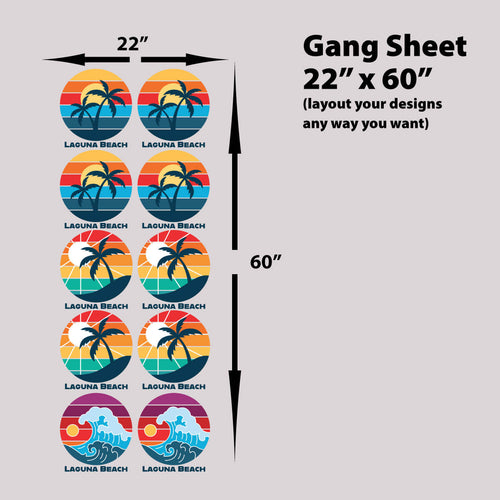
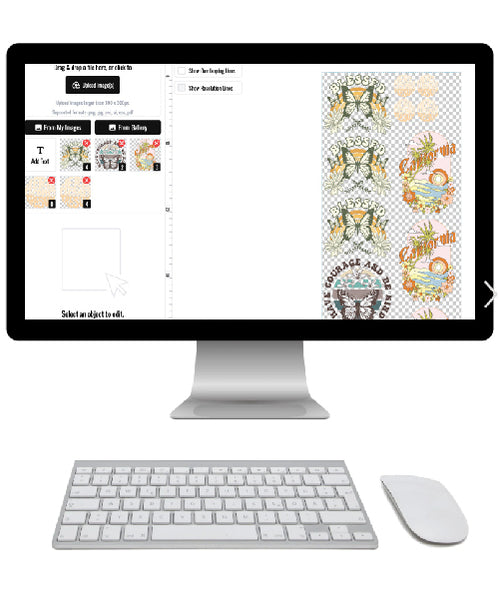
For gang sheet orders, most shops submit individual design files and arrange them using the Lion DTF gang sheet builder. Clean PNG files are usually the easiest option. Before submitting, double-check resolution, background transparency, and color mode to avoid production delays.
Color Accuracy and File Preparation for Large Runs
Consistent color starts with properly prepared artwork. Lion DTF uses industrial-grade color matching technology, but the submitted file still plays an important role in the final result.
DTF printing outputs in RGB, so submitting CMYK files may cause color shifts. Use RGB for more accurate reproduction. If brand colors need to match precisely, include Pantone references or color specifications with your order.
For bulk orders involving different garment materials, review what fabrics can be used with DTF transfers before production.
Sustainability and Material Transparency in DTF Production
As print professionals field more questions from clients about production practices, having quick answers ready helps. The Lion DTF blog covers are DTF transfers sustainable for shops that need to speak to that topic with their own clients.
For a detailed breakdown of what goes into each transfer, what are DTF transfers made of is a useful reference when transparency around production materials is part of the client conversation.

Final Thoughts
Choosing the right DTF file format helps keep bulk orders accurate and production on schedule. PNG at 300 DPI works well for most standard designs, vector files are ideal for scalable logos and text, and properly prepared PDFs can support print-ready layouts. Lion DTF Transfers offers same-day and next-day printing, industrial-grade color matching, and support seven days a week to help keep your orders moving.
Frequently Asked Questions About DTF File Formats
What is the best file format for DTF printing?
PNG at 300 DPI with a transparent background is the most widely accepted format. For logos and scalable artwork, AI and EPS vector files are also excellent options.
Does DTF printing use RGB or CMYK color mode?
DTF printing outputs in RGB. Submitting files in RGB helps reduce color shifts during conversion.
Can I submit a PDF for a DTF order?
Yes. PDFs should have embedded or outlined fonts, an sRGB color profile, sufficient resolution, and dimensions matching the intended print size. Confirm larger orders with the Lion DTF team before submission.
What resolution should my DTF file be?
The standard is 300 DPI at the intended print size. Lower-resolution files may produce blurry or less detailed prints.
Do DTF files need a transparent background?
Yes. A transparent background ensures that only the intended design transfers to the garment. PNG is a common format that supports transparency.
Can vector files be used for DTF printing?
Yes. AI, EPS, and SVG files work well for logos, text, and designs used across multiple sizes because they can scale without losing quality.

