










You've got a fresh stack of blanks, a sheet of transfers on the counter, and a press heating up behind you. The design looks perfect. The only thing standing between you and a finished shirt is whether it sticks, peels clean, and survives the wash. Learning how to use transfer sheets well isn't about memorizing one magic setting. It's about controlling a few variables, testing before you commit, and not stopping at the peel.
What You Need Before You Press
That first moment is familiar to anyone who's ordered transfers. You're staring at a design on a blank tee, wondering which side goes down, how hot is too hot, and whether you should peel it right away. Don't guess. Read the supplier's instruction sheet first, because it tells you which workflow you're in.
Temperature, pressure, and dwell time control every result, and changing one can require adjusting the others, a balance described in the Specialty Graphic Imaging Association guide to sublimation heat transfer printing. That same guide notes sublimation developed commercially in 1956, with typical transfer cycles of roughly 5 to 40 seconds depending on color, fabric, and design thickness.
Before you close the press, gather your setup.
- Heat press: A calibrated press beats a household iron for repeatable pressure and heat, especially across a run of shirts.
- Protective sheet: Keep parchment or a Teflon sheet handy to protect the platen and the transfer surface.
- Flat, clean garment: Check fiber content and make sure the print area is smooth and dry.
- Supplier specs: Confirm temperature, time, pressure, and peel method for that exact material.
Know Which Transfer You're Holding
Hot-peel DTF, cold-peel vinyl, and sublimation don't behave the same way. Sublimation moves dye into synthetic textiles with dry heat and pressure, while film and vinyl products rely on adhesive bonding to the fabric surface. If you treat a cold-peel sheet like a hot-peel one, you'll pull the design before the adhesive has set. The instruction sheet, not habit, decides.
Building Your Gang Sheet Without the Guesswork
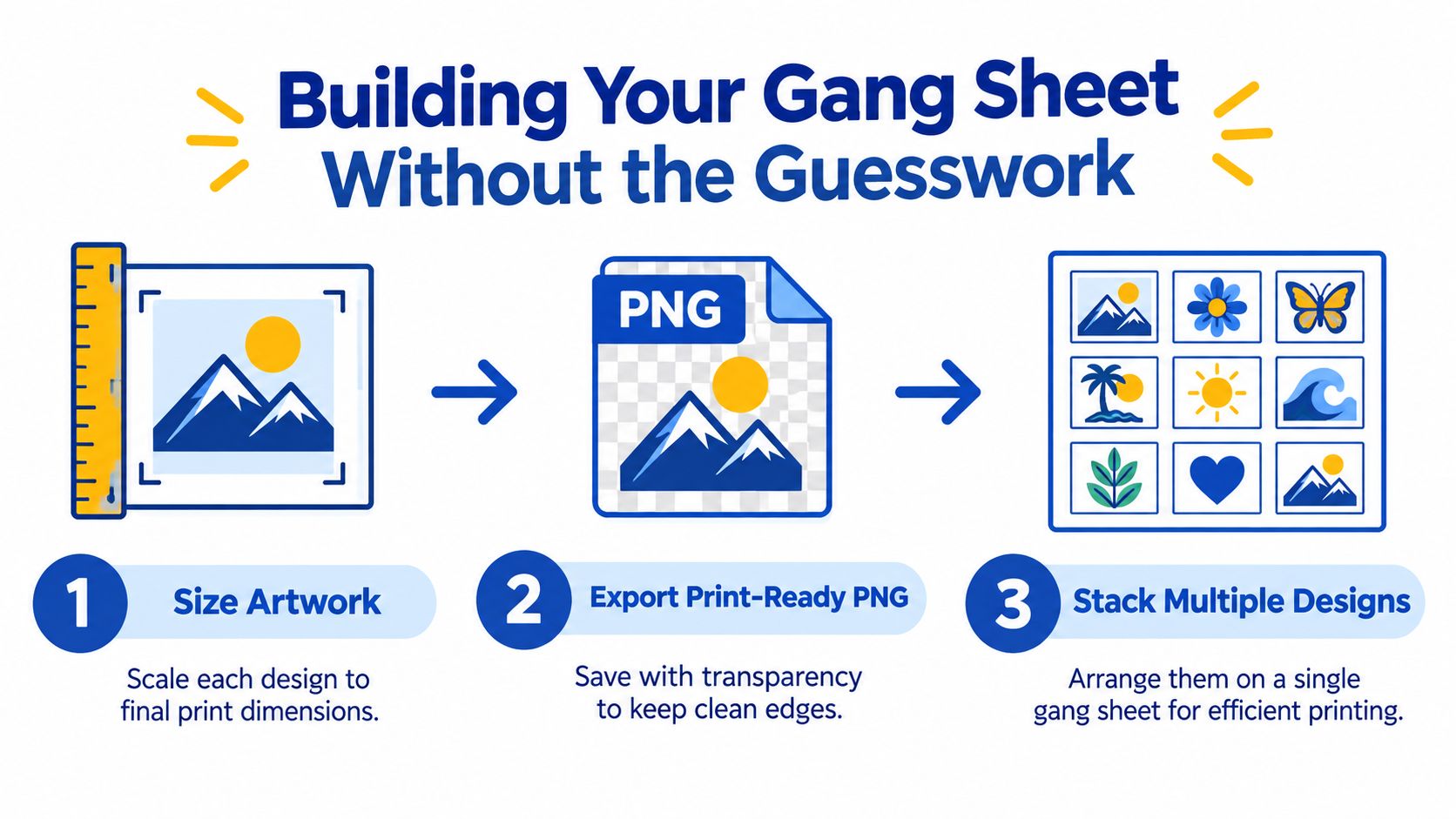
Most transfer problems start before the press ever closes. Artwork sized wrong, exported with a background box, or laid out wastefully costs you money on every single sheet.
Size each design to its final print dimensions first. A left-chest logo and a full back print shouldn't be guessed at the same scale, and stretching art after export softens edges that looked fine on screen. Export a print-ready PNG with a transparent background so only your design prints, with clean edges and no stray pixels floating outside the artwork.
Let the Builder Do the Tetris
Fitting multiple designs on one sheet by hand means nudging files around and still leaving dead space you paid for. Lion DTF Transfers' Auto-build gang sheet builder arranges your uploaded designs automatically, which is meant to improve ease of use and cost effectiveness by packing more usable prints into the sheet you're already buying. If you want the mechanics explained before you upload, the walkthrough of how the gang sheet builder works covers the process step by step.
Before you place the order, run a final on-screen check.
- Sizes confirmed: Every design sits at its intended print size, not a scaled preview.
- Transparency clean: No background box, no stray marks outside the art.
- Edges safe: Nothing sits so close to a neighboring design that cutting becomes a gamble.
- Counts right: You have enough copies of each size for the garments in front of you, plus a test piece.
Practical rule: Order one extra design on every new gang sheet. That spare is your test press, and it's far cheaper than a ruined hoodie.
Press Settings That Actually Stick
Preheat the press fully before the first garment goes in. A press that's still climbing toward temperature gives you a first shirt pressed cooler than every shirt after it.
Pre-press the clean garment to remove moisture and wrinkles, then position the transfer with the adhesive side against the fabric and the carrier sheet facing up. One heat-press operating guide recommends pre-pressing for 2 to 3 seconds and covering the transfer with Teflon paper, in its instructions for preparing the garment before pressing. Align carefully now, because once the platen closes, that placement is final.
Settings by Fabric
| Fabric Type | Temperature | Dwell Time | Pressure | Peel Method |
|---|---|---|---|---|
| Standard PU heat-transfer vinyl on cotton | 150 to 160°C (305 to 320°F) | 10 to 15 seconds | Medium to firm | Per film type |
| Manufacturer-specified heat-transfer material | 305°F (150°C) | 10 to 15 seconds | Medium | Hot or cold, per product |
| Polyester and performance fabrics | 132 to 143°C (270 to 290°F) | 8 to 12 seconds | Medium to firm | Per film type |
Those ranges are starting points, not law. The product datasheet for your specific transfer overrides any generic chart, and the detailed breakdown of heat press settings for DTF transfers is worth checking against your supplier sheet before a production run.
Why Peel Timing Is Mechanical
Peel method isn't a style choice. A hot peel means the carrier comes off immediately after pressing. A cold peel means you wait until the transfer cools completely so the adhesive sets before the liner releases. Peel a cold-peel film hot and you'll lift edges that looked perfectly bonded a second earlier.
Synthetics deserve extra caution. Lower temperatures on polyester and performance fabrics reduce scorching and dye migration, so test a hidden area before you commit to the full run. Insufficient heat, inadequate pressure, premature peeling, and leftover moisture in the garment account for most failures at this stage, and each one is preventable before the timer starts.
Pressure Calibration and Platen Hot Spots
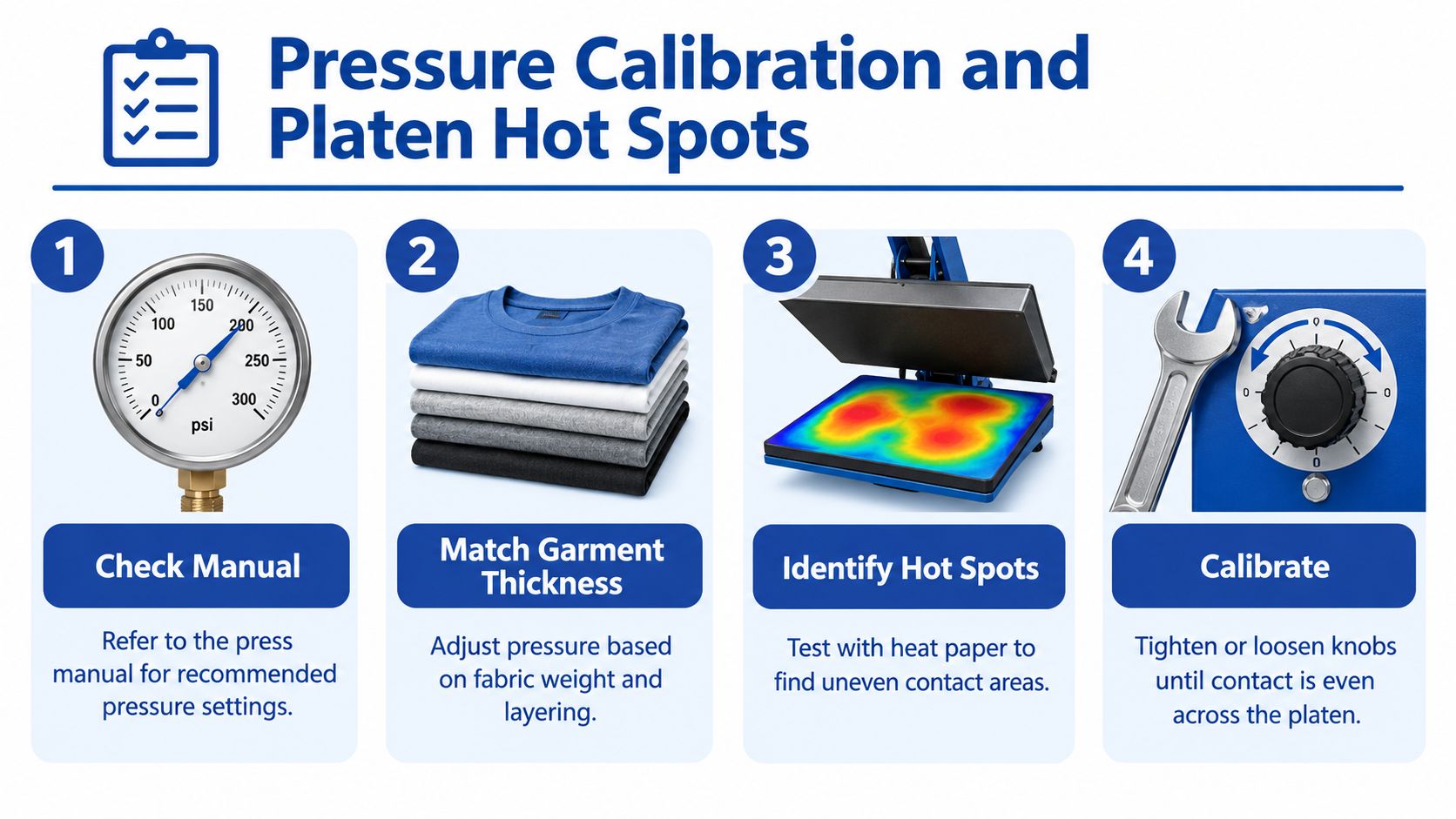
When a transfer lifts at the corners, most makers reach for the temperature dial. That's often the wrong fix. Uneven contact causes more failures than a slightly cool press, and extra heat on a synthetic garment creates a second problem while ignoring the first.
Pressure has to match garment thickness. The Hotronix manual divides its settings into 1 to 3 for light, 4 to 7 for medium, and 8 to 9 for heavy pressure, and instructs operators to adjust for the thickness of the garment, as set out in the Hotronix Clam Hover Press operator's manual. A thick sweatshirt compresses differently under the platen than a lightweight tee, so the same pressure setting won't deliver the same contact on both.
Check for Hot Spots Before Production
Your press display shows one number. Your platen delivers a surface, and that surface may not heat evenly corner to corner. Run temperature strips or a sacrificial test print across different platen zones and compare the results. If one corner consistently under-bonds while the center presses clean, you've found a cold spot, and no amount of extra dwell time fixes the geometry.
Knowing how to use transfer sheets separates hobby results from shop results. Troubleshooting guidance on application tips for heat-applied transfers points to damp or wrinkled garments, insufficient pressure, inaccurate temperature, and uneven heat as recurring causes of lifting. Notice that three of those four have nothing to do with turning the heat up.
Cranking the temperature to fix a pressure problem trades lifting edges for scorched fabric. Diagnose contact first, heat second.
Seams, pockets, and thick hems complicate contact further because they hold the transfer off the fabric around them. Position the design on a flat zone, adjust pressure for the garment in the press, and confirm full contact across the whole design before you start a run. Small presses that can't cover a large design in one pass demand the same discipline, since overlapping presses create uneven bonding lines.
Peel, Cure, and the Bonding Window
The timer ends, the press opens, and impatient makers undo good work right then. Peel exactly as your transfer type requires. Hot-peel films come off immediately. Cold-peel films stay put until they've cooled completely, and warm-peel products sit in between. When in doubt, the supplier sheet wins over whatever worked on your last order of a different material.
After the carrier releases, give the design a short post-press of about 5 seconds through a protective sheet to improve bonding. Keep the parchment or Teflon between the platen and the print so nothing sticks or shines.
The Cure Is Still Happening
Adhesive keeps curing after the carrier comes off. Multiple application guides recommend waiting at least 24 hours before the first wash, and some professional guidance recommends a longer 36-hour hardening period, as summarized in this behind-the-scenes look at how DTF transfers are made. That window isn't a suggestion to fill time. It's the bond finishing its work.
Handle the garment gently during that first day. Don't stretch the print, fold it print-side against itself while it's still warm, or toss it straight into a laundry pile. Stack finished garments flat once they've cooled, and let the cure finish before anyone wears, washes, or ships the piece.
Heat safety runs through all of this. A 2018 academic review notes effective dye transfer commonly uses 180 to 240°C for 30 to 40 seconds, and warns excessive heat can burn or melt dye and substrate, in its review of textile transfer printing. Keep hands clear of the platen, trust the timer instead of hovering, and switch the press off when you're done.
Customer-Proof Care and Wash Testing
A shirt that leaves your table looking perfect can still come back as a complaint two washes later. The difference between a hobbyist and a seller is what happens between the peel and the mailbox.
Give customers a care routine they can follow. Turn the garment inside out, wash in cold or lukewarm water, skip bleach and fabric softener, and dry on low heat or by air. Print it on a small card in the package rather than hoping buyers remember a listing description. The fuller guidance on how to wash graphic t-shirts makes a good reference to adapt for your own insert.
Build a QC Loop Before You Ship
- Inspect edges: Run a fingertip around the design perimeter. Any lift you can feel now becomes a peel later.
- Respect the cure: Don't bag or ship inside the curing window covered earlier.
- Wash-test each new blank: Press a sample from every new garment style and run it through a real wash before selling that blank.
- Log your settings: Write down temperature, time, pressure, and peel method per garment type so a reorder matches the original.
Wash testing isn't guesswork in the textile world. One independent study evaluated image stability using a household machine at 40°C with a 30-minute cycle and 800 rpm spin, following standardized procedures described in research on textile printing durability. Your home test doesn't need lab rigor, but it does need to happen before a customer runs the experiment for you.
One garment surviving repeated washes proves that garment, that press, and that laundry routine worked together. It doesn't guarantee every fabric and wash method performs identically, so don't promise customers more than you've tested.
When a customer reports lifting, that log tells you whether you're looking at an application failure or washing damage. Without it, you're refunding on vibes.
Putting the Workflow Together
The full sequence fits on an index card taped to your press. Prep clean artwork, build the gang sheet, pre-press the garment, press to the supplier's spec, peel by type, post-press briefly, cure, wash-test, then ship. The visual below maps that whole path in one pass.
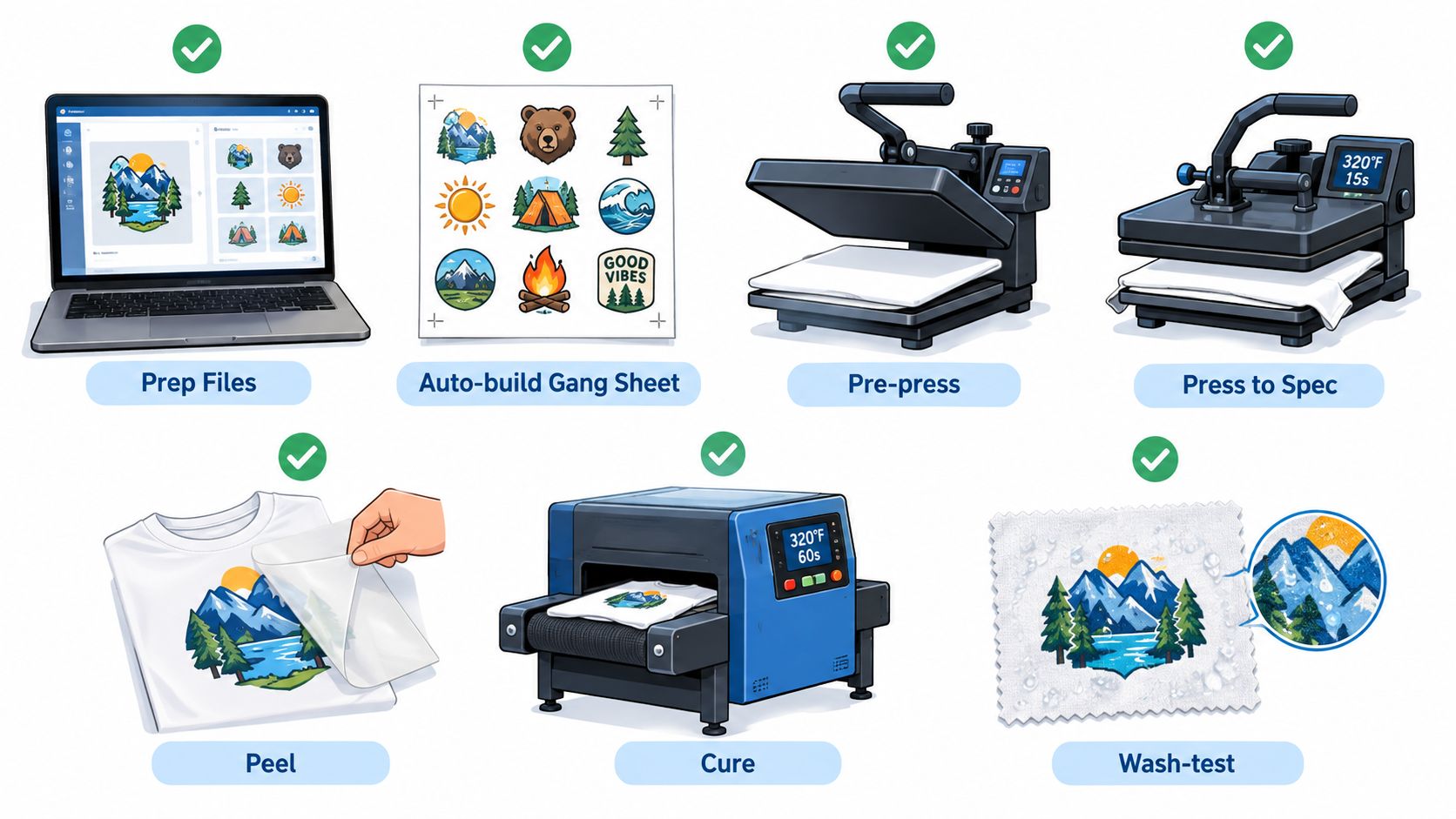
Four errors cause most of the failures you'll ever see: insufficient heat, inadequate pressure, premature peeling, and skipped moisture removal. Every step in this workflow exists to kill one of those four. When something lifts, check them in order before you change anything else.
Watching the sequence run start to finish helps the timing click, especially the pause between pressing and peeling.
Scaling from single shirts to real orders doesn't require new tricks. It requires the same settings, logged and repeated, plus gang sheet batching so your material cost per design drops as volume climbs. Consistency is the whole business model.
Ready to put this workflow to work on your next run? Lion DTF Transfers offers ready-to-press DTF transfers and gang sheet printing built for exactly this process, from single test designs to full production batches. Upload your artwork, build your sheet, and press your first order with settings you already know how to trust.