










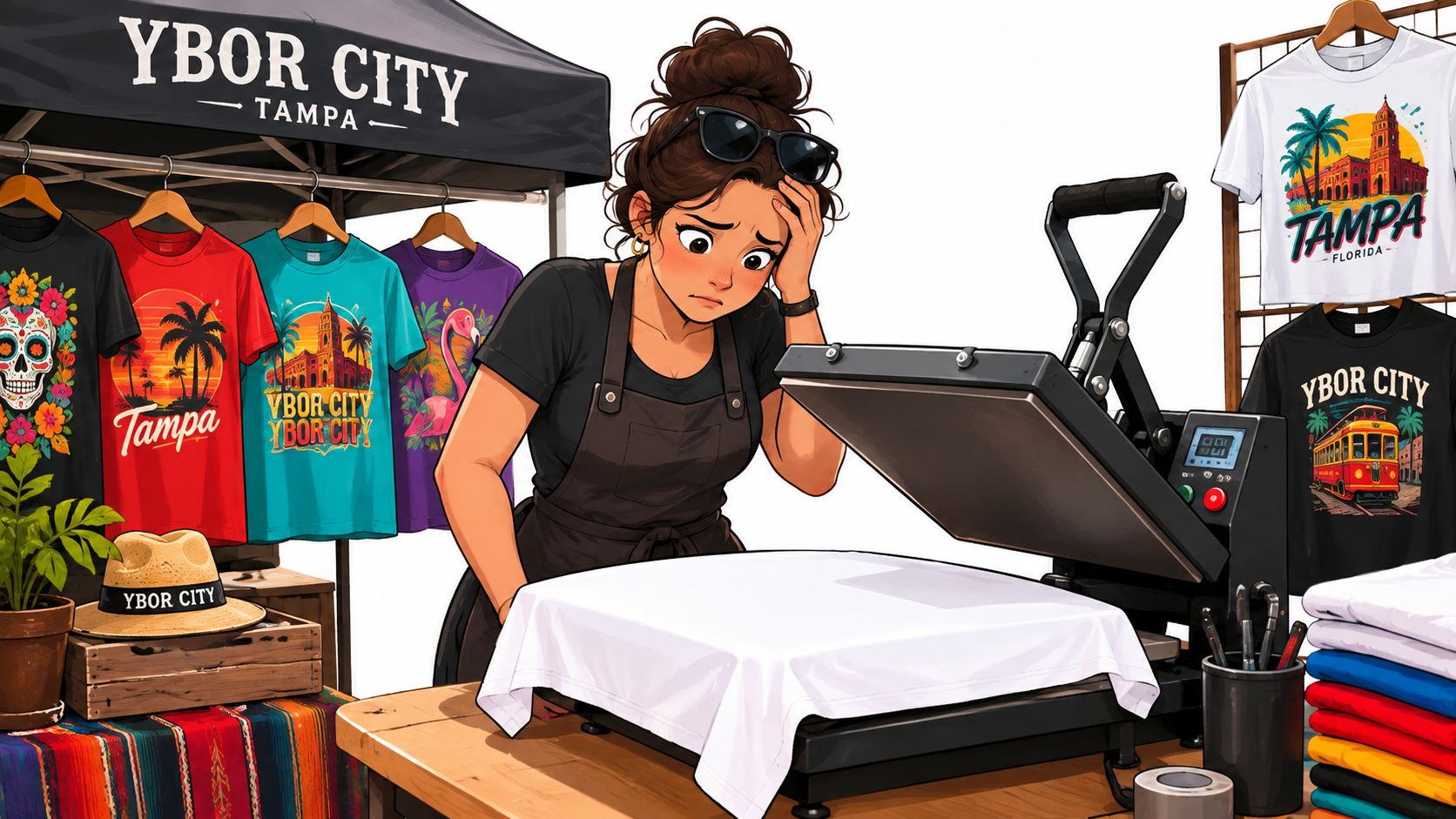
You're preparing shirts for a Saturday market in Ybor City, a Gasparilla pop-up, or a church fundraiser, and the deadline has suddenly become very real. You need bright, detailed artwork on dark garments, but a traditional screen-print order can bring setup concerns, minimums, and more inventory than your group can reasonably use. That's why buyers searching for DTF Tampa aren't only looking for a printing method. They're looking for a practical answer to a local fulfillment question: will the transfers be printed in Tampa, or shipped to Tampa?
The distinction affects pickup, timing, shipping risk, and the amount of control you have before pressing. This guide walks through the process from artwork and gang-sheet layout to heat-press settings, while keeping the local question in view throughout.
Why Tampa Buyers Are Searching for DTF Right Now
A weekend merch seller may have a full-color illustration ready for social media but only need a small batch for the next event. A sorority chapter may need names and graphics on dark shirts. A beach vendor may want several designs without buying a large inventory of each one. These buyers need flexibility, and Direct-to-Film, or DTF, fits that gap because the transfer can be printed before it reaches the garment.
Tampa's DTF market was already commercially active by September 6, 2022, when a Tampa-focused transfer provider had a published website and contact page, according to the provider's Tampa DTF site. By 2026, a Florida industry guide identified a Tampa specialist with 202 Google reviews and a 5.0 rating, while describing custom DTF transfers for apparel brands, t-shirt printers, and print shops in its Florida DTF market guide. Those details point to a local niche serving both individual buyers and production businesses.
The question to ask first: “Where is my transfer printed, and where can I collect it?”
DTF matters because it handles full-color artwork on cotton, polyester, and blends without requiring a separate screen for every color. That makes it useful for church groups, campus organizations, event teams, small brands, and home decorators who own a heat press. A Tampa-area provider advertises same-business-day or next-business-day processing with pricing starting at $0.015 per square inch, illustrating how strongly local providers compete on speed and transparent pricing, as shown on the Tampa transfer provider's service page.
What DTF Printing Actually Is and How It Works
Think of DTF as a custom sticker made for fabric. Instead of printing directly onto a shirt, the printer creates the design on a special PET film. The transfer contains the color image, a white backing layer, and adhesive powder that bonds the design to cotton, polyester, or a blend when you apply heat and pressure.
The process is easier to understand in stages:
- Artwork preparation: Your file is processed for printing, usually through RIP software, so the machine can handle CMYK color and a white ink layer.
- Film printing: The printer places the color artwork on the film, then prints white ink underneath it. That white layer helps the colors remain visible on black and other dark garments.
- Powder application: Hot-melt adhesive powder is applied to the wet ink. The powder becomes the glue that joins the ink film to the garment.
- Curing: Heat melts the powder into an even adhesive layer. Proper curing matters because incomplete melting can weaken wash performance.
- Pressing: The finished transfer is positioned on the garment and pressed. A common working example is around 270°F for 10 seconds, while exact settings should follow the transfer supplier's instructions and the fabric's limitations.
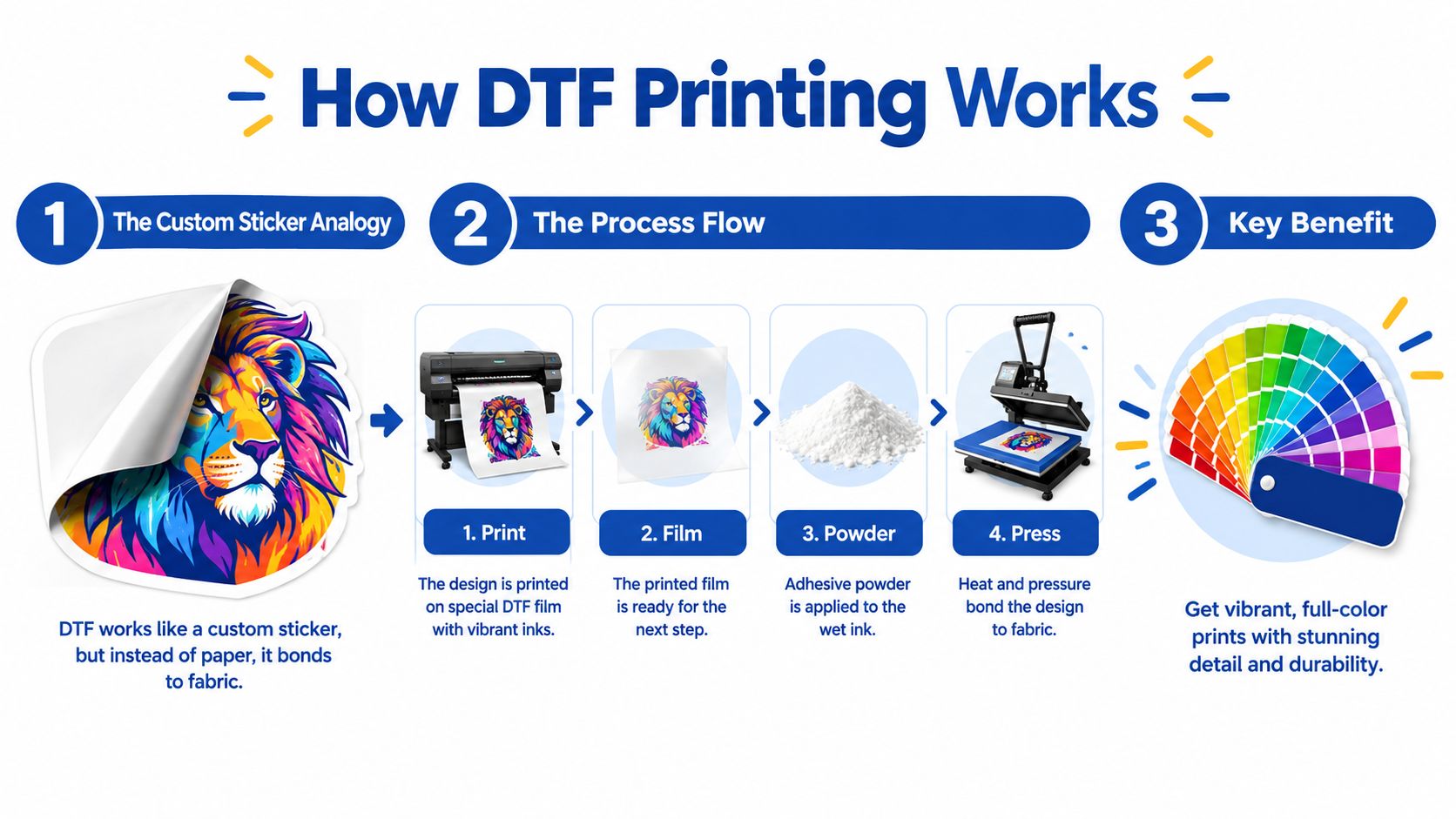
DTF resembles a printed iron-on patch, but the design can include fine text, gradients, and photorealistic detail without cutting each color separately. The result still has a transfer film feel, so it isn't identical to dye sublimation or a soft direct-to-garment print. Its practical strength is versatility, especially when one order includes dark shirts, bright graphics, and mixed fabric types.
A controlled textile comparison referenced in the literature used 40°C wash cycles and found no significant color loss through about 15 wash cycles for the DTF samples, while screen-printed samples in that comparison held through around 10 cycles. The result doesn't guarantee identical performance for every shirt or press. It shows why adhesion and ink-film integrity matter as much as color selection, as discussed in the textile testing comparison.
This short video gives a visual overview of the workflow:
How DTF Compares to Screen Printing, HTV, and Sublimation
The right decoration method depends on the garment, artwork, quantity, and deadline. Tampa buyers often get poor results when they choose based only on the lowest quoted unit price, because setup, color limits, fabric compatibility, and reorders can change the practical cost.
| Method | Best Run Size | Works on Dark Garments | Full Color / Photo Detail | Typical Tampa Turnaround |
|---|---|---|---|---|
| DTF | Small to medium runs | Yes | Excellent | Same-day or next-business-day options may be available |
| Screen printing | Larger runs | Yes | Strong, with setup and color considerations | Usually longer than a ready transfer workflow |
| HTV | Very small, personalized orders | Yes | Limited by cut-film construction | Fast for simple designs |
| Sublimation | Small to medium polyester runs | No, best on light garments | Excellent | Depends on print and production schedule |
For detailed artwork, mixed garment colors, and small batches, DTF is usually the more flexible choice. Screen printing can make more sense for larger quantities, simple repeat artwork, neon or metallic effects, and other specialty finishes. The exact break-even point depends on the design and quote, so don't treat a single quantity rule as universal.
HTV remains useful for individual names, numbers, glitter, reflective finishes, and straightforward personalization. It becomes less attractive when the artwork contains many colors or intricate photographic detail because cutting and weeding add manual work.
Sublimation has a different strength. It becomes part of the polyester fibers rather than sitting as a transfer layer, but it's generally limited to white or light polyester garments. DTF is the better fit for cotton and dark apparel, while sublimation is the stronger choice for all-over designs on suitable polyester.
Florida conditions also affect shop routines. DTF film and adhesive handling require controlled storage and curing, while water-based screen-print processes can be more sensitive to moisture management. For practical method selection, this guide to transfers for shirts is a useful reference point.
Ordering DTF in Tampa With Auto-Build Gang Sheets
Start with the artwork, not the shirt count. A clean PNG with a transparent background, prepared at 300 DPI, gives the printer enough information to preserve edges and detail. Set the design size in inches so the printed result matches the garment placement you have in mind. Pixel dimensions alone don't tell you whether a logo will look correct on a chest, sleeve, or tote.
A gang sheet combines multiple designs on one transfer sheet. Instead of ordering each logo separately, you place several designs into the available sheet area. A 22-by-72-inch sheet can hold dozens of small logos, depending on their dimensions and spacing. The more efficiently you use the sheet, the less unused material you pay for.
Build the sheet without manual guesswork
Lion DTF's Auto-build gang sheet builder is designed for this workflow. Choose the sheet size, upload your artwork, drag designs into position, and let the builder help arrange them efficiently. The layout shows how much space remains, so you can add more logos, names, or small graphics before checkout.
Each design keeps its own cut contour, which makes separating the transfers easier after printing. You're not guessing whether another logo will fit, and you can see the sheet economics before committing to production.
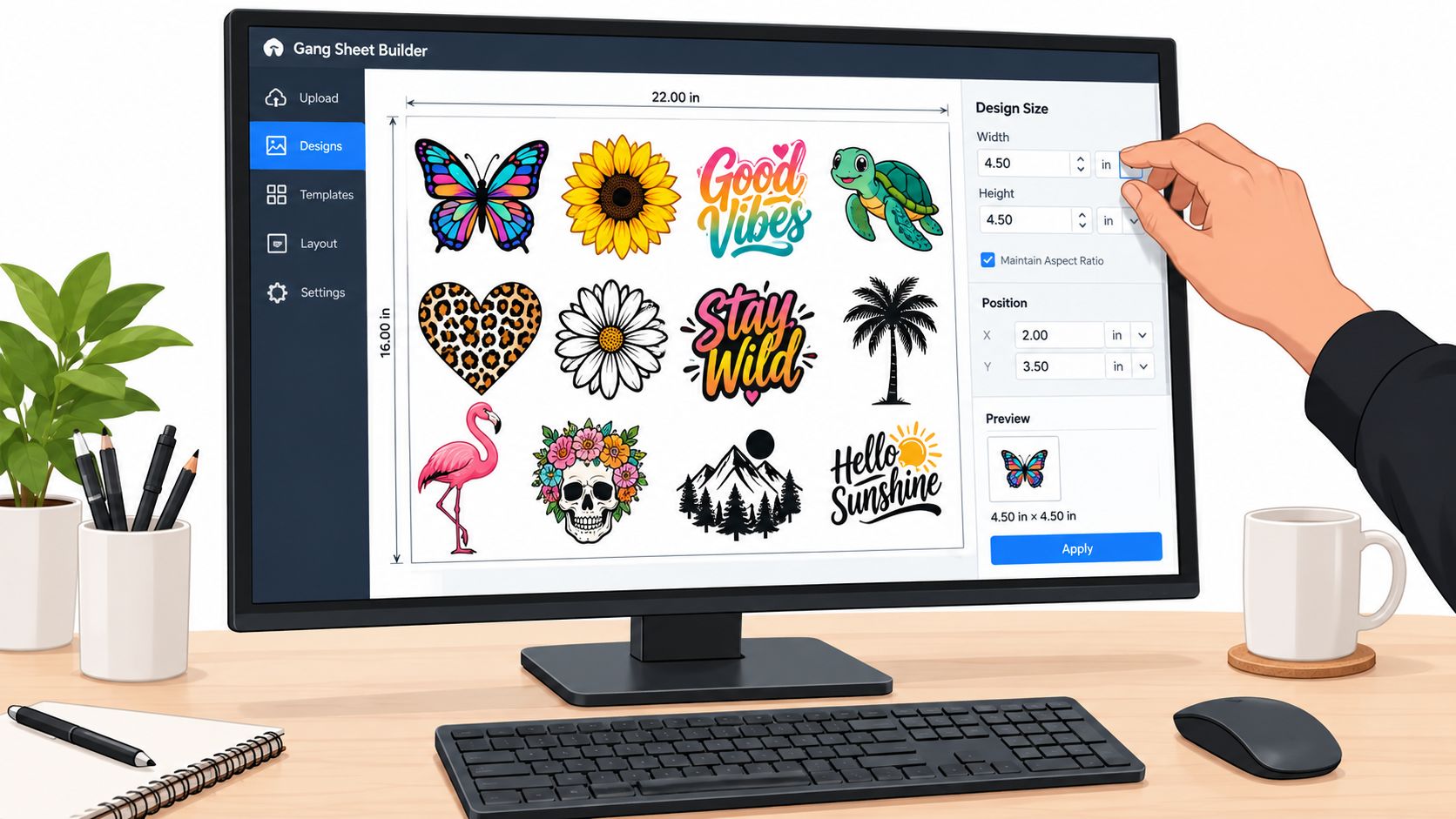
The builder supports the material-efficiency logic described in this gang-sheet DTF ordering guide. Gang sheets aren't only a convenience for larger buyers. They're also useful for a first-time decorator who wants several small designs without paying for a separate sheet for every artwork file.
Before printing, check the file at its intended physical size. A low-resolution upload may look acceptable on your screen but produce soft edges when enlarged. An artwork review that flags resolution issues before production can save a Tampa buyer from wasting blanks, missing an event deadline, or paying for a rerun.
Pricing, Turnaround, and Real Tampa Pickup Options
A Tampa buyer may see a low square-inch rate and still receive a higher invoice. DTF quotes can include artwork area, a gang-sheet setup, rush handling, minimum order charges, delivery, or pickup terms. Ask what the quote covers before comparing providers. One custom sheet pricing reference lists industry examples around $0.02 to $0.08 per square inch, with one wholesale example near $0.06 per square inch, as shown in this custom DTF sheet pricing reference.
The transfer area is only part of the decision. A 10-by-12-inch logo may cost less per design when placed beside names or smaller graphics on one sheet. Lion DTF's Auto-build gang sheet builder lets you see that available space before checkout, so you can decide whether adding artwork improves the order or creates transfers you will not use.
| Order Variable | What to Confirm | Why It Matters |
|---|---|---|
| Rush handling | Whether an expedited fee applies | Faster production may change the quoted total |
| Minimum order | Minimum sheet value or charge | A small test order may cost more than its artwork area suggests |
| Gang-sheet setup | Sheet dimensions and placement rules | Efficient spacing can reduce unused transfer area |
| Pickup | Exact address, hours, and readiness notice | A Tampa-area listing may not mean a Tampa storefront |
| Shipping | Delivery charge and whether it is included | The final cost depends on both production and transport |
Turnaround also needs precise wording. “Same day” may describe printing, not pickup, and “local” may describe the destination rather than the production site. A transfer printed elsewhere and shipped to Tampa can arrive quickly, while a nearby shop may have a cutoff, queue, or pickup window that changes the practical deadline.
The word local causes the most confusion. Some providers advertise a Tampa facility and pickup. Others serve Tampa from Spring Hill, Miami, Texas, or another location, while one page states that it has no local storefront, as outlined in this Tampa DTF fulfillment comparison.
Before paying, ask four direct questions: Where is the transfer printed? Is pickup available at that production site? What is the order cutoff? Does the quoted turnaround exclude shipping? Those answers tell you whether “Tampa DTF” means printed in Tampa or merely delivered to Tampa.
Pressing DTF Transfers the Right Way on Cotton and Blends
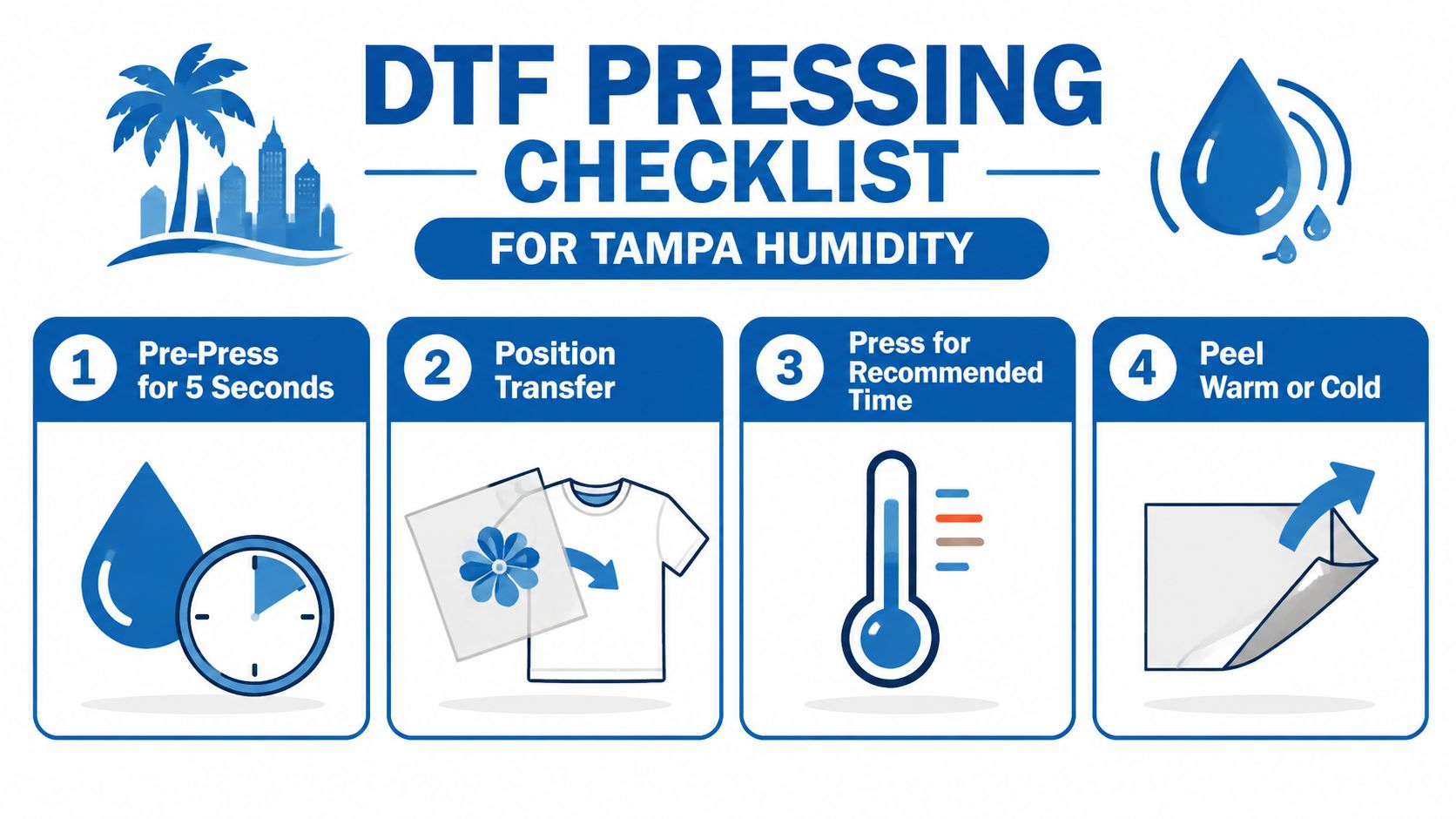
A customer can have a well-made transfer and still leave the shop with a weak print if the press has uneven heat, timing, or pressure. Start with a brief pre-press to remove moisture and flatten wrinkles. Center the film, cover it with the recommended protective material, and treat the supplier's instructions as the final authority.
A practical starting setup
For many cotton garments, begin at 280°F for 10 seconds with medium-to-firm pressure. Polyester and sensitive blends may need lower heat or less dwell time. A performance shirt can react differently from a cotton tee, so test an extra garment or an inconspicuous area before pressing a full event order. For a detailed setup reference, see this guide to DTF heat-press settings.
The curing literature commonly places DTF powder curing around 240°F to 280°F, with expert guidance often recommending 7 to 10 seconds for an initial bond and a follow-up press. Minimized color change and reduced contamination under its tested conditions, as reported in this DTF powder curing guide. Use those figures as testing points, not as a universal profile for every transfer and blank.
Press, peel, and finish
Pre-press the shirt, position the film, and apply firm, even pressure. Many hot-peel films should be peeled while hot, but film specifications vary. Follow the transfer supplier's instruction instead of guessing. A finishing press, often around five seconds in practical guidance, can improve surface contact and wash resistance, as described in this hot-peel application guide.
Peel parallel to the fabric rather than pulling sharply upward. If seams, zippers, or uneven sections keep the platen from contacting the artwork, use a pressing pillow or reposition the garment. Let the shirt cool before stacking. Wash it inside out on a gentle cycle, and remember that careful pressing begins with proper powder curing.
Tampa-Specific DTF Questions Buyers Ask
Can I pick up a transfer the same day? Sometimes. The answer depends on where the order is printed, the cutoff time, artwork approval, and whether the provider has a Tampa pickup point. A business using “Tampa” in its name may print elsewhere and ship into the city. Ask for the production address, pickup address, and collection window before assuming the order is local.
Will DTF hold up through Florida heat and repeated washing? It can perform well when the adhesive is cured and the transfer is pressed correctly. Controlled testing showed DTF samples retaining color through about 15 wash cycles under a specified protocol, but that result does not guarantee identical performance on every garment, detergent, press, or wash routine, according to the textile comparison cited earlier. For a large order, test the actual blank and wash it before production.
Does DTF crack on polyester blends? It does not have to. Fabric stretch, surface texture, heat settings, and dye migration all affect the result. Test a performance tee or tri-blend before committing to an event order, especially when the shirt feels slick or highly elastic.
When is another method smarter? Screen printing can suit larger runs with bold repeat artwork or specialty ink effects. Sublimation fits suitable light polyester and all-over decoration. HTV remains practical for individual names, numbers, glitter, or reflective details.
Do DTF orders have minimums? Requirements vary by provider. Ask whether the shop charges a minimum sheet amount, artwork fee, rush fee, or shipping threshold. A small order may be easy to print, yet still carry a setup or delivery charge.
Can I order names and numbers for a small roster? Yes, if the artwork is clear and the sheet layout leaves room for each requested piece. Lion DTF's Auto-build gang sheet builder can arrange different names or numbers together, helping you see whether the sheet is being used efficiently before checkout. That distinction matters for Tampa buyers comparing a locally printed order with transfers shipped into Tampa.
What happens if my file is the wrong DPI? The provider may request a replacement, print at the supplied quality, or flag the issue before production. Upload a clean file, confirm its physical size, and resolve corrections before the order reaches the press stage.
Start Your First Order With Lion DTF Transfers
For a first order, keep the workflow simple. Prepare transparent PNG files, decide the finished dimensions in inches, and collect every logo, name, or graphic you want to print. Then open the Auto-build gang sheet builder, choose a sheet size, upload the artwork, and let the layout show you how efficiently the designs fit.
The builder helps with two decisions at once. It gives you a clearer view of material usage for pricing, and it creates a tighter production layout that can support a quicker print workflow. You can add designs while space remains visible, choose the quantity, and review the final sheet before checkout.
If your gang sheet is already arranged, ready-to-press transfers offer a more direct path. If you're unsure about the file, the garment, or the event deadline, send the artwork and date to the shop before ordering. That conversation can reveal whether local pickup is realistic or whether Tampa shipping gives you the safer delivery window.
Start with one of these actions:
- Build a test sheet: Upload a small group of designs and check how the layout affects your transfer area.
- Request a sample pack: Use samples to test color, fabric compatibility, and pressing before a larger run.
- Message the shop with your event date: Ask specifically about production location, nearest pickup availability, cutoff time, and shipping risk.
Lion DTF Transfers offers ready-to-press DTF transfers, custom gang sheets, and an Auto-build gang sheet builder for Tampa buyers who want a clearer path from artwork to pressing. Visit Lion DTF Transfers to start a sheet, choose ready-to-press transfers, or send the shop your event date and any shipping questions.
Email orders@LionDTF.com or Text or Call: 833-350-5466