










A DTF gang sheet lets you arrange multiple designs on a single PET film, driving down material costs and speeding up production. Pair that with our Auto-build gang sheet builder—engineered for ease of use and cost effectiveness—and you’ll see your sheet yield climb while slicing your setup time in half.
Understanding Gang Sheet DTF Workflow
Every run begins when artwork from various clients or SKUs flows into your layout software. Once designs are in place, you can skip fabric pre-treatment to shave precious minutes off the setup.
Alignment marks and bleed margins become your safety net.
- Import all art files into our Auto-build gang sheet builder and let its color-grouping logic do the heavy lifting.
- Automatic spacing and registration marks maximize film coverage without manual nudges.
- Bypass pretreatment to cut prep time by up to 40%.
- Export a RIP-ready file and send it straight to press.
One shop we worked with boosted output from 100 transfers per hour to more than 600 simply by batching jobs on gang sheets.
Gang Sheet Structure
Below is a typical DTF film layout showing white underbase and color layers side by side.
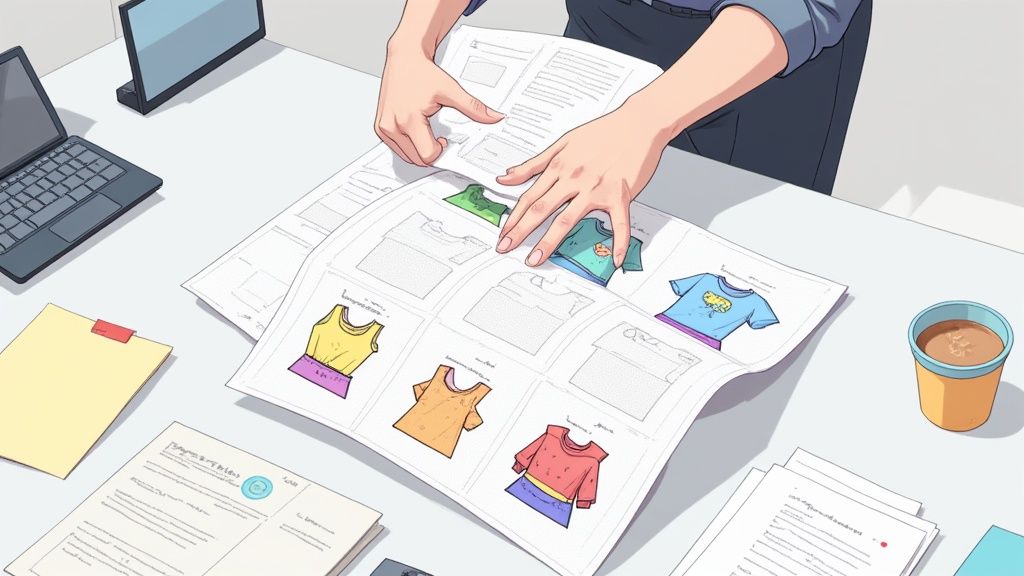
This visual breaks down how layer order and spacing directly influence your print yield and final quality.
By 2024, the industry rolled out 7.2 billion DTF prints — a 30% jump over the previous year, confirming gang-sheet DTF as the go-to for volume runs. Read the full research about direct-to-film printing market review](https://www.wtin.com/article/2025/june/09-06-25/direct-to-film-printing-market-review-2025/)
Key Advantages Comparison
Before you decide on the right print method, it helps to see how DTF gang sheets stack up:
| Printing Method | Cost per Print | Setup Time | Fabric Compatibility | Print Quality |
|---|---|---|---|---|
| DTF Gang Sheet | $0.02 | 10 min | All fabrics | High |
| DTG | $0.30 | 20 min | Cotton blends | Medium |
| Screen Printing | $0.15 | 60 min | Limited fabrics | High |
This side-by-side shows how ultra-low $0.02 prints and speedy 10-minute setups give DTF gang sheets a serious edge.
Efficiency jumps when you sequence jobs by color group, minimizing ink changes and idle time.
Real Shop Scenario
A boutique print shop cleared an entire day’s backlog in under an hour simply by grouping ten client designs onto one 12×18 inch film sheet.
Learn more about the new Auto-build feature in our guide on dynamic layouts.
- Slide the arranged sheet onto your heat press, aligning registration marks with platen corners.
Cutting out fabric pre-treatment and relying on gang sheets pares your setup checklist in half, freeing up time for more jobs. Inline curing lanes on modern DTF presses ensure ink dries on the fly, moving sheets swiftly from print to press.
Ready to optimize?
Benefits Of Gang Sheet DTF Printing
Grouping multiple designs on a single film sheet can change how you handle batch orders. Setup times shrink, and you toss far less waste at the end of the day.
I’ve seen a small boutique leap from 24 transfers a day to over 200 just by nesting similar artwork together. Their clients got faster turnaround, and the leftover scraps practically disappeared.
Key Advantages For Print Shops:
- Quicker Setup: Spend less time on ink swaps and platen adjustments
- Reduced Waste: Tight nesting makes the most of every square inch
- Simplified Inventory: Fewer orphan transfers to track
Pair these wins with our Auto-build gang sheet builder, and the whole process almost runs itself. It auto-balances ink coverage, suggests layout tweaks, and drives your cost-per-transfer down.
Vibrant Colors On Dark Fabrics
Dark tees demand a consistent white underbase to keep hues vivid. Too thin, and you risk bleeding or dull spots; too thick, and details can soften.
In our shop, we aim for a 10–12 micron underbase layer—enough to support crisp lines and smooth gradients every time.
Smart Tips From The Press Floor:
- Calibrate Ink Density: Group colors by cluster and tweak each for even saturation
- Control Heat: Lock in the right press temperature to avoid film shrinkage or scorching
- Trial Runs: Test on fabric scraps before you commit to a full gang sheet
Logging each test run helps you troubleshoot faster. Soon, your press setups’ll feel repeatable—even on the busiest days.
The global direct-to-film printing market jumped from USD 2.56 billion in 2023 to USD 2.72 billion in 2024, and is projected to reach USD 3.92 billion by 2030 at a 6.0% CAGR, driven by demand for cost-effective custom apparel solutions. Learn more about DTF printing market projections at Grand View Research
Eco Benefits And Premium Appeal
Switching to water-based inks resonates with eco-minded customers and elevates your brand story. You can cut VOC emissions by 70% while delivering prints that withstand over 100 wash cycles.
What You Gain:
- Biodegradable Bases: Less environmental impact once the film is retired
- Fine Detail: Print up to 1200 DPI for intricate logos and text
- Compact Storage: Thin gang sheets stack neatly in small bins
- PVC-Free Film: Eliminate harmful plastics from your workflow
As you boost sheet yields, your cost per square inch plummets. Use our Auto-build gang sheet builder to watch savings update in real time.
Inventory Efficiency
When shelf space is at a premium, gang sheets are a game-changer. They stack flat, free up room, and simplify order fulfillment.
Organizational Best Practices:
- Label each sheet with the design name and run quantity
- Store sheets upright in shallow bins for quick access
- Pull real-time stock reports from the Auto-build builder
- Scan barcodes as you pick to eliminate human error
These simple steps turn fulfillment into a smooth, repeatable process—keeping orders out the door and customers smiling.
Designing Artwork Layout For Gang Sheet DTF
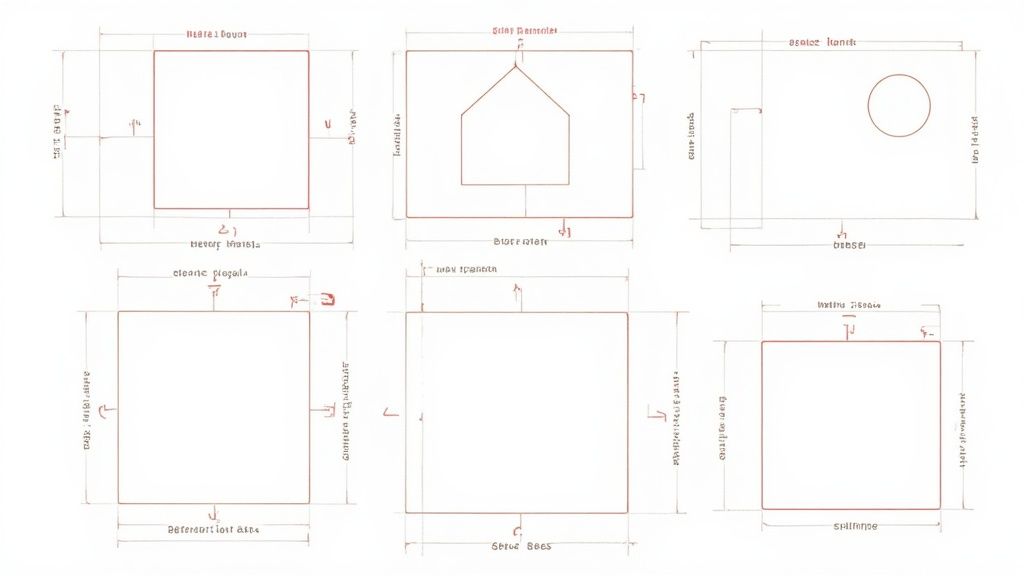
Getting your artwork arranged on a DTF gang sheet means more than just dropping designs onto a page. It’s about spacing, bleed, and print precision all working in harmony. Nail this setup and you’ll reduce wasted film and keep ink exactly where it belongs.
- Keep a 3–5 mm bleed around each design to accommodate registration shifts.
- Add registration marks at the sheet corners for a smooth press setup.
- Try our Auto-build gang sheet builder to automate spacing and boost yield.
Choosing file types wisely also matters. Vectors scale like a dream without losing any sharpness. Raster art, even at high DPI, can soften or show jagged edges at the borders.
Spacing And Registration
Precision registration marks slash alignment headaches. With a few strategic crosses in place, you’ll cut down on misprints and wasted time.
- Place tiny crosshairs just outside the bleed areas.
- Keep them at least 5 mm from the sheet edge so your cutter has room to breathe.
Our Auto-build gang sheet builder inserts these marks based on your chosen sheet size, meaning you spend less time tweaking and more time printing.
Using Templates To Speed Layout
Templates are the secret weapon of busy shops. A solid framework gets you up and running in minutes rather than hours.
- A 12×18 inch sheet divided into four quadrants for small logos.
- A multi-size bundle sheet for mixing youth- and adult-sized designs.
Just drop in your transparent PNGs or vector files, double-check colors, and you’re ready for a flawless run.
Group Art By Color Palette
Organizing designs by hue isn’t just neat—it slashes press downtime too. Less time swapping inks means faster jobs and lower costs.
- Cluster warm tones (red, orange, yellow) together.
- Group cool shades (blue, green) in their own lanes.
- Build mono-color mockups in black and white to verify placement.
"Grouping by palette cut our press time by 20%," says a Miami print shop owner who switched to gang sheet dtf.
| Feature | Vector Files | Raster Files |
|---|---|---|
| Scalability | Infinite without blur | Limited to original DPI |
| File Size | Smaller for shapes | Larger for detailed art |
| Edge Quality | Sharp lines and curves | May need extra anti-alias |
Transparent backgrounds are your best friend here. Removing stray pixels prevents unwanted white halos when you export.
File Prep And Transparency
When you’re prepping files, transparency keeps your art crisp. Skip the borders and let each design shine.
- Delete any background layers in your design software to reveal transparency.
- Export at 300 DPI as PNG or PDF with alpha channels intact.
https://liondtf.com/blogs/news/how-to-create-a-dtf-gang-sheet-in-canva
Putting these layout tips into practice maximizes each sheet’s real-world performance. Fewer reprints, less wasted film—now that’s efficiency in action.
Fine-tune spacing over time to shave costs and speed up production.
File Preparation And Print Specifications
Getting your artwork ready for print is a bit like tuning an engine: every detail needs to be spot on for a smooth run. I always start by confirming the resolution, color settings, and export format before anything hits my print queue. A single oversight can turn sharp prints into a blurry mess.
Sharp edges require working at 600 DPI or higher. For ultra-fine details, some shops push up to 1200 DPI—especially in Europe, which holds 36% of the global DTF market in 2024 (Learn more about market share trends).
- Color Profile: Stick with sRGB or Adobe RGB so what you see on screen matches the film.
- Ink Limits: Cap total coverage at 300% to prevent ink pooling or bleed.
- File Format: Export as PNG or PDF, making sure to include an alpha channel for transparency.
- Background Cleanup: Erase stray pixels to avoid unwanted white halos around your artwork.
Preparing Artwork Files
Before you hit export, flatten your layers so nothing shifts in the RIP. Treat text like an immovable asset—either embed fonts or convert them to outlines.
- Merge visible layers into a single file to lock everything in place.
- Convert text layers to outlines or embed fonts within the document.
- Verify that spot color tags align with your RIP settings to ensure accurate ink placement.
File Naming And Organization
A clean folder structure has saved me more deadlines than I can count. Descriptive, consistent file names make it easy to find the right asset on a busy press day.
- Prefix filenames with client initials and job numbers (e.g., ACME_1023).
- Append resolution and color profile details (for example, Art_600DPI_sRGB).
- Group related files by sheet size or production date in dedicated project folders.
| Format | Alpha Support | File Size | RIP Compatibility |
|---|---|---|---|
| PNG | Yes | Medium | High |
| Yes | Large | Medium |
Well-named files cut troubleshooting by half, a print manager reports.
Choosing Film Base And Mesh Count
Picking the right PET film is the first step toward reliable transfers. The mesh count you choose impacts both detail and production speed.
- 90-Micron Film: Budget-friendly with solid opacity for everyday jobs.
- 110-Micron Film: Offers a nice balance of flexibility and rigidity.
- 150-Micron Film: Stiffer sheet, perfect for intricate gradients and fine lines.
Refer to your printer’s manual for the recommended settings. Then let your RIP software automatically drop in spot colors and the white underbase.
“Our Auto-build gang sheet builder lays in underbase and spot layers without fails,” says a veteran shop operator.
- Use naming conventions to auto-assign spot colors.
- Dial white ink opacity to 80–100% for a crisp underlayer.
- Allow the RIP to calculate overprint and ink interactions based on film specs.
Final Export And Builder Integration
After checking every file, upload to our Auto-build gang sheet builder—its layout tool squeezes designs together, wasting less film. Always review the printable preview for registration marks before you send anything to press.
Press the print button with confidence, knowing you’ve minimized errors and maximized coverage. Finally, back up your job to the cloud, tagging each file with the customer name and date.
Integrating with the Lion DTF Transfers portal further streamlines communication, ensuring everyone sees the same layout and specifications.
Ordering Gang Sheet DTF And Cutting Costs
Organizing your DTF orders onto gang sheets delivers immediate savings. At Lion DTF Transfers, bulk pricing kicks off at just $0.017 per square inch. By focusing on volume runs, you sidestep seasonal price jumps and surprise rush charges.
Some shops report cutting unit costs by up to 40% when they place orders outside of peak periods. That extra breathing room in your schedule also strengthens your negotiating position. For example, one boutique saw a drop from $1.20 to $0.72 per transfer.
Here’s how to make it happen:
- Review past orders every quarter to identify slower months.
- Compare rates between Lion DTF Transfers and local printers.
- Group small batches into larger runs using our Auto-build gang sheet builder.
- Opt for off-peak shipping to shave off logistics fees.
Negotiation Tips
Consistency is your greatest bargaining chip. When you place repeat orders, suppliers like Lion DTF Transfers reward you with deeper discounts. Here are three proven tactics:
- Lock in a rolling 90-day rate with a formal agreement.
- Share projected volumes to unlock tiered price breaks.
- Ask for a trial-run coupon on your first bulk order.
A tiered discount can slice another 10–15% off your unit cost. Remember to revisit terms every quarter to score better deals.
Timing Strategies
Seasonal slowdowns are opportunities in disguise. Many printers hike fees in Q4 to manage holiday demand. By shifting bulk runs into Q1, you dodge premium rates and steep shipping surcharges.
Batching smaller jobs into biweekly schedules also lightens handling costs. That simple tweak can save about $200 each quarter on freight alone.
Prototype Runs To Save Ink
A quick prototype sheet catches layout hiccups and color glitches before they balloon into expensive mistakes. Fewer full-scale reprints mean less wasted film and ink. One shop, for instance, spotted an underbase density issue on a trial sheet and fixed it well before a 500-piece run.
The Auto-build gang sheet builder’s layout preview uses color-coded zones to highlight spacing and placement. In real use, shops see roughly a 15% bump in sheet yield and far fewer manual adjustments.
Prototype runs are the most efficient way to avoid costly reprints and ink waste
Cost Comparison Table
Below is a cost breakdown for a 50-piece run across three popular printing methods:
| Technique | Setup Cost | Unit Cost (50 pcs) | Turnaround Time | Bulk Discounts |
|---|---|---|---|---|
| Screen Printing | $120 | $1.50 | 7 days | 5% |
| DTG | $80 | $0.80 | 3 days | 10% |
| DTF Gang Sheet | $50 | $0.30 | 2 days | 15% |
This table makes it clear: DTF gang sheet printing leads in both speed and savings.
Final Thoughts And Next Steps
Leveraging our Auto-build gang sheet builder with Lion DTF Transfers locks in your layout and pricing before you hit print. Think of gang sheet DTF as a smart budgeting tool for your production floor.
Ready to trim costs even more? Head over to the Auto-build gang sheet builder now and lock in your bulk pricing before your next print job.
Curing, Pressing, And Troubleshooting DTF Transfers
Nailing the cure is your last quality check before sending gang sheet DTF prints out the door. It’s where everything comes together—or unravels if your settings are off.
Dial in 240-280°F, medium pressure, and 5-10 seconds of dwell time for a durable, vibrant finish.
To map out each decision—pressing, peeling, underbase tweaks—refer to this visual guide:
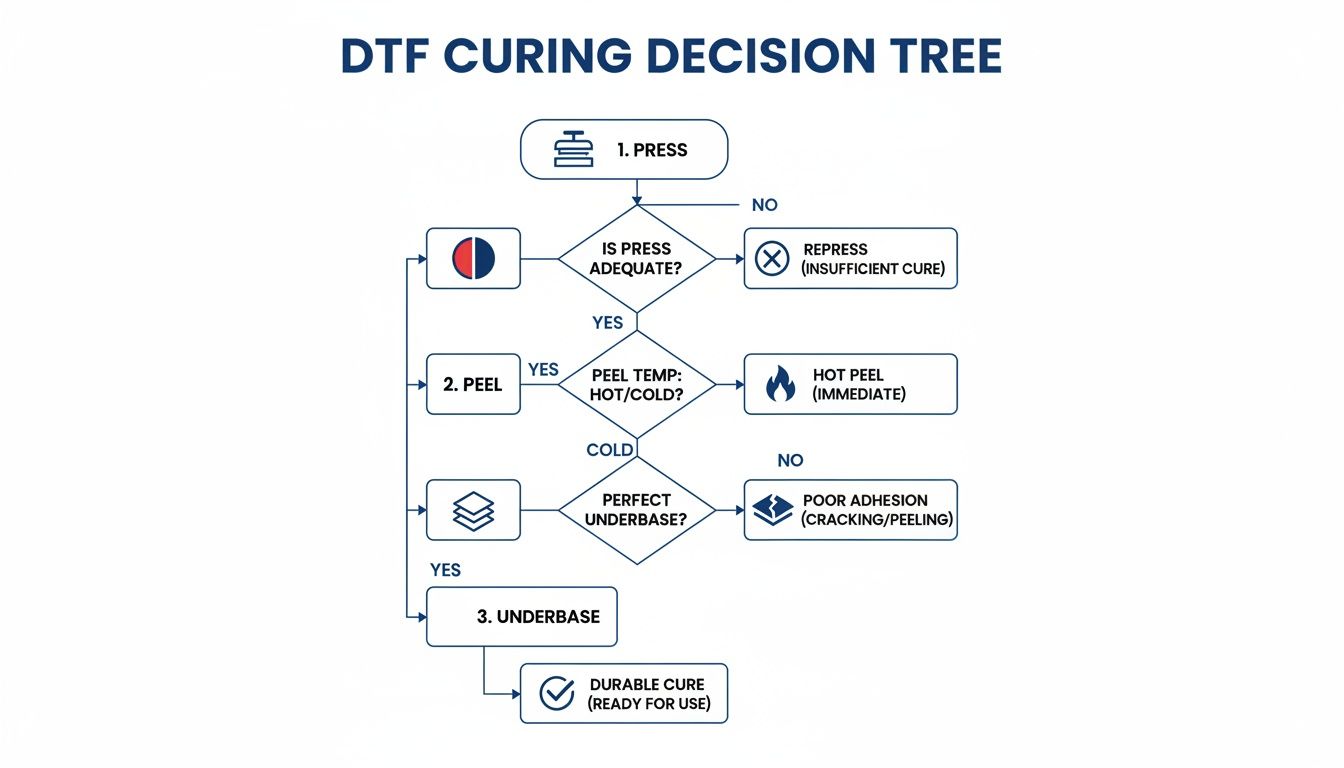
You’ll see how small adjustments at each stage banish cracks, ghosting, or lift.
Press Settings And Peel Methods
Different fabrics demand different approaches:
| Fabric Type | Temperature | Pressure | Peel Style |
|---|---|---|---|
| Cotton | 280 °F | Medium | Hot Peel |
| Polyester | 240-250 °F | Medium | Hot Peel |
| Blends | 260-270 °F | Balanced | Hot Peel |
Bulletproof your process with these notes:
- Hot Peel locks in intricate details and feels softer on the garment.
- Cold Peel tightens up the bond, perfect for heavier or textured fabrics.
- Underbase Density at 80–100% opacity makes colors pop consistently.
Troubleshooting Cracks, Ghosting, And Lifts
Cracks showing up? Break out a few test strips and run an adhesion check first.
If colors look thin or patchy, bump up underbase density or add another white layer.
Ghosting creeping in? Try easing back the temperature or pushing your pressure up a notch. For fine-tuning your heat press, see our guide on ideal heat press settings for DTF.
Consistent pressure cuts ghosting by 30%, according to veteran press operators.
Switch to release paper rated for DTF only—you’ll avoid sticky residue and edge lifting.
Our Auto-build gang sheet builder even auto-configures underbase layers, saving you guesswork. Seasoned shops swear by weekly calibration checks and realigning platens to keep every transfer flawless.
Advanced Fixes And Maintenance
Heat distribution isn’t uniform forever—rotate your platen weekly to dodge hot spots.
Keep that press bed spotless with isopropyl alcohol wipes; ink dust is a silent ghosting culprit.
Always run a peel adhesion test on scrap fabric before any big batch.
Steps for top performance:
- Inspect silicone pads after every 500 sheets.
- Replace any pad that shows uneven wear.
- Use calibrated pressure gauges for precise settings.
A shop in Texas cut ghosting by 50% by adding just 2 seconds of dwell time.
Finally, toss sample shirts into the wash to confirm washability before shipping orders. Auto-build layouts alone can drop misprints by 25% and slash your waste. Keep these pressing strategies in your playbook and you’ll hit deadlines, protect margins, and keep clients coming back.
FAQ About Gang Sheet DTF
Navigating the ins and outs of DTF gang sheets can feel like a puzzle. This quick-fire FAQ cuts through the clutter with tips on film choices, press upkeep, layout tricks, and service speeds.
Recommended Film Thickness
Choosing the right film is crucial. A 100-micron film strikes the ideal balance between toughness and flexibility. If you go thicker, expect to crank up your press pressure—and slow down your setup.
Press Cleaning Tips
Keeping your heat press spotless prevents color contamination and ghosting. A few simple habits go a long way:
- Always have a fresh, lint-free cloth and isopropyl alcohol ready
- Wipe both top and bottom platens after each color change
- Let any alcohol residue dry completely before running the next sheet
Proper press cleaning can reduce misprints by 30% and extend your platen life.
Mixing Designs On One Sheet
Want to cram various sizes and shapes onto a single gang sheet? Our Auto-build gang sheet builder handles the heavy lifting:
- Upload your PNGs or vector files with transparent backgrounds
- Set your bleed margins and minimum spacing
- Preview the layout and export RIP-ready files
In real shop trials, Auto-build layouts boosted sheet yield by 25%.
Typical Turnaround Times
Fast prints keep your operation humming. At Lion DTF Transfers, most orders ship in 24–48 hours. Larger volume runs can even snag same-day shipping if scheduled in advance.
- 24-48 Hours standard printing and shipping
- Same-day pickup at select locations
- Next-day air for last-minute orders
Quick lead times mean you get transfers into your heat press—and into your customers’ hands—without the wait.
Ready to simplify your gang sheet DTF workflow? Visit Lion DTF Transfers and start saving time and material today.