










A six-color screen-printing job can carry $480–$900 in setup before production starts, according to XoFabric's textile-printing comparison. That's the expense that changes the DTF printing vs screen printing decision: you're not just buying ink on fabric, you're paying to prepare a production method for a particular order.
For a shop printing identical merchandise all afternoon, preparation can be money well spent. For a seller testing artwork or a school ordering personalized shirts, it can consume the margin before the first garment leaves the press. The right comparison includes setup, finishing labor, failed prints, maintenance and the garment's intended use.
DTF and Screen Printing Side by Side
Screen printing wins on unit cost for large runs of identical garments, while DTF wins on short runs, full-color artwork and frequent design changes.
DTF printing and screen printing compared on core criteria
| Criterion | DTF printing | Screen printing |
|---|---|---|
| Best run size | Single pieces through short runs of a few hundred per design | Large repeat runs of one stable design |
| Color handling | Full-color CMYK plus white underbase, no screen per color | One screen and press pass per spot color |
| Photographic and gradient artwork | Digitally reproduced detail | Halftones and careful color separation |
| Setup before the first garment | Digital file, film output and powder application | Screens, emulsion exposure and registration |
| Cost of changing a design | Low, usually a new file | Higher, new screens for changed colors |
| Wash resistance | Strong with controlled materials and curing | Strong with properly cured ink |
| Abrasion resistance | Lower in tested samples | Higher in tested samples |
| Hand feel | Transferred layer, affected by coverage | Ink system and deposit determine feel |
| Finishing per garment | Transfer placement and heat pressing | Flashing where needed, then dryer curing |
Use the visual comparison to identify the constraint that matters most for your order.
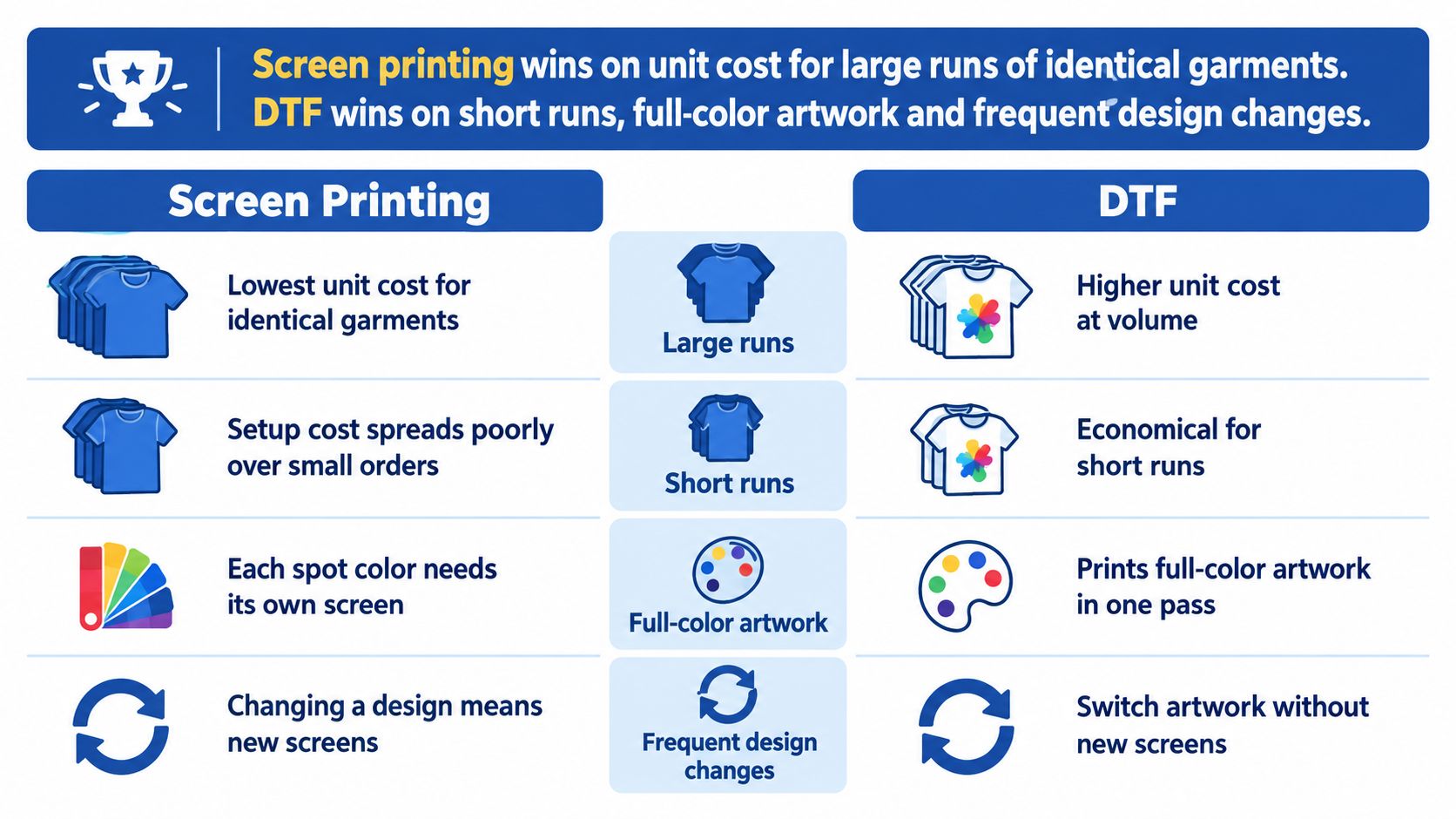
Read the table as a map, not a scorecard
A method doesn't win because it collects more favorable cells. Abrasion resistance matters more for warehouse uniforms than for promotional shirts, while easy artwork changes matter more for personalized merchandise than for a fixed company logo.
Say you're quoting a one-color logo on a large batch of shirts and a small team order with photographic back prints. Those jobs belong on opposite sides of the comparison, even if both customers choose the same blank.
Price figures need their own context, so the table stays qualitative. Identify the row closest to your next order, then use the cost calculation below to test whether that operational advantage also saves money.
How Each Process Builds a Print
Screen printing builds an image through physical stencils. DTF builds a digitally printed transfer, then bonds that image to the garment. That shift removes screen preparation from each new design, while controlled production still decides whether the print survives wear and washing.
The screen-printing chain starts with separating the artwork.
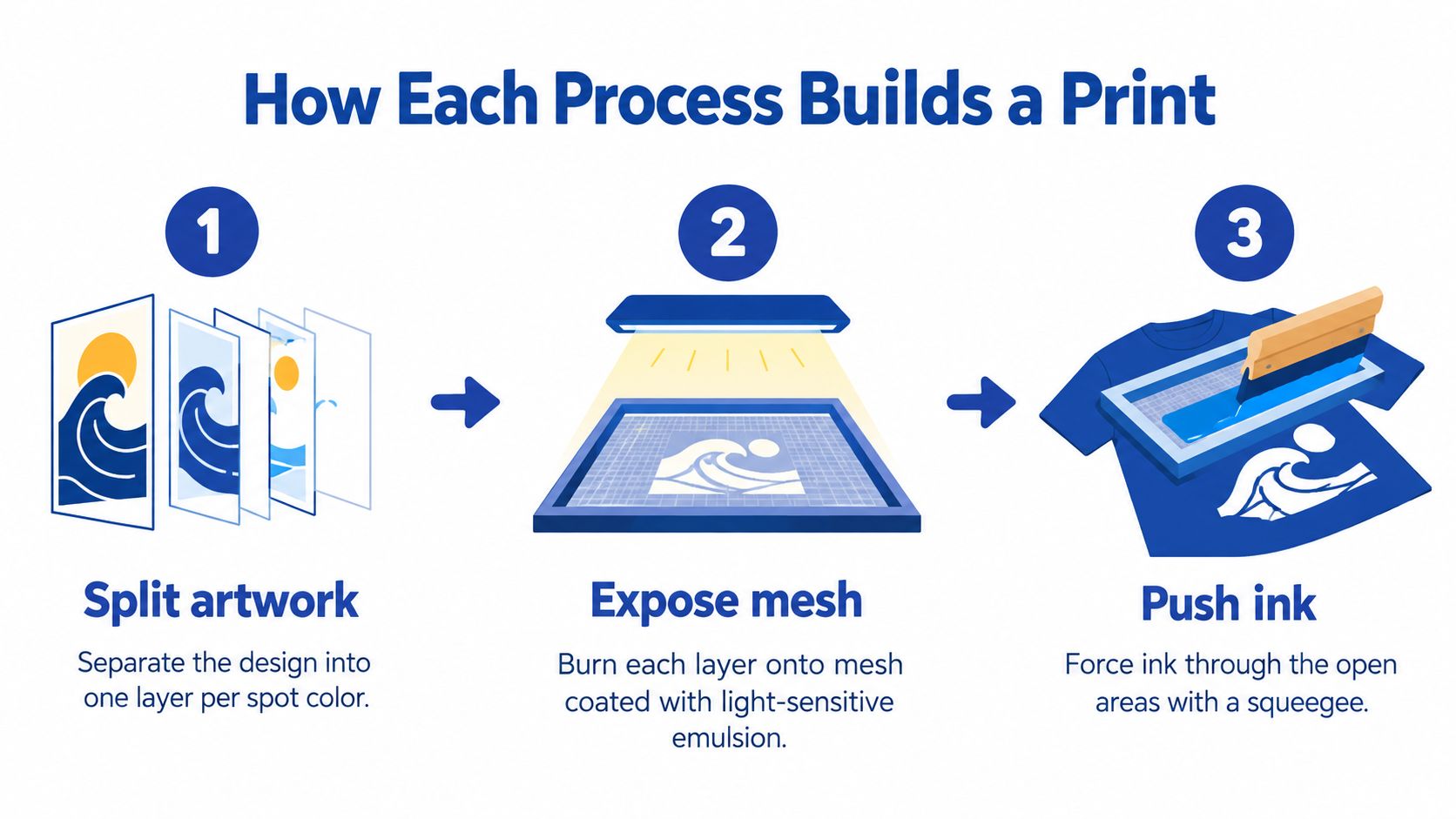
From artwork to cured ink
- Separate colors and burn screens. Coat mesh with light-sensitive emulsion, expose each artwork separation and wash out the image areas.
- Register and print each color. Align the screens, then use a squeegee to push ink through the open mesh. Poor registration produces gaps or unwanted overlaps.
- Flash and cure. Flash between layers where necessary, then complete the ink's specified curing cycle.
Curing settings belong to the ink system, not to screen printing as a whole: Dow's technical documentation specifies 120–140°C (248–284°F) for one minute for LCF 9600 textile ink, so confirm the cure window on the data sheet for whichever ink you use.
For a one- or two-color logo on a large batch, that preparation can be worth the cleanup because the same screens run repeatedly. For names, numbers or frequent color changes, every revision pulls you back to separations, exposure, washout and reclaiming. The practical guide to screen printing a shirt is useful when planning the equipment and preparation behind those steps.
From digital file to bonded transfer
- Print mirror-image film. Output the artwork onto coated PET film using CMYK inks and a white backing layer.
- Apply and cure adhesive powder. Coat the wet image, remove excess powder and melt the adhesive into a consistent layer.
- Press the transfer. Position it on the garment, apply the specified heat and pressure, then peel according to the film system.
DTF moves the variable work away from screens and into film, powder, printer upkeep and pressing discipline. A small team order with photographic back prints fits that chain because the file can change without rebuilding stencils. The trade-off is that each garment still needs accurate placement, pressure and peel timing.
For mixed artwork, our Auto-build gang sheet builder consolidates prepared designs into one sheet. That improves material utilization and ordering ease without changing how each transfer must be applied.
Watch the production sequence with particular attention to preparation and garment handling.
Before quoting, count the spot colors, expected quantity and how often the artwork will change. Then choose the preparation chain you can maintain consistently, rather than judging by the finished sample alone.
Cost Per Shirt and Break-Even by Order Size
Decoration cost per garment = total job setup ÷ quantity + variable production cost per garment.
Screen printing spreads fixed preparation across the whole run, so its per-shirt figure drops sharply as quantity climbs. DTF skips color-specific screens, which keeps its pricing flatter across order sizes, though artwork preparation, film production and handling still cost money on every job.
Published prices need their original scope
These are separate published examples, not interchangeable quotes. A screen fee isn't a complete setup charge, and a DTF print price isn't necessarily a finished-shirt price.
Per-unit cost and setup by order size
| Order scenario | Screen printing cost | DTF cost | Better fit |
|---|---|---|---|
| One six-color design, before the first garment | $480–$900 setup | $150–$320 for comparable digital preparation | Digital preparation has the lower quoted setup |
| Four-color design, screen fees only | $60–$140 total, about $15–$35 per color, in PrintablePress's screen-printing cost breakdown | No screen fees | DTF for short runs |
| 100-shirt order | $1.50–$2.80 per shirt in SAM-INK's 2025 cost comparison | $1.05–$1.95 per print in the same comparison | DTF in that comparison |
The six-color figures come from a peer-reviewed textile comparison of the two methods. Treat the digital-preparation estimate as one published scenario rather than a universal DTF setup tariff.
At volume, the same sources show how far screen pricing falls. A hoodie comparison lists $14–$18 per piece for a 50-piece run with a three-color front and one-color back, then $6–$9 per piece at 500 or more in Alibaba's printed-hoodie guide. The textile comparison's identical-unit pricing slides from about $5.00 at 50 units to about $0.30 at 1,000. Neither source publishes a matching DTF figure at those volumes, so past the 100-shirt row the reliable comparison is a like-for-like quote, not a rule of thumb.
Calculate your own crossover
For matching quotes, use:
Break-even quantity = (screen setup − DTF setup) ÷ (DTF variable unit cost − screen variable unit cost).
The formula is meaningful only when both quotes cover the same blank, print area, placements, packing and finishing. A zero or negative denominator means screen printing gains no variable-cost advantage under those conditions, so quantity alone never closes the setup gap.
Quote check: Compare finished, accepted garments, not a transfer-only price against a fully decorated shirt.
Running several designs through Lion DTF's Auto-build gang sheet builder lowers the film area each transfer pays for. Price transfers by print area, then add placement and pressing labor: a zero screen fee still leaves real production labor in the unit cost.
A custom-shirt pricing worksheet folds spoilage, overhead and margin into the figure you quote customers. Enter your actual quantity and color count before trusting any generic break-even claim, because the crossover moves with every variable in the job.
Durability, Feel and Color Fidelity Compared
There isn't a universal durability winner. A well-made sample proves that a particular combination of garment, ink or transfer, and production settings worked. It doesn't guarantee every shop will reproduce that result.
In a peer-reviewed textile comparison, both methods showed strong wash resistance: DTF samples were visually most resistant after 15 washing cycles, while screen-printed samples were most resistant after 10 cycles. In the same testing, screen printing performed better under abrasion, with barely noticeable color loss through 50 and 100 abrasion cycles and more pronounced loss around 150 cycles.
Match the test to the garment's job
For workwear that rubs against equipment, straps or rough surfaces, the abrasion result gives screen printing a practical advantage. For everyday merchandise, DTF can deliver strong wash performance when film, adhesive powder, curing and application are controlled.
A lifting edge isn't automatically evidence that DTF is unsuitable. Check adhesive coverage, garment compatibility, actual platen temperature, pressure and dwell time before changing methods.
Durability is a process result, not a method result. Approve the production recipe and garment together.
Assess color and hand feel separately
DTF handles photographic transitions digitally, but file quality and color management still matter. A poor source image won't become sharp because it passes through a digital printer, and a screen preview isn't a reliable substitute for a physical sample on the intended garment color.
The transferred ink-and-adhesive layer is most noticeable in large solid areas. Open artwork with exposed fabric generally feels less continuous than a filled rectangle, so judge the actual decoration geometry rather than a small chest-logo sample.
Screen printing's feel changes with the ink system and deposit. Water-based printing can produce a softer result on compatible fabric, while plastisol can leave a more noticeable surface layer; neither description replaces a sample.
Use the guide to how long DTF transfers last to frame the care and application discussion. For a uniform program, request wash and abrasion evidence on your actual garment blend, print size and placement, not a generic wash-count promise.
Speed, Scale and Design Limits in Production
The production limit is different for each method. Screen printing consumes time before the run; DTF retains a placement-and-pressing operation on every garment.
SpeedE Transfers' production comparison distinguishes DTF's efficient handling of variable full-color artwork from automatic screen printing's higher sustained throughput on large, stable runs. Don't confuse quick artwork preparation with quick completion of an entire order.
Where screen production slows down
A five-color design needs five color passes, as explained in Alibaba's screen-printing pricing guide, adding handling, drying considerations and opportunities for registration errors. Automatic equipment can perform that sequence efficiently once it's dialed in, but the operator still has to establish the setup.
Photographic screen printing isn't impossible. It requires suitable separations, halftones, mesh and control of the ink deposit, making it a specialist production task rather than a simple extension of a flat-color logo.
A revised logo also needs careful routing. If the revision changes a printed separation, allow for the affected screen to be remade and registered rather than promising an immediate restart.
Where DTF production slows down
DTF's digital preparation doesn't eliminate garment handling. Someone still has to load the shirt flat, position the transfer, press it, peel it correctly and inspect the result.
For a mixed order, organize transfers by garment size, placement and customer before pressing. Otherwise, the time saved in artwork preparation can disappear while the operator searches for names or matches graphics to blanks.
- Dark garments: Inspect the white backing and edge alignment on a real sample.
- Cotton, polyester and blends: Confirm that the transfer bonds correctly and that pressing doesn't mark or distort the blank.
- Revised artwork: Replace the file and film output, then verify dimensions rather than assuming the previous placement still works.
The production question is therefore specific: is this job constrained by preparing the design, or by finishing each garment? Time both operations when evaluating equipment or outsourcing, because a faster printer won't fix a slow pressing station.
Environmental and Maintenance Trade-offs
Neither method is greener by default. A fair comparison measures the complete order, including consumables, energy, rejected garments, cleaning and disposal.
A peer-reviewed study published by Wiley identifies PET film and nonbiodegradable polyurethane hot-melt powder as environmental considerations for DTF, while also finding potential reductions in material and processing burdens when DTF replaces conventional woven labels. That's an application-specific finding, not proof that all DTF garment decoration has a lower environmental impact.
These consumables deserve a place in both purchasing and waste records.
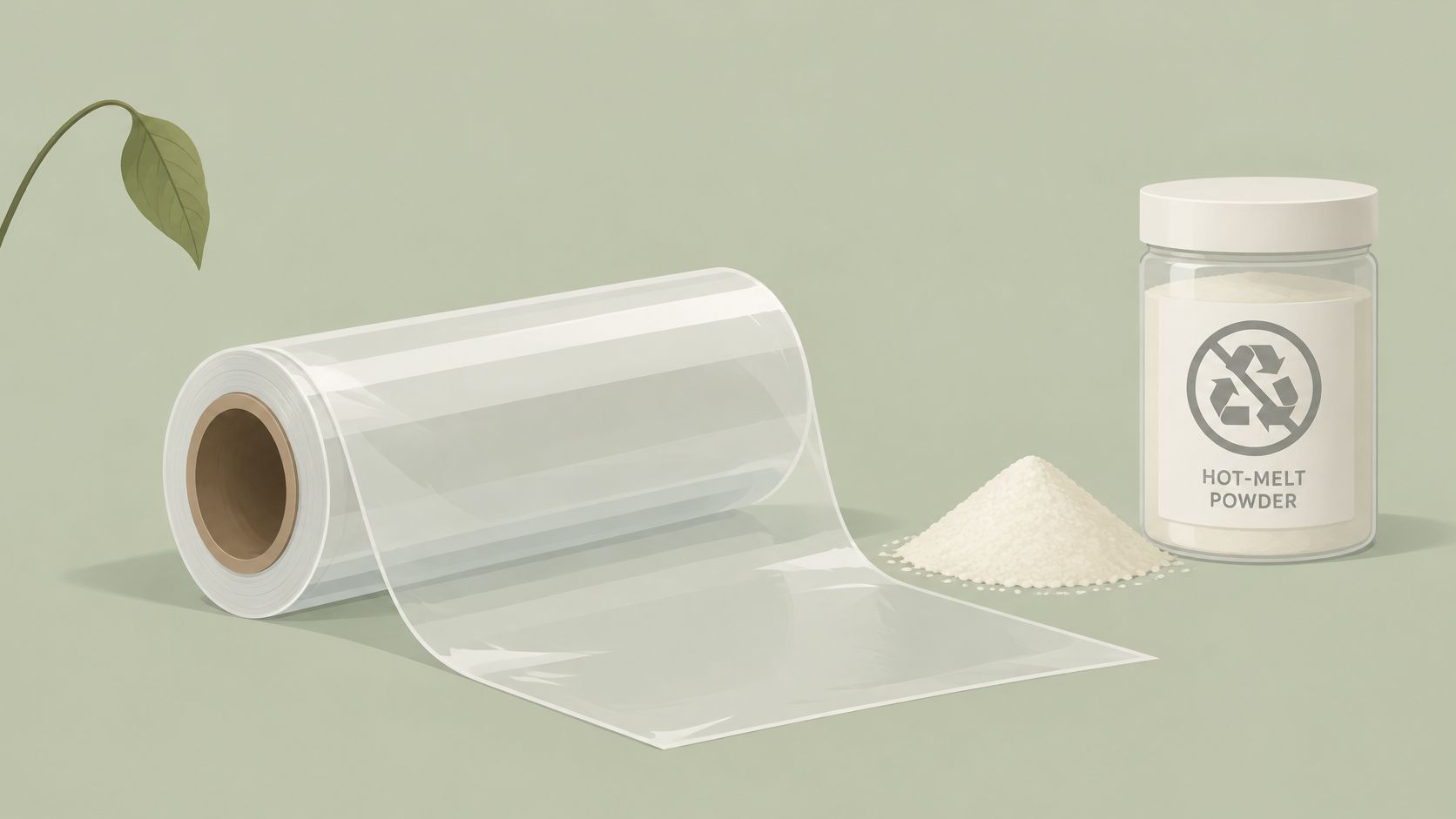
Compare waste by order scenario
Likely lower-waste method by order scenario
| Scenario | Likely lower-waste method | Waste or material to watch |
|---|---|---|
| One multicolor sample | DTF | PET film, adhesive powder and printer consumables |
| 12 custom team shirts | DTF | Film and powder per transfer against screen setup waste |
| 100 identical shirts | Screen printing | Emulsion, washout water and cleaning chemicals spread across the run |
| Ongoing replenishment of one stable design | Screen printing | Screen reuse, ink and curing energy |
These are directional planning judgments, not measured lifecycle results. The screen-printing cases assume usable screens, controlled spoilage and efficient production; many colors or discarded test garments can change the result.
Record batch size, color count, print area, failed prints, shipping and disposal practices. Counting only film waste, or only washout water, leaves out costs that can reverse the comparison.
Maintenance belongs in the calculation
Screen printing requires reclaiming, emulsion handling, cleaning and dry screen storage. DTF requires printhead care, white-ink management, powder containment, protected film storage and heat-press calibration.
Buying ready-to-press transfers moves printer maintenance to a supplier, but your shop still owns application quality. Budget for platen checks, clean pressing surfaces and rejected garments caused by incorrect placement or settings.
A longer-lasting decoration can reduce replacement purchases, but that doesn't make its materials easy to recycle.
Schools, brands and agencies need an auditable explanation of what was used and discarded. Give them production records and clear limitations, not an unsupported eco-friendly label.
Switching to DTF Without Losing Screen Print Volume
In a 2024 survey of North American apparel decorators, 42% planned to invest in DTF technology, while 77% used manual screen presses and 71% used automatic screen presses, according to Screen Printing Magazine and Keypoint Intelligence. Those overlapping figures support a complementary approach, although they don't prove that every planned DTF purchase was an addition rather than a replacement.
The practical starting point is to protect profitable screen work while giving unsuitable small jobs another route.
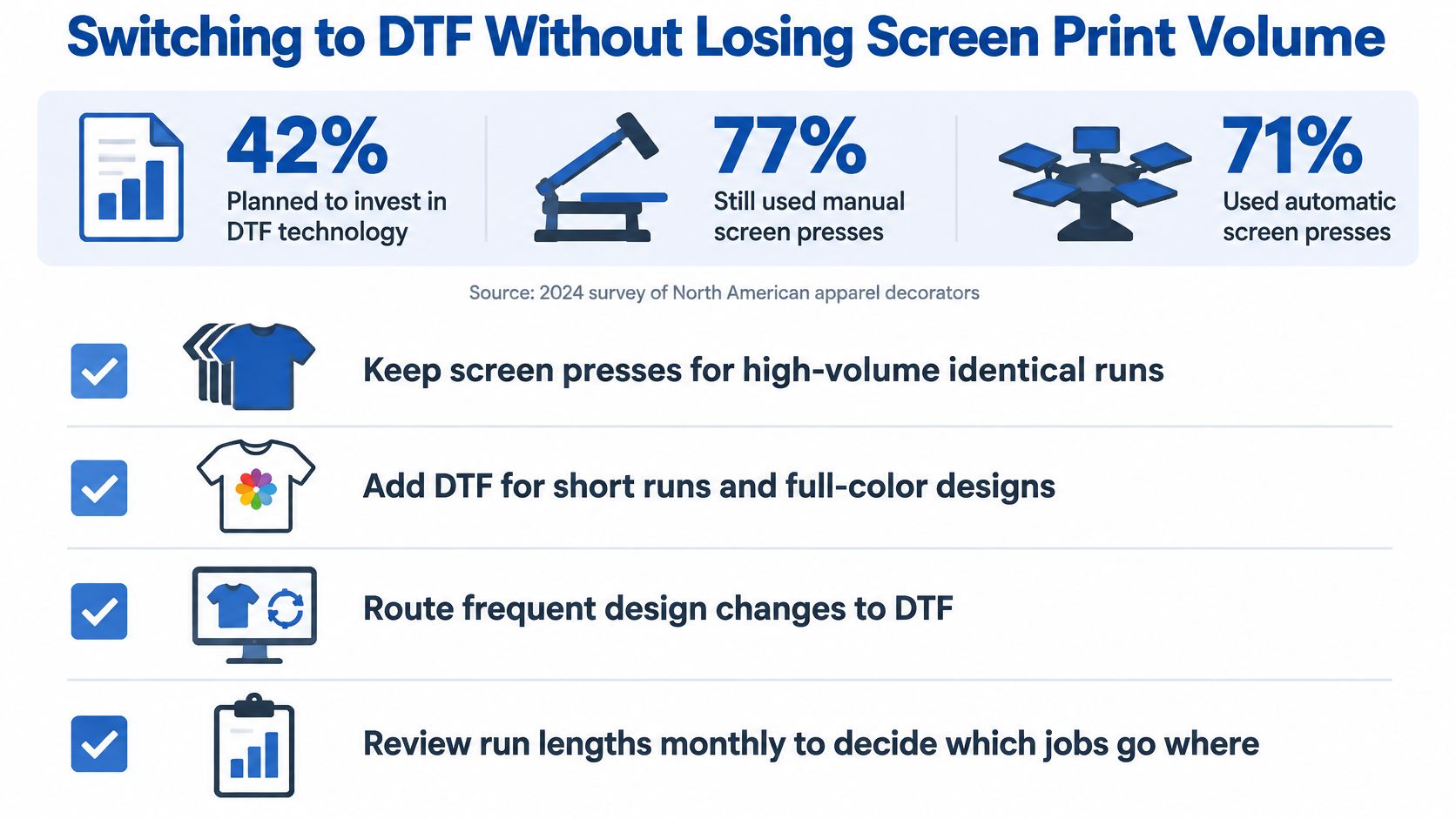
Route jobs before buying more equipment
- Sort SKUs by run size and color count. Keep stable, high-volume designs on screen presses. Identify orders that repeatedly interrupt production for limited output.
- Move one-off, personalized and photographic designs to a DTF trial queue. Don't move a profitable core screen job just to keep new equipment busy.
- Approve the garment before quoting production. Test washing and abrasion on the actual blend, including the intended decoration size. Save an unwashed control sample for comparison.
- Calibrate press temperature, time and pressure for the selected film-and-powder system. Log the blank, transfer batch, peel method and settings so another operator can reproduce the result.
Make layout and pricing repeatable
- Combine customer designs into planned sheets. Lion DTF's Auto-build gang sheet builder improves ease of use and cost effectiveness by arranging artwork together; the We Build a Gang Sheet for You service is another option when you don't want to prepare the layout yourself.
- Price by print area and finished quantity. Compare against a screen quote that includes the same placements, garment handling and delivery requirements, rather than comparing unlike line items.
- Run a defined measurement trial. For example, track failed prints and waste for a hypothetical 30-day pilot, recording operator time as well as material cost. Use those records to establish your shop's crossover rather than adopting another shop's threshold.
Keep a simple job-routing sheet beside estimating. Include artwork type, garment, quantity, tested recipe and selected method, then review exceptions with the production team.
The goal isn't to convert every order to DTF. It's to stop low-volume variants from disrupting efficient screen runs while keeping both processes accountable for their actual costs.
Choose the Right Method for Your Next Order
Choose by the order in front of you, not by which method sounds newer. The following are quoting recommendations, not universal production thresholds.
Which method to choose by situation
| Your situation | Choose | Reason |
|---|---|---|
| 1 to 50 pieces of one multicolor design | DTF | No screen fees and full-color capability |
| 50 to 100 or more pieces per design, many variants | DTF | Avoid repeated setup across separate artwork |
| 100 to 499 identical units | Calculate both quotes | Setup, print area and finishing labor decide |
| 500 or more identical units, one to three spot colors | Screen printing | Broad setup amortization and efficient press production |
| Heavy workwear with repeated abrasion | Screen printing | Better abrasion results in tested samples |
| Photographic or gradient artwork on cotton-polyester blends | DTF | Digital detail without physical screen separations |
| Team or event order with names and numbers | DTF | Personalization without individual screen sets |
| Steady screen volume plus regular small batches | Both | Screens for core designs, DTF for variants |
Make the first order a controlled test
For an undecided mid-volume order, request both methods against the same specification. State the blank, finished image dimensions, placements, artwork versions and whether the quote includes pressing, packing and spoilage.
Then compare the physical samples. A lower decoration price isn't a saving if the customer rejects the feel, the pressing leaves marks, or the print fails under the garment's normal use.
For a low-risk DTF start, choose representative artwork rather than the easiest possible logo. Include the fine detail, solid coverage or garment color that could expose a production problem, and ask for wash and abrasion information relevant to that sample.
Your next action is to prepare one complete test-order specification today. Run the break-even formula with your actual quantity and color count, request performance evidence on your blend, and order a small trial before committing the full batch. An Auto-build gang sheet builder can combine trial graphics, while ready-to-press collections let you evaluate application without preparing custom artwork.
Lion DTF Transfers offers custom DTF transfers, gang sheets and ready-to-press collections for shops that want to test short-run production alongside screen printing. Visit Lion DTF Transfers to prepare a sample order with your intended artwork and garment, then use the finished result to approve feel, application and pricing before scaling.
Email orders@LionDTF.com or Text or Call: 833-350-5466