










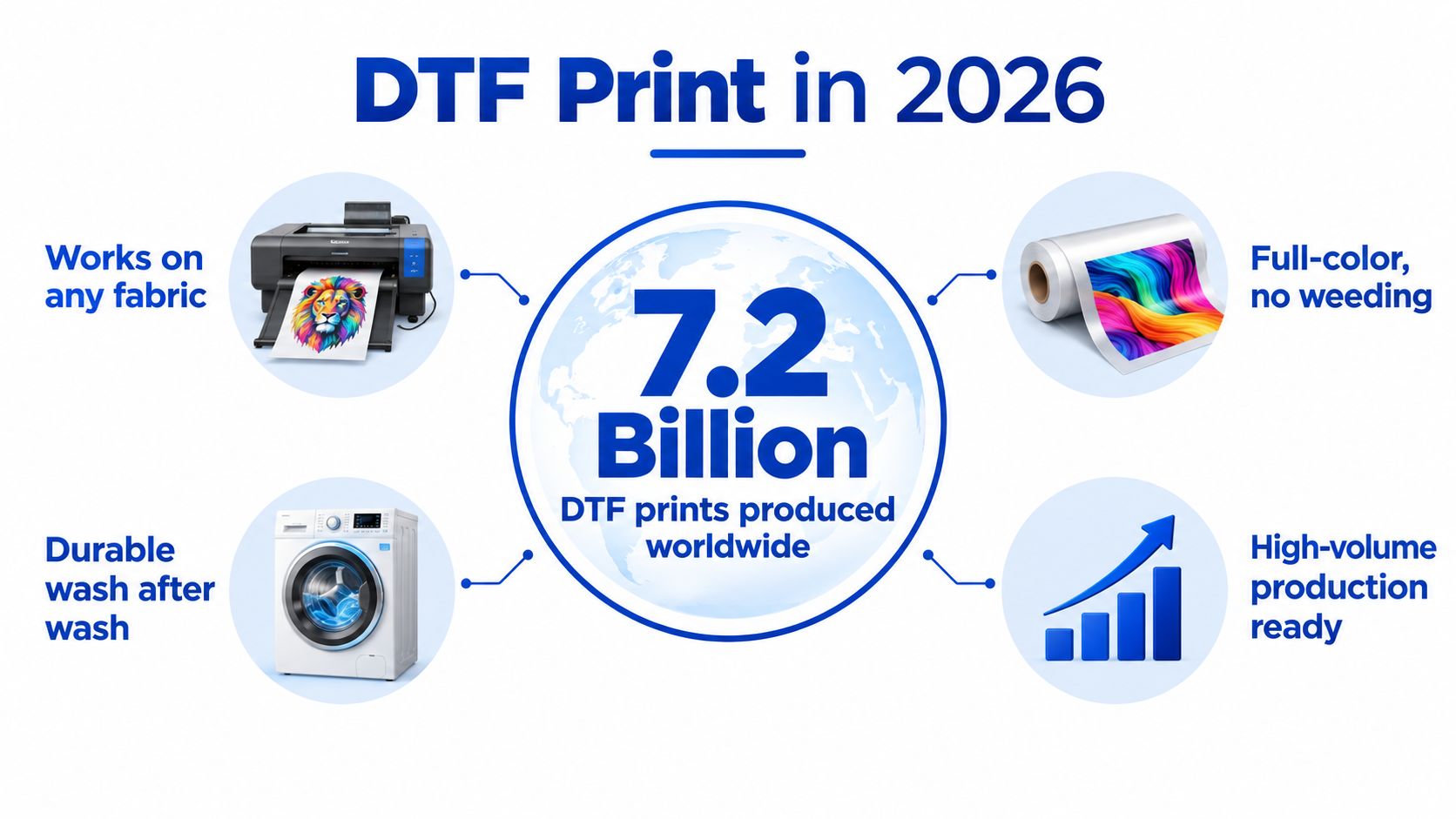
DTF print is a digital transfer process that prints designs onto PET film, coats them with adhesive powder, heat-cures them, and presses them onto garments, producing vibrant, durable results across diverse fabrics. More than 7.2 billion DTF prints were produced globally in 2024, nearly a 30% increase from the prior year, showing that this is now a serious production method rather than a small-shop experiment.
The process looks simple from the outside, but reliable results come from controlling the entire chain, from artwork preparation and powder coverage to curing, pressing, color management, and order fulfillment. A fast printer won't rescue a disorganized workflow, inconsistent consumables, or poorly packed gang sheets.
Why DTF Print is Dominating Apparel Decoration in 2026
World Textile Information Network reported more than 7.2 billion DTF prints produced worldwide in 2024, almost a 30% increase from the prior year, and projects more than 10.1 billion prints by 2030 across 184 million square meters (WTiN market report). That volume confirms DTF print has moved beyond a niche workaround.
The practical shift is operational. DTF lets shops handle branded merchandise, small-batch fulfillment, team apparel, creator collections, and ecommerce orders with mixed artwork without preparing a separate screen setup for every design. Roll-fed printers, automated powder application, and curing tunnels can support repeatable production, but only when artwork intake, gang sheet layout, transfer storage, and pressing capacity stay coordinated.
Why the market scale matters
One industry estimate valued the global DTF market at USD 2.72 billion in 2024 and projects USD 3.92 billion by 2030, with a 6.0% CAGR from 2025 to 2030. Europe represented 36.0% of global market share in 2024, while dedicated DTF printers held the largest type segment at 45.0% (Grand View Research DTF market analysis).
For buyers, a larger market generally means more options for printers, films, powders, inks, and outsourced transfer suppliers. For shop owners, it supports a production model that can scale without relying entirely on improvised converted equipment. The constraint often becomes workflow. Poor gang sheet planning wastes film, inconsistent transfer storage creates defects, and a press operator working faster than transfers can be prepared creates a bottleneck.
Lion DTF Transfers offers custom transfers and gang sheets for businesses that want to outsource printing while keeping pressing in-house. The DTF print overview explains the basic process and common uses.
The DTF Workflow From File to Fabric
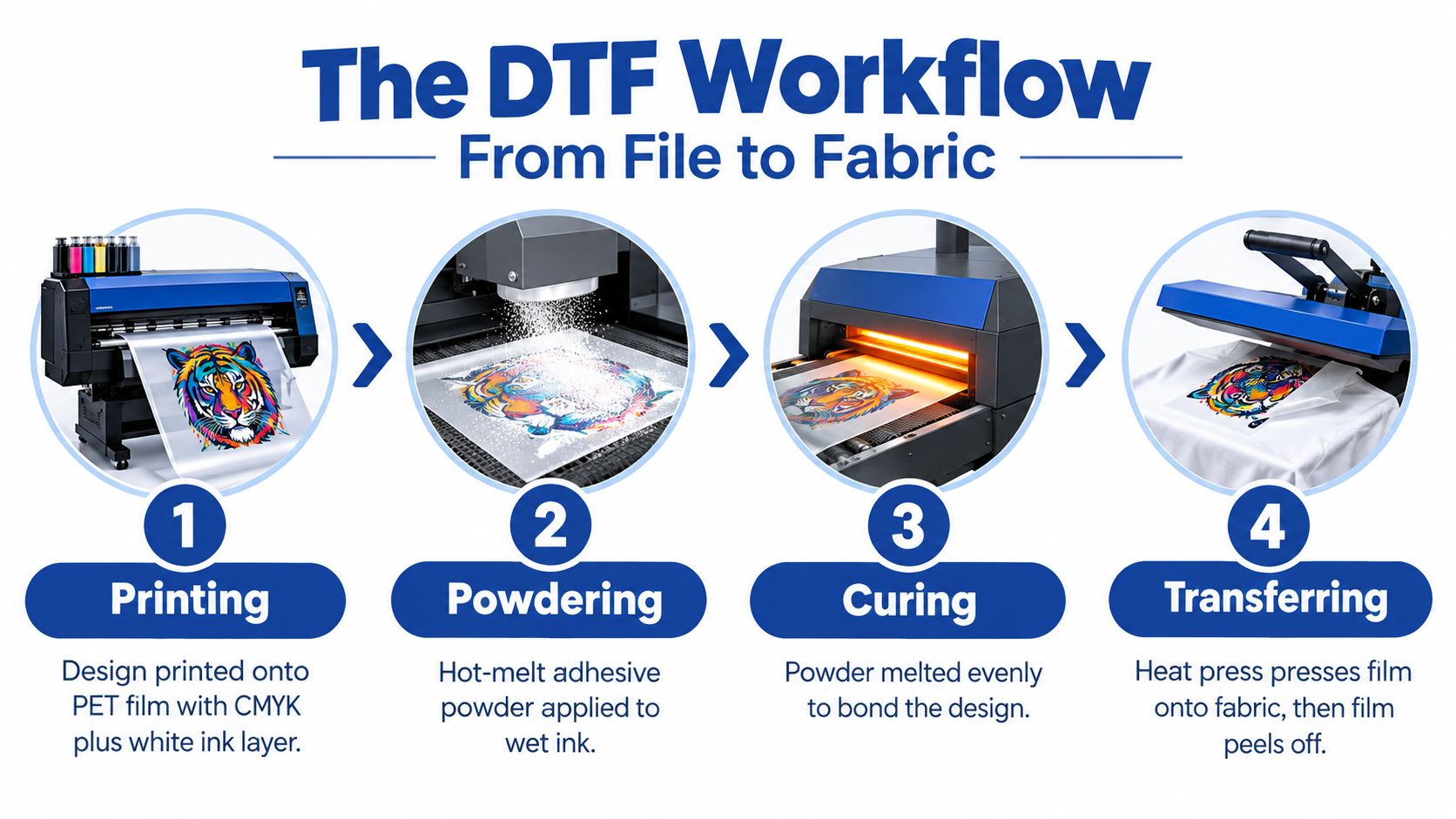
A dependable DTF print passes through four controlled stages: printing, powdering, curing, and transferring. Each stage affects the next one, so treating them as separate tasks can hide the true cause of a failure.
Printing onto PET film
The printer lays down the artwork on coated PET film, usually with color ink followed by a white ink layer. A commonly cited production setup uses 75 µm PET film, selected for its ability to release the transfer while remaining stable under heat.
The white layer gives the design opacity on dark garments. Poor white ink circulation, incorrect density, or an unsuitable film coating can produce weak coverage before the adhesive has even entered the process.
Applying adhesive powder
TPU hot-melt powder is applied while the ink is still wet. The powder must cover the printed areas evenly, without large deposits on transparent or unprinted sections.
Think of the powder as a bridge. It bonds with the wet ink first, then forms the adhesive layer that connects the design to garment fibers during pressing. Too little coverage creates weak spots. Too much powder can produce a heavy hand feel and rough edges.
Curing and pressing
A typical setup places the optimal press or melt phase around 145–155°C. TPU powder may begin melting around 110–130°C, while full curing is commonly specified around 160–170°C for 2–3 minutes (TPU powder guidance).
Under-heating leaves powder insufficiently fused to the ink layer. Over-heating can distort the carrier film or soften the adhesive too aggressively before the garment press creates the final bond.
For a broader visual explanation of the stages, see how DTF transfers work.
The final press should use enough heat, pressure, and dwell time to let the adhesive wet into the fabric surface without scorching or flattening the garment. The correct combination depends on the transfer, textile, and press, so a production sample should be tested before a large order.
DTF Print vs Other Decoration Methods
DTF is versatile, but it isn't automatically the right process for every order. The decision depends on artwork complexity, fabric type, quantity, turnaround expectations, and how much setup the shop can absorb.
| Method | Best For | Fabric Compatibility | Durability | Setup Cost |
|---|---|---|---|---|
| DTF | Detailed graphics, mixed orders, on-demand apparel | Cotton, polyester, nylon, fleece, blends, and many other textiles | Strong when powder coverage, curing, and pressing are controlled | Moderate, with outsourced transfers reducing equipment needs |
| DTG | Detailed artwork on suitable cotton garments | Strongest on cotton and cotton-rich fabrics | Good when pretreatment and curing are consistent | Higher equipment and pretreatment complexity |
| Screen printing | Large runs with repeat artwork and limited colors | Broad compatibility, depending on ink and garment | Very strong with correct ink and curing | Higher setup effort for screens, registration, and cleanup |
| Vinyl | Names, numbers, simple logos, and short-run personalization | Many common garments, with material-specific limits | Varies by vinyl type and application | Low to moderate, but cutting and weeding add labor |
Where DTF earns its place
DTF handles full-color artwork without the screen setup required by traditional printing. It also performs well on dark garments and on materials such as polyester and cotton blends, where DTG can require more careful pretreatment and fabric selection.
That flexibility has a practical consequence. A shop can combine unrelated designs in one production run, press them onto different garments, and fulfill small orders without building a separate screen for every variation.
Where alternatives still win
Screen printing remains a strong choice for large quantities of the same design because setup effort gets distributed across many garments. Vinyl can be efficient for names, numbers, and simple shapes, especially when a customer needs a small number of personalized pieces.
DTG can produce a soft printed feel on suitable cotton apparel and may be preferable when the garment and artwork are already optimized for direct printing. DTF's advantage is not universal superiority. It's the balance of fabric range, visual detail, and short-run flexibility.
Economics and Workflow Efficiency
The printer is often the most visible purchase, but it may not be the largest operational constraint. Labor, software, color control, uptime, consistency, and finishing can determine whether a DTF shop makes money on repeat orders.
Independent market research notes that PET film, adhesive powder, and pigment inks can account for nearly 45% of total operating costs, while inconsistent consumable quality can contribute to 15–20% reprint rates (WTiN analysis of DTF market forces). Those figures make a useful point: a cheap transfer isn't cheap if the shop repeatedly replaces garments, reruns film, or spends labor diagnosing inconsistent adhesion.
Practical rule: Price the complete workflow, not just the ink or square inch.
Gang sheets and material use
A gang sheet places multiple designs on one larger sheet to use available space efficiently. The method works best when artwork is prepared with consistent spacing, predictable dimensions, and clear cut or separation requirements.
An Auto-build gang sheet builder helps by arranging multiple uploaded designs for easier ordering and better material utilization. That matters when an order includes different names, logos, sizes, or seasonal graphics. Less unused film can improve cost effectiveness, but only if the layout remains easy to identify during sorting and pressing.
Scaling beyond hardware
A faster machine can increase output, but it can also expose weak points in file intake, proofing, powder control, curing, packing, and customer communication. Build a repeatable path for artwork approval, color references, transfer inspection, garment staging, and final quality checks.
The practical return comes from reducing rework and delays. A shop that tracks why transfers fail will usually learn more than one that upgrades equipment after every difficult order.
File Preparation and Pressing Instructions
Start with artwork that can hold its detail at the final print size. Vector files suit logos and clean shapes because they scale without softening. Raster files need sufficient resolution for sharp edges and tonal transitions. A DTF system may support resolutions up to 2880 dpi and variable drops as small as 3.5 picoliters, but printer capability cannot correct a blurry source file (DTF powder and print-system guidance).
Prepare the file
- Remove unwanted backgrounds: Use transparency where the garment should show through. Inspect semi-transparent edges, which can create haze or visible dot patterns.
- Check the intended size: Measure the design at its finished width and height. Screen previews often hide problems that appear at production size.
- Review small details: Thin lines, small lettering, and narrow gaps can close after white ink and adhesive are applied.
- Confirm color expectations: Screen colors will not always match film or fabric. Keep an approved sample and use the same color workflow for repeat orders.
- Build the gang sheet carefully: Group related designs, leave practical trimming space, and label each file clearly. Efficient film use only helps if operators can sort transfers quickly at the pressing table.
File preparation affects more than print quality. Clear naming, consistent dimensions, and predictable spacing reduce sorting time and rework as order volume grows.
Press the transfer
Pre-press the garment briefly to flatten the surface and remove moisture. Position the film, apply medium-to-firm pressure, and follow the transfer supplier's temperature and dwell-time guidance rather than treating one setting as universal.
Curing and garment pressing are separate operations. Oven curing typically runs around 110–130°C to melt the TPU powder, while full fusion may be specified around 160–170°C for 2–3 minutes. Some suppliers specify a lower 100–120°C curing window, so the powder's data sheet should decide the setting. Garment pressing commonly uses 240–280°F, for about 7–10 seconds, with pressure affecting adhesion (DTF durability and press guidance).
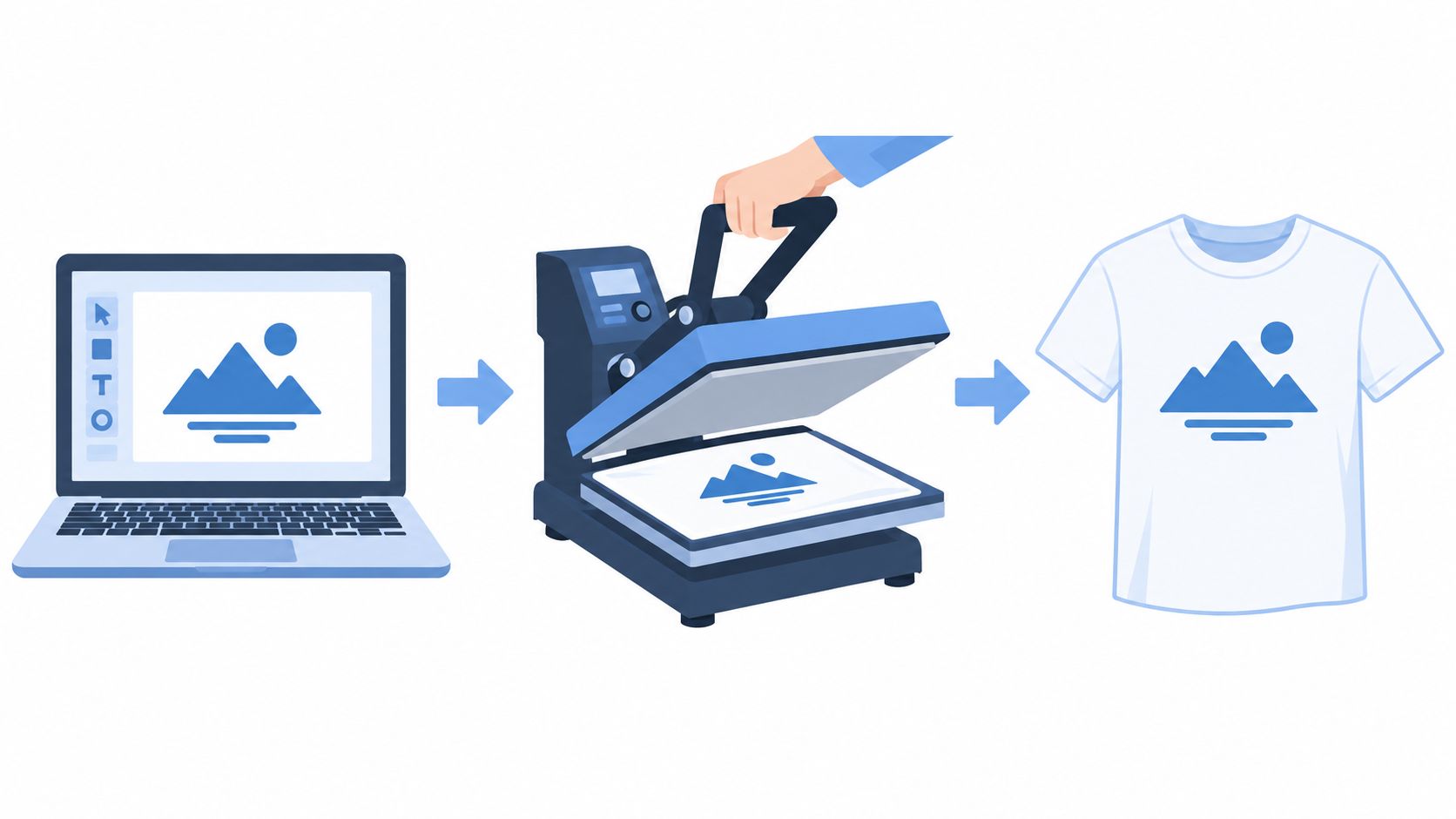
Peel according to the film type. If the transfer instructions call for it, apply a short post-press with suitable protective paper. Use this DTF heat press settings guide when standardizing settings across garment types.
For care, wait 24 hours before the first wash, turn garments inside out, use cold water and a gentle cycle, and avoid bleach or high heat (DTF wash-care guidance).
Why Choose DTF for Your Business
DTF makes sense when customers want varied artwork, small quantities, multiple garment types, and quick changes without the setup burden of screen printing. An e-commerce seller can offer custom designs without holding large inventories of decorated garments, while a local shop can press transfers as orders arrive.
The durability case is also practical. High-quality DTF prints are commonly reported to last about 70 to 80 wash cycles before noticeable fading, cracking, or peeling, provided the film, powder, fabric, and heat-press settings are correctly matched (DTF durability overview).
Who benefits most
- Small apparel brands: Test designs in limited runs before committing to larger production.
- Ecommerce sellers: Keep blank garments on hand and decorate after an order is confirmed.
- Schools and teams: Handle names, numbers, and mixed-size orders without creating separate screen setups.
- Promotional businesses: Produce detailed logos across garments that may contain polyester or blends.
- Existing decorators: Add full-color transfer capability alongside screen printing, embroidery, or vinyl.
A transfer provider can also reduce the technical burden for a shop that doesn't want to maintain a DTF printer, powder system, and curing equipment. Lion DTF Transfers provides hot-peel transfers, gang sheets, ready-to-press collections, artwork support, vectorization, and pressing guidance, with customer support available through its ordering channels.
The important qualification is consistency. DTF rewards businesses that document garment compatibility, press settings, artwork approvals, and wash-care instructions. It doesn't remove production discipline. It makes that discipline visible in the finished garment.
Troubleshooting Common DTF Issues
Cracking and peeling usually indicate a process failure. Check powder coverage, curing, garment moisture, press settings, and film handling before changing the artwork or adding ink.
If adhesion is weak
- Inspect powder coverage: Bare ink or thin deposits leave weak areas that lift during washing.
- Verify curing: Use the temperature window specified for your powder in the pressing instructions above. Insufficient heat leaves adhesive only partially fused (DTF curing guidance).
- Run a press test: Apply a test transfer at your normal settings to scrap fabric from the same garment lot. Peel it, then stretch the print by hand. Immediate edge lift points to pressure or dwell before ink density.
- Test the garment: Moisture, texture, coatings, and stretch can change the bond.
If cracking appears after washing, confirm that the transfer cured fully and review wash heat and chemical exposure. Immediate peeling usually indicates poor press contact, temperature, or pressure.
A consistent consumable is part of the machine. Film, powder, and ink variation can create failures that resemble operator error.
Change one variable at a time, then run another controlled sample. Adjusting temperature, pressure, powder, and film together prevents a reliable diagnosis. Logging failures by garment lot also reveals workflow problems before they affect a larger gang sheet run.
Start Your DTF Projects with Confidence
DTF print works because it connects detailed digital artwork with a flexible transfer process. Its strongest use cases involve small-batch customization, on-demand fulfillment, mixed fabrics, and designs that would be inefficient to set up with traditional methods.
The technical fundamentals are straightforward, but reliable production depends on the details. Keep powder coverage even, cure the adhesive completely, press with controlled heat and pressure, and track which settings work on each garment category.
Workflow deserves the same attention as hardware. An Auto-build gang sheet builder can make ordering easier and improve cost effectiveness by placing multiple designs efficiently, but the shop still needs clear file naming, proofing, sorting, and quality checks.
Choose a transfer partner that matches your production model, whether you need custom artwork, ready-to-press designs, gang sheets, or support with file preparation. Then test the complete path from uploaded file to washed garment before expanding the offer.
Lion DTF Transfers offers premium DTF transfers, custom gang sheets, ready-to-press collections, artwork support, and pressing guidance for creators and print shops. Visit Lion DTF Transfers to build an efficient gang sheet, order transfers for your next apparel run, and put a controlled workflow into production.
Email orders@LionDTF.com or Text or Call: 833-350-5466