










A charcoal heather shirt can look like the perfect backdrop on a monitor, then tell a different story once it's under the press. A logo that seemed crisp in a flat mockup may lose its thin outline against the fabric's lighter flecks, while muted colors blend into the dark surface.
That mismatch isn't just a color-selection problem. Charcoal heather is a variable substrate, and its fiber mix, texture, and print method all affect the finished result. Treat it as a production surface, not a swatch, and you can make better decisions about artwork, proofs, underbase, and how to organize a run.
Why Charcoal Heather Trips Up Even Experienced Printers
A familiar shop-floor problem starts with an approved mockup. Say a maker previews a logo against a digital background set to #383F45. The artwork looks balanced on screen, so the job moves ahead. On press, the speckled garment breaks up the visual boundary: a thin outline weakens, small text loses clarity, and muted parts of the logo seem to sink into the shirt.
That scenario is an illustration, not a production case study. But it captures the gap between a flat digital preview and a fabric surface made from differently colored fibers. The screen shows one even field of color. The garment shows many small areas of variation, and the print interacts with that texture rather than with a uniform gray.
The two blind spots
Digital swatches are useful for discussing a design, but they can't show how a particular blank will look under real lighting. A charcoal reference may lean cool or neutral, while the actual fabric's visible flecks and depth depend on its construction.
Flat mockups create a similar problem. Without a garment-aware texture, they can make edges and colors look more distinct than they'll appear on heather. That's especially risky for small lettering, fine outlines, and designs that rely on subtle differences between nearby gray or navy tones.
Production rule: Approve the artwork against the actual blank, not just the color chip or screen preview.
The fix is a practical sequence: understand the fabric, identify the blank, choose a print approach that preserves contrast, then proof the art on the garment. That's how you close the gap between what looks good on a monitor and what holds up after pressing.
What Charcoal Heather Actually Is
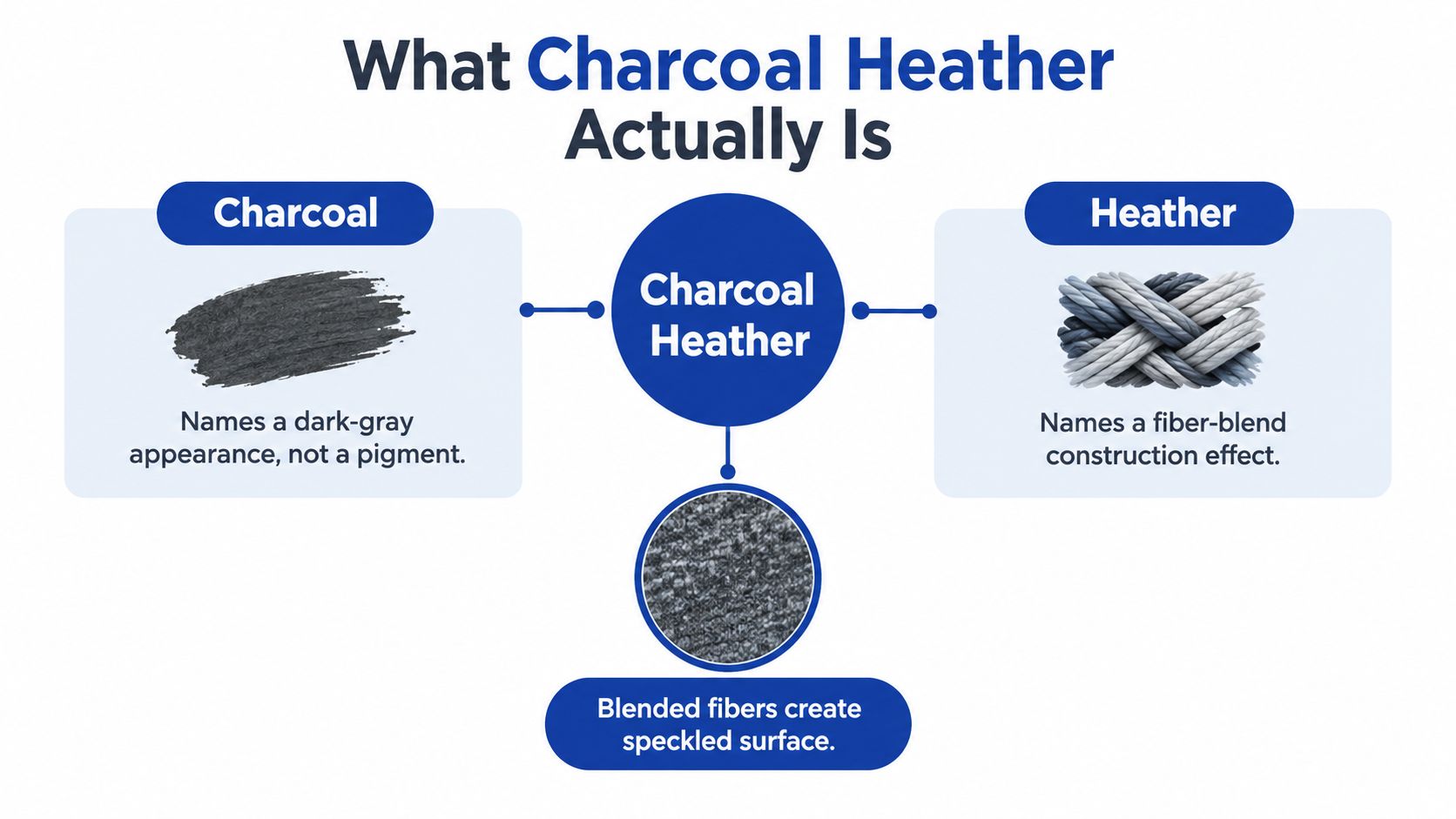
Start with the two parts of the name. Charcoal describes a dark-gray appearance. Heather describes a textile construction effect: differently colored fibers or yarns are blended to create a mottled surface. It isn't one pigment, one fiber, or one universal shade.
In production, the mixed fibers are spun into yarn and made into fabric. From a distance, the shirt may read as a single dark gray. Up close, lighter and darker flecks reveal the blend. That variation is part of the fabric itself, not a speckle printed on its surface. The result can shift with the fiber mix, yarn construction, knit, lighting, and viewing distance.
Digital references are starting points
The name charcoal was first recorded in English as a color name in 1606. A commonly cited digital approximation is #36454F, or sRGB red 54, green 69, and blue 79. That balance gives the reference a cool, blue-leaning dark-gray profile rather than the look of neutral black (charcoal's historical and digital color reference).
Those values help designers communicate about a screen color, but they don't define how a physical shirt must look. Fabric texture, fiber reflectance, lighting, ink, and display calibration can all affect the perceived result. Nor does a hex value capture the tiny light and dark areas across a heather surface.
So use a digital reference to begin a conversation, not to approve the garment. The variables that matter most in production are the actual blank and its blend, because those determine the surface your ink has to cover.
How Blend Ratios Change the Look
Two blanks can carry the same charcoal heather label and still behave differently under ink. The stated fiber ratio is one of the first clues to why. A greater share of dark fibers pushes the fabric closer to solid charcoal. More light fibers make the mottling easier to see and pull the overall read toward gray, which changes how much contrast your artwork has to work with.
Commercial heather blends include 90/10, 85/15, and 50/50 proportions, and those ratios can produce substantially different levels of texture and contrast (examples of heather fiber proportions)). Cotton-polyester constructions also include 60/40 and 65/35 blends, alongside 50/50 and 90/10 options, though exact ratios vary by mill.
| Charcoal heather blend ratio | Visual effect | Decoration implication |
|---|---|---|
| 90/10 | Often reads deeper when the dominant component is dark, with less visible contrast from the secondary fiber. | Fine artwork may stand out more clearly, but still needs checking on the specific blank. |
| 85/15 | Can retain a dark overall appearance while showing more fiber variation than a blend with less of the secondary component. | Proof fine edges and muted colors rather than assuming they'll reproduce like a solid. |
| 65/35 or 60/40 | May show a more noticeable balance of dark and lighter fibers. | Check small type and tonal separations at print size. |
| 50/50 | Equal stated proportions can produce a more visible mix, depending on which fibers are blended. | Assess contrast on the garment and avoid relying on subtle differences in gray or navy. |
The ratio is a starting spec, not a shade guarantee.
A stated proportion tells you nothing about the exact fiber colors, the yarn construction, or the knit structure behind it. Two 50/50 shirts from different mills can show very different fleck contrast, and that difference lands directly on your print. When you spec a blank, record the manufacturer, the construction, and the lot so a later reorder doesn't bring in a substrate that shifts the look of an approved design.
If you're weighing fabric options for a run, this overview of common shirt cloth types helps frame the construction differences. Then make the decoration call against the physical blank in hand, not against the ratio label on the spec sheet.
Printing on Charcoal Heather Across Methods
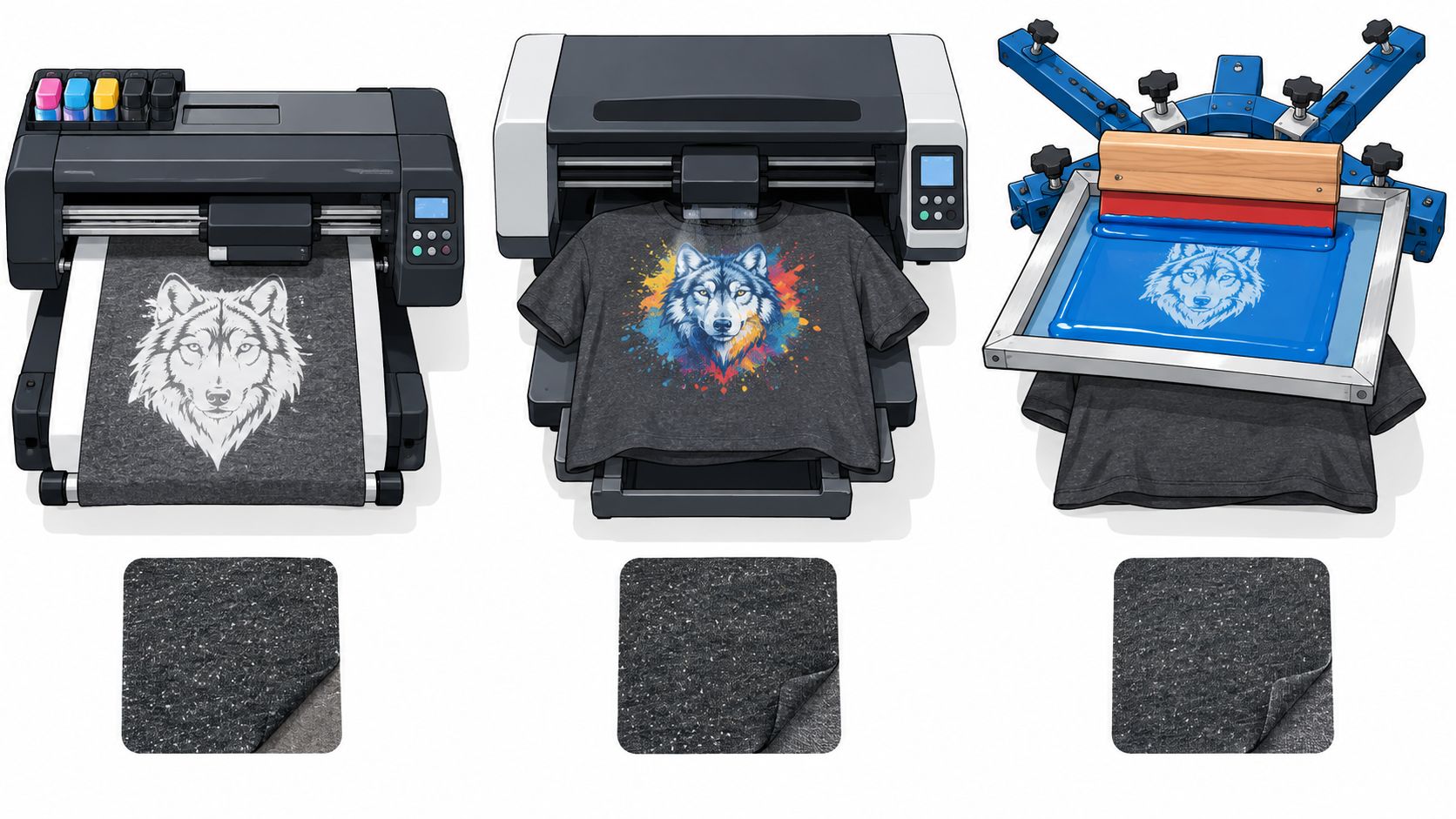
The method you choose sets how much control you have over opacity and how much prep the garment needs. Charcoal heather is a process problem as much as a color: the same fleck pattern that makes the blank attractive also steals contrast from whatever you print on it. For DTF, that fight starts with the white underbase. High-opacity white keeps bright artwork saturated against the mottled surface. Run it too thin and the fabric drains apparent chroma while small dark details sink into the lighter flecks. On heather constructions, a full white underbase is standard practice for dark and textured blanks, and charcoal heather counts as both.
Choose the method around the artwork
DTF: Check the underbase and the smallest details together. Bright fills need enough white beneath them to hold separation from the shirt. Fine dark elements need enough edge contrast to stay readable across the flecks. Thickening the entire design to fix one weak spot makes the print feel heavier than the art intended. Test the actual file and press settings on the chosen blank.
DTG: Treat pretreatment as garment-specific. A heather blend can contain fibers that respond differently from solid dark cotton, so settings that worked on a black tee are not a safe starting point. Follow the ink system's guidance, then confirm the result on a physical sample before running volume.
Screen printing: Ink opacity and the textured surface both shape coverage. A suitable base and flash can help plastisol hold the intended coverage, but the right setup depends on the garment and ink system. Proof the actual design rather than carrying over a solid-shirt setting unchanged.
Low-contrast navy, mid-gray fills, and hairline outlines all fight the garment. Use stronger value contrast, cleaner edges, or a more open design where needed. Check fine text at final size, because zooming into a proof on screen hides the detail loss that shows up in the finished print.
Watch how each approach sits on the surface before you commit a run to one method.
Mockups That Match the Actual Garment
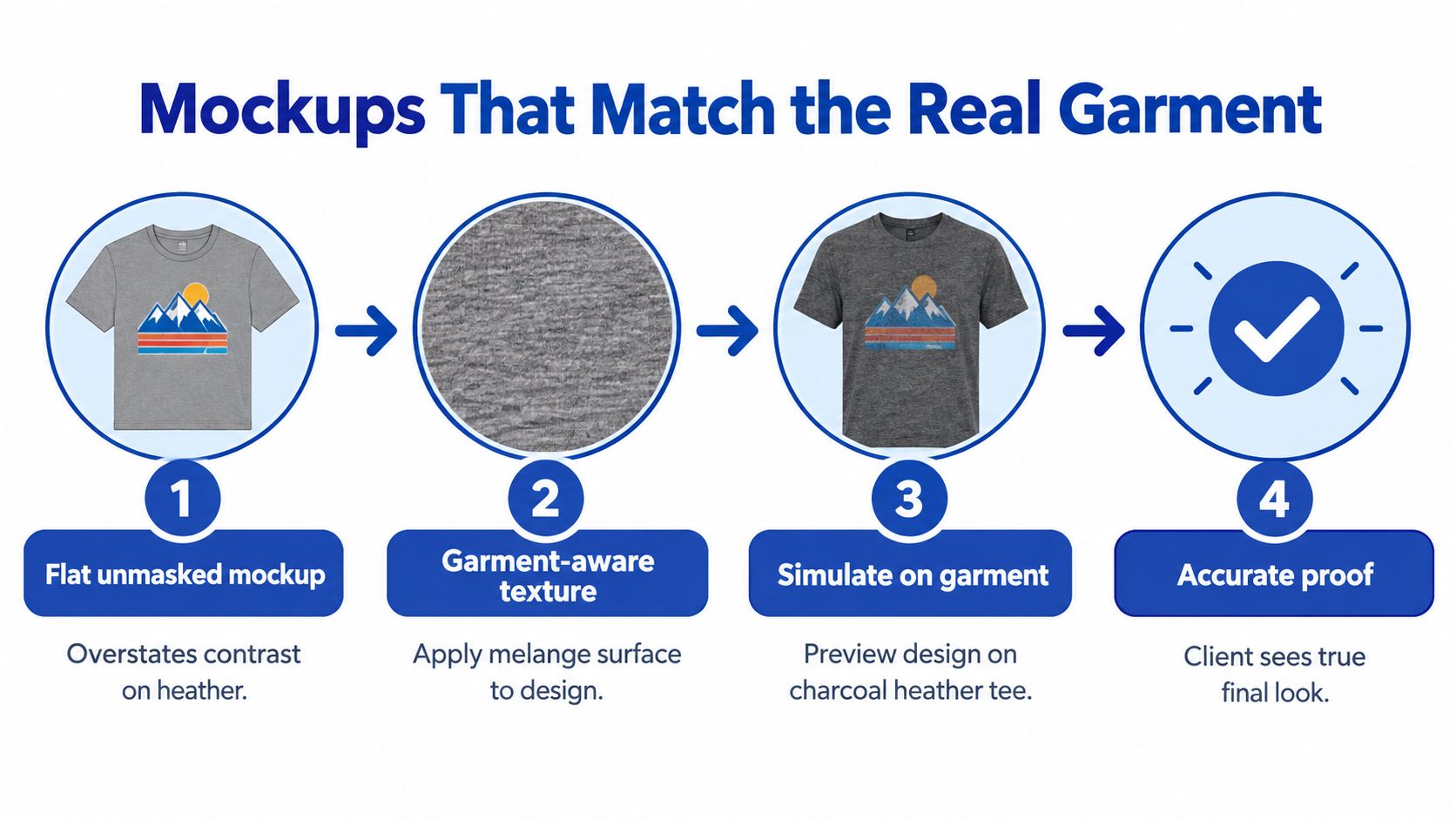
A flat mockup renders every pixel at the same value. A charcoal heather shirt does not behave that way. The fabric carries lighter and darker flecks across the whole surface, and those flecks shrink the visible gap between your artwork and the garment beneath it. Approve only the flat version and you have approved contrast the press may not deliver.
Suppliers also disagree on the base color. Some references list a cool blue-gray near #383F45, while others describe charcoal heather as closer to a neutral black-gray (examples of charcoal heather color descriptions). That spread is one more reason a hex value alone cannot predict how a print reads on textured fabric.
A proofing workflow that reflects the blank
Confirm the blank SKU before anything else. Two shirts sold under the same color name can carry different fleck density and undertone, so request a swatch and check it under daylight and indoor light. That one step catches shifts a screen preview hides.
Then build a garment-aware mockup with a heathered texture that resembles the chosen blank. Treat it as a visualization step rather than a sign-off. The reliable approval is a physical sample printed at production size on the actual garment.
Before releasing a run, check:
- Small text: readable at the intended viewing distance?
- Fine outlines: continuous across both light and dark flecks?
- Tonal separations: still distinct where gray meets navy or nearby shades?
- Lighting: clear in daylight and ordinary indoor conditions?
A conversion reference helps during file prep, though it cannot reproduce fabric texture. For artwork color planning, review this guide to CMYK color conversion, then confirm the printed result on the garment itself. Charcoal heather blanks differ between suppliers even when the artwork and press settings stay identical.
Gang Sheets and Production Economics for Heather Runs
Heather orders often bring several artwork sizes and designs together. A shop might need a small chest mark, a larger front print, and versions sized for different garments. Layout affects how efficiently the available film is used, while the artwork's underbase and final dimensions affect what goes onto each transfer.
The practical cost equation starts with usable space. Film left empty on a partially filled sheet is material that didn't carry a design. Ink use also depends on the artwork, including how much solid coverage and underbase it requires. Sizing designs for the actual blanks before building a sheet helps prevent last-minute resizing and keeps the layout aligned with the production plan.
Plan artwork before arranging the sheet
The Auto-build gang sheet builder can simplify layout by arranging uploaded designs to use sheet space efficiently. That makes it useful when a run combines different designs or sizes, and can improve cost effectiveness by helping limit unused film. It also gives you a clearer view of the available layout before sending the artwork to production.
Build the sheet around approved art dimensions, not rough mockup proportions. If one design needs a stronger white underbase to hold contrast on charcoal heather, account for that production choice before treating the sheet as finalized. A tightly packed layout only helps if the artwork still fits the garments and the intended print areas.
For a broader comparison of layout approaches, see this overview of gang sheet printing versus individual printing. For repeat orders, consistent records matter too: color comparison under ISO 105-A05 can convert measured color differences into a gray-scale rating and support more reproducible lot-to-lot comparisons (ISO 105-A05 overview).
Care, Wash Testing, and Repeat Orders That Stay Consistent
A successful first print doesn't guarantee that the next batch will look identical. The blank, its fiber mix, and its lot can affect the shirt's visible texture and how the finished design reads. Record the supplier and blank style, blend ratio when available, lot information, artwork version, and underbase settings. Those notes give the next production run a meaningful starting point.
Use the garment and transfer manufacturers' care guidance rather than choosing wash settings by guesswork. When you need a more repeatable way to describe fabric color change after washing or light exposure, ISO 105-A02 and AATCC Evaluation Procedure 1 use standardized gray-scale references instead of relying only on informal color-name comparisons (textile color-change evaluation guide).
Practical answers before the next run
Is charcoal heather the same as black heather? No. The labels describe different appearances, and the actual fabric can still vary between blanks. Check a sample instead of assuming the names mean the same thing.
How is it different from athletic heather? The names don't guarantee a fixed shade or construction. Compare the actual garments for darkness, fleck visibility, and undertone before choosing one for a shared design.
Should you choose heather or solid charcoal? Choose heather when its visible texture suits the product, but use a solid when the design depends on a more uniform background or delicate tonal detail.
What if the sample disappoints? Pause the run. Check the garment, print size, artwork contrast, and underbase, then adjust and proof again on the intended blank. Don't try to rescue a weak result by relying on the mockup alone.
This week, identify the exact blank, request a swatch, and approve one production-size sample before committing to a repeat order. Keep the approved garment and production notes together so the next run has a reference that a hex value can't provide.
For your next charcoal heather run, bring the approved blank and print-ready artwork together before you build the layout. Lion DTF Transfers offers DTF transfers and an Auto-build gang sheet builder to help you organize designs efficiently, so visit to prepare your artwork for a proofed, production-ready order.