










You've probably had this order before. A customer needs shirts for an event, the logo red has to look right, the garments are a mix of cotton and poly, and nobody wants a print that starts lifting after a few washes. That's where people start looking harder at Lion DTF Transfers, not just as a print method, but as a workflow that has to hold up on press, in the wash, and in your margins.
DTF has moved well past the experiment stage. The direct-to-film printing market was estimated at USD 2.72 billion in 2024 and is projected to reach USD 3.92 billion by 2030, with a 6.0% CAGR from 2025 to 2030, according to Grand View Research's direct-to-film printing market report. That matters because it tells you buyers aren't treating DTF like a novelty anymore. They're using it for repeatable production.
The wider textile space is even larger. One market overview says the global textile printing market was estimated at USD 25.8 billion in 2024 and is projected to reach USD 56.7 billion by 2033, with a 9.3% CAGR from 2025 to 2033, and another benchmark in that same coverage values the market at USD 25.6 billion in 2025 with a projection of USD 70.7 billion by 2035 at a 10.7% CAGR. You can see those figures in this textile printing market overview. For a shop owner, that's simple. Custom apparel keeps growing, and methods that handle short runs cleanly keep getting more relevant.
Introduction to Lion DTF Transfers and Why They Matter
A lot of decorators land here when screen printing feels too heavy for a small run and HTV feels too slow for a detailed graphic. You need color, speed, and fewer chances to mess up a job halfway through production. That's the lane where Lion DTF Transfers fits.
Think about a typical mixed order. A booster club wants front logos, names on the back, and a few extra youth sizes added after the first proof. An online seller wants a merch drop without holding piles of printed inventory. A local shop needs a method that won't punish them for printing several small designs instead of one big run. That's why shops keep circling back to DTF.
Why this matters on a real press
DTF gives you a way to apply full-color graphics to apparel without screens, without weeding, and without treating every design like a major setup event. The value isn't just the print itself. It's the fact that you can handle short runs, reorder fast, and stay flexible when customers change their minds.
If you want a broader primer on the method itself, this overview of DTF transfers is a useful companion read.
A good transfer saves time twice. Once when you order it, and again when you press it.
Where Lion DTF Transfers fits
When people talk about Lion DTF Transfers, they're usually talking about three practical needs:
- Apparel transfers: Full-color designs for shirts, hoodies, and other soft goods.
- Gang sheets: Multiple logos or graphics grouped onto one sheet to control cost.
- UV DTF stickers: A different product for hard surfaces like cups, packaging, or promotional items.
That last part trips people up, so it helps to say it plainly. Standard DTF is for fabric. UV DTF is for hard surfaces. If you put them in the wrong lane, you'll fight adhesion, finish, or durability from the start.
How Lion DTF Transfers Work and What Makes Them Different
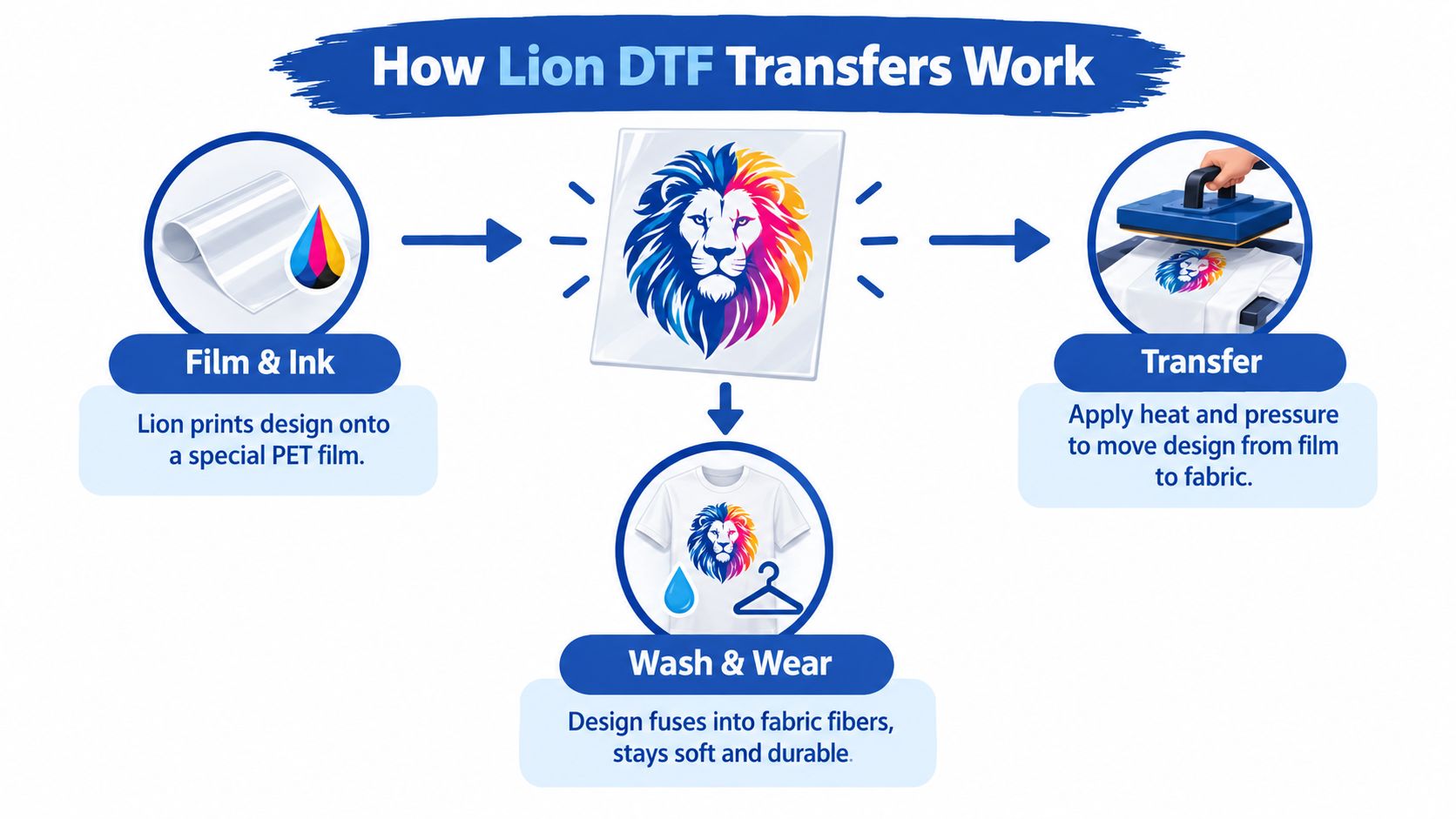
The easiest way to explain DTF is this. It works a bit like a temporary carrier sheet for a permanent fabric graphic. The artwork is printed onto a film, adhesive powder is applied, the print is cured, and then heat and pressure move that design from film to garment.
From film to fabric
Most buyers don't need chemistry class. They need to know what affects the result.
Here's the practical version:
-
Artwork prints onto PET film.
The film holds the design cleanly until it's transferred. -
Adhesive powder bonds to the inked areas.
That powder is what helps the print grab fabric under heat. -
Heat press finishes the job.
Pressure and temperature melt and drive the adhesive into the garment fibers.
If you've ever had a print look great fresh off the press and then fail early, the weak point usually wasn't “DTF” in general. It was application, curing, or fabric mismatch.
Why hot-peel matters in production
Hot-peel DTF is popular for one reason. It speeds up the line. Common application guidance for DTF uses a hot-peel workflow at roughly 140 to 155°C, or about 290 to 320°F, for 10 to 20 seconds, followed by a warm peel and then a re-press for 5 to 20 seconds. That baseline appears in this gang sheet product guidance.
On a busy table, that matters. You don't want press operators waiting around for every sheet to cool if the workflow can be done cleanly while warm.
Practical rule: If a transfer peels cleanly but feels like it's sitting on top of the shirt, give the second press the respect it deserves. That finishing press is often what turns “looks good now” into “still looks good later.”
Standard DTF versus UV DTF
These are cousins, not twins.
| Product Type | Surface | What it's best for |
|---|---|---|
| Standard DTF | Cotton, blends, polyester, and other garments | Shirts, hoodies, team wear, merch |
| UV DTF | Hard, smooth surfaces | Cups, packaging, signs, hardgoods |
Standard DTF needs heat and pressure. UV DTF applies more like a decal system for non-fabric surfaces. If you sell both apparel and promo items, knowing the difference keeps you from forcing one product to do the other product's job.
Why the process details matter
Durability lives in the boring details. A technical review notes that properly cured DTF prints can reach a grey-scale color-change grade of 4 to 4.5 after 10 AATCC TM61-2A cycles, and that this test approximates about 50 home launderings per cycle equivalence. It also explains that edge wear may show up around 30 to 40 washes if curing, powder quality, or wash conditions aren't right, while better-controlled application can hold closer to 50+ washes. You can read that in this DTF durability review.
That's the lesson. The print method is only half the story. Press habits finish the job.
Who Benefits Most from Lion DTF Transfers
DTF isn't for one kind of buyer. It serves different people for different reasons, and the reason matters because it changes what “good” looks like.
The buyers who get the most from it
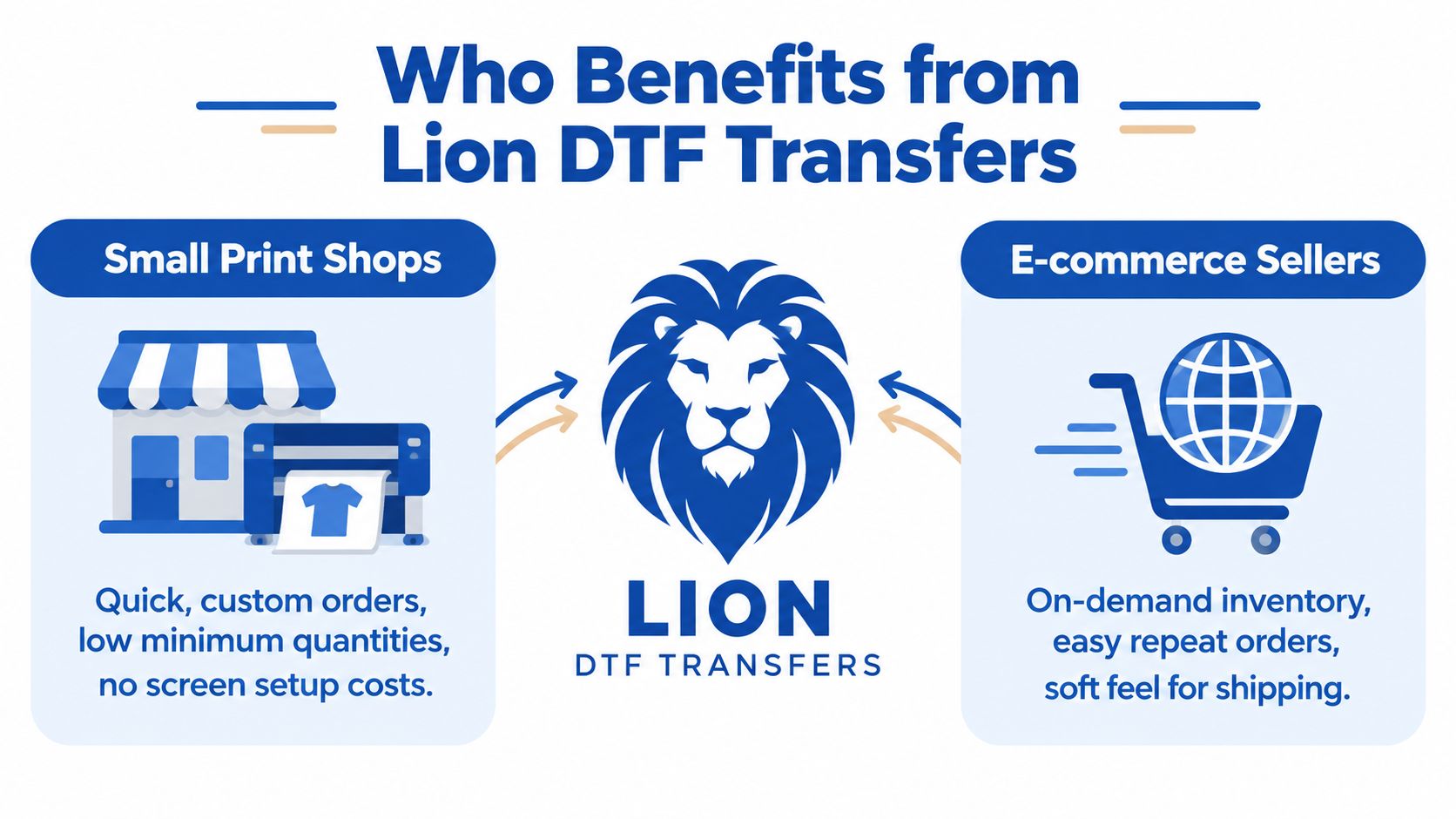
Small print shops like DTF because they can say yes to short-run work without dragging every order through a big setup process. That's useful when customers want one chest logo, six names, and a dozen left-sleeve marks all in the same batch.
E-commerce sellers use it differently. They care about flexibility. They may test a few designs, reorder winners, and avoid printing deep inventory before demand is clear.
Schools, teams, and event organizers care about consistency and speed. They also care about surviving ordinary wash use. They don't need a decoration lecture. They need shirts that last through the season.
Home crafters and side hustlers care about simplicity. If the transfer arrives ready to press and the instructions are clear, they can produce polished results without running a full shop.
Choosing DTF versus UV DTF by use case
| Use Case | Best Transfer Type | Why It Fits |
|---|---|---|
| T-shirts and hoodies | Standard DTF | Flexible print for fabric, good for full-color apparel graphics |
| Performance shirts | Standard DTF | Works on many apparel blends when pressed carefully |
| Tote bags and fabric merch | Standard DTF | Good option when you need color detail on soft goods |
| Cups and tumblers | UV DTF | Built for hard surfaces, no fabric pressing workflow |
| Packaging and branded hardgoods | UV DTF | Better fit for smooth non-garment items |
| Mixed merch business | Both | DTF handles apparel, UV DTF covers hard-surface add-ons |
Where expectations should stay realistic
Industry coverage keeps pointing to the same weak spots buyers should watch. Public-facing content often promises durability in broad terms, but buyers still need clearer guidance by garment type and use case. That gap is outlined in this discussion of DTF durability and wash-test expectations, which also notes that adhesion consistency and wash durability remain active challenges in parts of the DTF market.
That matches what many pressers see in the field. A print for fashion tees and a print for rough-use workwear don't live the same life.
Cotton tees for merch, spirit wear, and brand drops are a forgiving lane for DTF. Heavy abuse garments ask more from both the transfer and the operator.
A simple fit check
- Use standard DTF when you need flexible graphics on garments.
- Use UV DTF when the item is hard, smooth, and not going under a heat press.
- Temper expectations when the fabric is tricky, the artwork is extremely dense, or the item will see harder-than-normal wear.
That kind of sorting saves money because it stops bad product-method matches before they become reprints.
How to Order and Build Gang Sheets with the Auto Build Builder
The fastest way to waste money in DTF is to order the right art in the wrong format. The second fastest is to leave empty film space all over a sheet. That's why a good gang sheet builder matters.
What a gang sheet is doing for your margins
A gang sheet places multiple designs on one larger sheet so you use more of the printable area. The whole reason shops love them is cost control. Industry coverage says gang sheets can cut per-piece pricing by about 40% to 60% versus ordering designs individually, which is why they've become such a standard workflow for DTF shops. That figure comes from Impressions Magazine's explanation of gang sheets in DTF printing.
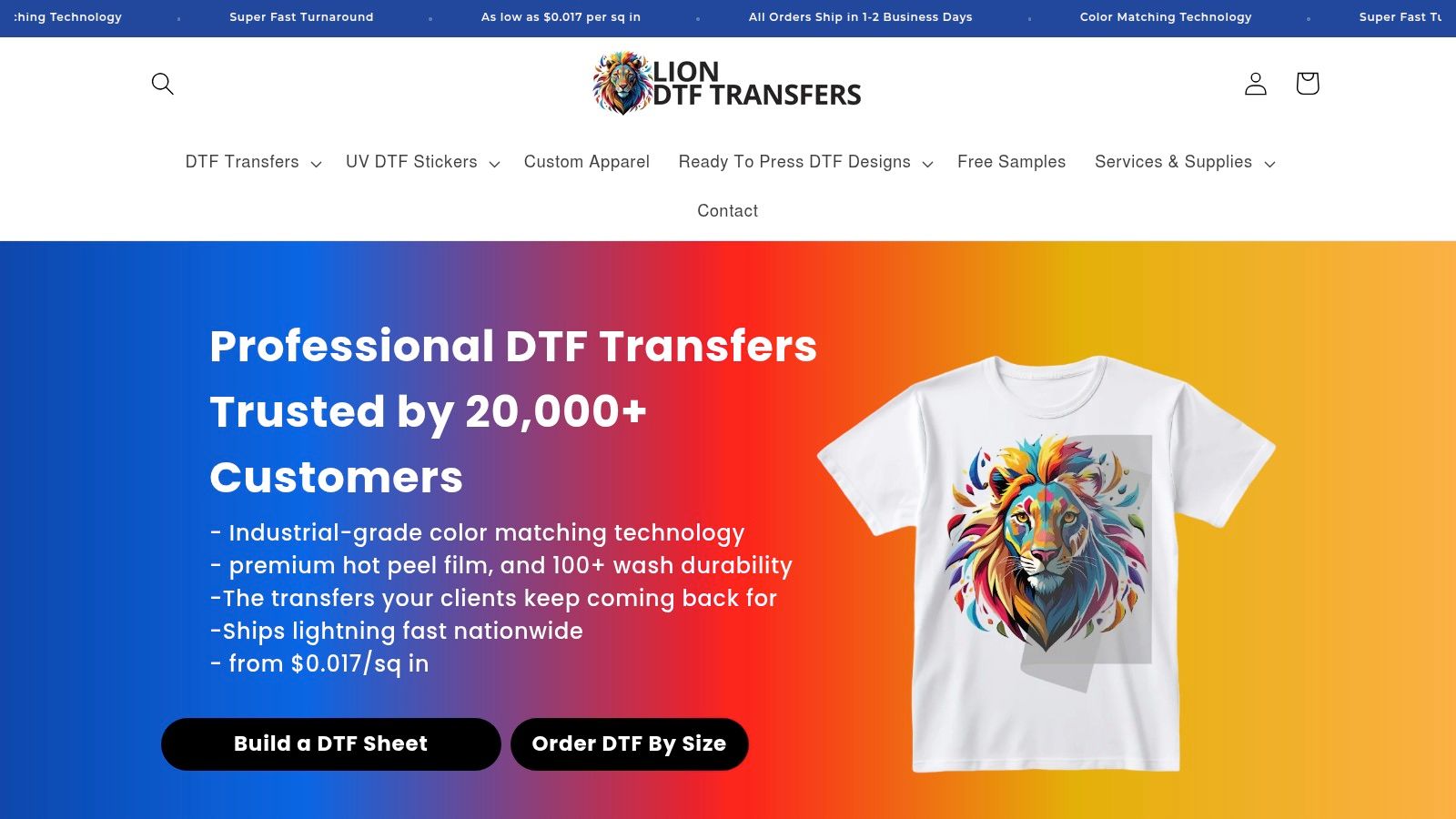
That's also why the Auto-build gang sheet builder matters for ease of use and cost effectiveness. If the builder helps you fill space efficiently, it's doing real economic work, not just making the screen look nice.
A clean ordering workflow
Most buyers do best with one of these paths:
- Upload a ready-made gang sheet if you already know your layout.
- Use the Auto-build gang sheet builder if you want the system to help arrange multiple graphics efficiently.
- Order by size if you only need a few straightforward designs.
- Use design help if your files aren't clean yet.
For shops balancing speed and material efficiency, the Auto-build option is usually the smart middle ground. You don't have to hand-place every element from scratch, and you're less likely to pay for wasted dead space.
A closer look at the builder is available in this article about the new Auto Builder feature.
What to check before you submit
When I'm teaching newer decorators, I tell them to think in this order:
-
Final print size
Not screen size. Not file size. Actual print size on the garment. -
Repeat quantity
If you have left chest logos, sleeve marks, and back prints, group them intentionally. -
Design density
Tiny scattered graphics can be efficient, but only if they're packed well. -
Turnaround pressure
If the order is urgent, avoid last-minute file confusion.
Operational speed matters here too. Industry examples describe gang sheet builders that let users upload files, drag artwork into place, and submit a ready-to-print sheet in minutes, while some sellers advertise 24-hour printing or 1 to 2 business-day shipping. That's covered in this overview of DTF gang sheet workflows.
Here's a quick visual on what that workflow looks like in action.
When to use support instead of forcing it
There's no prize for wrestling a bad file into a gang sheet at midnight.
Use help when:
- Your art needs cleanup: rough edges, hidden backgrounds, or fuzzy logos.
- You need vectorization: especially for business logos or repeat-brand work.
- Your order mixes many placements: front, back, pocket, sleeve, youth, adult.
- You're trying to cut cost per item: layout strategy matters more than people think.
The practical win with an Auto-build gang sheet builder is simple. It reduces layout friction, trims wasted space, and makes it easier to turn mixed artwork into a press-ready sheet without overcomplicating the order.
Design Prep and File Requirements for Sharp Vibrant Prints
Good transfers start with boring file discipline. If the art is weak, the press can't rescue it.
Start with clean artwork
Use transparent-background artwork whenever possible. If the file has a hidden white box, rough edge, or screenshot compression, you'll usually see it in the final print. Vector art is ideal for logos and lettering, while high-resolution raster files can work well for photos and textured graphics.
The most common mistakes are easy to spot:
- Low-resolution uploads: soft edges, fuzzy type, jagged curves.
- Unwanted backgrounds: boxes, halos, or leftover pixels around the design.
- Tiny unreadable details: fine lines that look good on a monitor but collapse at print size.
- Wrong sizing assumptions: artwork built too small, then enlarged too far.
Clean art prints cleaner than clever art. If a detail only works when you zoom in, it may not belong in the final transfer.
Prep for gang sheet efficiency
Gang sheets reward planning. If you're placing multiple small logos, keep repeat items grouped and size-consistent. If you're mixing one large back print with several smaller placements, build around the large graphic first, then fill remaining space.
That's where cost thinking comes in. Dense layouts often make better use of the sheet, while scattered layouts can raise your cost per finished piece because they waste printable area.
A practical checklist helps:
- Check transparency: remove all backgrounds you don't want printed.
- Confirm final dimensions: measure the actual print area on the garment.
- Review edge quality: zoom in and look for pixelation before upload.
- Keep text readable: especially on youth sizes or small chest prints.
- Match art to use case: bold graphics for event wear, cleaner logos for uniforms and staff apparel.
Color and detail expectations
Advanced color matching works best when the file itself is stable and well prepared. A muddy upload usually becomes a muddy print. Sharp vectors and strong raster files give the printer something accurate to reproduce.
If you're printing for repeat clients, lock down the artwork version early. The biggest consistency problems I see aren't always from the print process. They often start with three slightly different logo files sent by three different people.
What to avoid on your first order
Don't make your first test run a complicated one. Skip the tiny distressed text, the ultra-thin outlines, and the mystery file exported five times from five apps. Start with clean, straightforward graphics and build confidence from there.
That approach saves time on press because it removes doubt before the film ever arrives.
Pressing Application and Care for Long Lasting Results
Application is where a promising transfer becomes either a reliable product or a future complaint. Most pressing problems come from rushing, uneven pressure, or treating every fabric like the same shirt.
For a solid reference on process basics, this guide on how to press DTF transfers is worth keeping nearby.
A dependable hot-peel workflow
A common starting point for DTF is 140 to 155°C, or 290 to 320°F, for 10 to 20 seconds, then peel while warm, then re-press for 5 to 20 seconds to improve durability. That baseline was noted earlier from the application guidance linked in this article, and it matches the general shape of what many pressers use successfully.
On the press, I'd teach it like this:
-
Pre-press the garment
Smooth the fabric and remove moisture. -
Place the transfer squarely
Keep collars, seams, and zippers off the platen area if possible. -
Press with even pressure
Don't guess. Inconsistent pressure causes more failures than people admit. -
Peel warm
Use a confident, smooth motion. -
Finish with a second press
Cover the print and lock it in.
That last step is the one beginners skip when they're in a hurry. It's also the one that often separates decent adhesion from durable adhesion.
What affects wash life
Durability claims in the market are broad, but one theme is consistent. Properly applied DTF can be substantial in wash performance. Neutral and industry sources commonly cite 50+ wash cycles, and some product reporting mentions 60+, 70 to 80+, or even 100+ washes, depending on fabric, wash conditions, and test method. That range appears in this discussion of DTF sheets and transfer durability.
The important part is the phrase “depending on.” Wash life changes with:
- Fabric type
- Curing quality
- Press accuracy
- Detergent and wash temperature
- Drying habits
- How rough the garment's real use is
Common failures and what they usually mean
| Problem | Likely Cause | What to change |
|---|---|---|
| Edges lifting | Not enough pressure or incomplete bond | Increase pressure, verify full contact, do the second press |
| Cracking after early washes | Weak cure or poor application | Recheck time and temperature, test on sample garments |
| Dull color | Too much heat, poor artwork, or fabric issue | Review file quality and lower heat if fabric is sensitive |
| Shiny box around transfer area | Too much exposed film area or press marking | Trim excess film when possible and use a cover sheet on finish press |
Press settings are a starting point, not a promise. Your press, your fabric, and your room conditions all have a vote.
Care advice that actually helps
Tell customers simple things they'll remember:
- Wash inside out: reduces abrasion on the printed face.
- Use milder cycles when possible: rough washing shortens the life of any decorated garment.
- Avoid extreme heat in drying: excessive dryer heat can age prints faster.
- Wait before first wash if advised by your workflow: give the print time to settle after application.
UV DTF has a different care mindset. Since it goes on hard surfaces, the goal is clean surface prep and careful application without trapped bubbles or contaminated adhesion areas.
If you want fewer reprints, test one garment first, especially on unfamiliar fabric. Shops that sample smartly waste less.
Choosing Lion DTF Transfers for Your Next Project
The right transfer choice usually comes down to three questions. What are you decorating, how fast do you need it, and what kind of wear will it see?
For a merch drop, a school shirt order, or a short-run brand release, DTF makes sense when you want color flexibility without committing to heavier setup. For mixed-product sellers, adding UV DTF makes sense when apparel is only half the job and hardgoods are the other half.
Think like a shop, not just a buyer
A good decision weighs both print quality and unit economics.
Ask yourself:
- Will gang sheets lower my cost per piece enough to matter?
- Is this job mainly cotton and blends, or does it include trickier performance fabrics?
- Do I need apparel transfers, hard-surface decals, or both?
- Can I submit cleaner art now and save myself press trouble later?
This is also where workflow tools matter. The Auto-build gang sheet builder isn't just convenient. It supports cost effectiveness by helping you use printable space better, especially when your order includes multiple logos, sizes, or placements.
When one option fits cleanly
If your order is mostly shirts, hoodies, and soft goods, standard DTF is usually the straightforward answer. If you're branding tumblers, packaging, or other hard items, UV DTF is the cleaner fit. If you're doing both, split the project by substrate instead of trying to force one decoration method across everything.
There's nothing advanced about that decision. It's just practical.
Keep the first run simple
Your first order doesn't need to prove everything. It needs to prove the workflow. Start with one or two garments, one clear design set, and one realistic use case. Press them carefully, wash-test one, and then scale.
That's how experienced shops stay efficient. They don't guess bigger. They test smarter.
A provider in this space may offer gang sheets, DTF by size, UV DTF stickers, and an Auto-build gang sheet builder in one workflow, which can be useful if you want to keep ordering and layout decisions in one place. The value is less about hype and more about reducing friction from artwork to finished piece.
If you're planning apparel, promo items, or a mixed merch run, Lion DTF Transfers offers hot-peel DTF transfers, UV DTF stickers, and an Auto-build gang sheet builder that helps make ordering easier and more cost-conscious. Visit Lion DTF Transfers to build a gang sheet, upload artwork, or test a small run before you scale.