










You've got a Cleveland team order due Friday, the artwork is approved, and the blank shirts are already stacked by the press. Then someone asks whether the transfers can be picked up locally, whether shipped film will arrive in time, and why the gang sheet contains so much empty space. Those decisions, more than the printing itself, often determine whether the job runs smoothly or turns into an expensive reprint.
DTF transfers give Cleveland makers, schools, small businesses, sports groups, and apparel shops a practical way to decorate cotton, polyester, and blends without pretreating garments. You submit artwork, receive printed film, and apply the design with a heat press. The process handles detailed, multicolor graphics without the screen setup or vinyl weeding that can slow smaller custom jobs.
The workflow has several pressure points: choosing a provider, checking delivery assumptions, preparing files, nesting artwork efficiently, pressing consistently, and inspecting the finished garment. A transfer can look excellent on the film and still fail if the file has a white halo, the adhesive doesn't bond, or the press temperature is inaccurate.
This guide uses the workflow I'd recommend for a Cleveland-area buyer ordering from Lion DTF Transfers or comparing another provider. It focuses on the decisions that save time and money, including local pickup versus same-region or national shipping, proof and cutoff questions, and the Auto-build gang sheet builder. You'll leave with a practical process for ordering confidently, testing one garment, and scaling the job without guessing.
Introduction to DTF Transfers for Cleveland Makers and Shops
A Cleveland maker usually doesn't start with a technical question about film construction. The starting point is a deadline. A school needs staff shirts before an event, a creator is preparing a market drop, or a local team adds late orders after the first apparel run is already underway.
DTF fits those situations because the transfer arrives ready for heat application. You can place a detailed graphic on a shirt, hoodie, tote, or other compatible textile without pretreating the garment. Cotton, polyester, and blends are all common candidates, although each fabric still deserves a test press because heat sensitivity, dye migration, and surface texture vary.
The process is straightforward, but “straightforward” doesn't mean automatic. A sharp file with a transparent background gives the printer clean information. A crowded gang sheet uses film more efficiently than several partially empty sheets. A calibrated press, firm pressure, correct peel technique, and a proper second press determine whether the design feels bonded or lifts around the edges.
Why Cleveland orders need a delivery plan
Cleveland's public-safety and commercial infrastructure has developed around a substantial urban footprint. The Cleveland Division of Fire, founded in April 1863, serves 82 square miles and a population of over 390,000, according to the Cleveland Division of Fire overview. That history doesn't dictate a print order, but it helps explain why “Cleveland delivery” can mean very different things depending on whether a supplier sits in the metro area or ships into it.
The regional business market is also broad. The U.S. Bureau of Labor Statistics lists a civilian labor force of 1,119.0 thousand, 1,084.2 thousand employed, 34.8 thousand unemployed, and a 3.1% unemployment rate for the Cleveland metropolitan area in July 2026 in its Cleveland metro labor-market data. For a print buyer, the practical takeaway is simple: orders may come from businesses, logistics teams, schools, events, and creators spread well beyond one neighborhood.
What this guide helps you avoid
The expensive mistakes are familiar. Someone uploads a low-resolution logo, accepts a generic shipping promise, fills a sheet poorly, presses on a loose platen, or skips the test garment. The result may be dull color, visible white edges, cracking, peeling, or a delivery that arrives too late for the event.
A reliable DTF Cleveland workflow treats each stage as a checkpoint. Verify the provider's production and delivery terms, prepare the artwork before payment, use the Auto-build gang sheet builder to reduce layout waste, and inspect a finished sample before pressing the full run.
How to Choose the Right DTF Provider in Cleveland
A provider's phrase “fast shipping” doesn't answer the buyer's real question. You need to know when production starts, when the order leaves, whether a proof is available, and what happens if the artwork needs correction.
Cleveland-specific directory information points to a meaningful distinction: only one verified supplier physically based in the Cleveland metro appears in the available directory data, while out-of-market vendors also advertise quick shipping into Cleveland. The Cleveland DTF supplier directory makes the local-versus-shipped comparison especially important. A supplier can serve Cleveland quickly without offering same-day pickup, walk-in help, or a local production cutoff.
Compare the three delivery scenarios
Local pickup is useful when the provider is nearby and confirms that the order will be printed, packed, and ready before you drive over. Ask for the exact pickup cutoff, whether same-day production is available, the pickup window, and whether someone can review a questionable file in person.
Same-region shipping can be a strong middle option. It may offer more predictable service than a distant vendor, but distance alone isn't a guarantee. Confirm the production queue, carrier handoff, shipping method, and whether the delivery estimate begins after approval or after checkout.
National shipping can still work for planned orders, especially when a supplier offers clear production timing and reliable tracking. Don't treat a quoted delivery window as proof that a job has entered production. Ask when the file is reviewed, when it's printed, and whether weekends or holidays affect the schedule.
Practical rule: Compare the complete timeline, not the shipping label. Production cutoff, artwork approval, carrier service, and pickup availability all affect the deadline.
Vet quality before the rush
Ask whether the provider prints hot-peel transfers consistently, how it handles color matching, and what inspection process it uses. A responsive team should offer a practical path through call, text, email, or chat when a file, proof, or deadline needs clarification.
Wash durability should be evaluated under a controlled method rather than casual home washing. One published DTF protocol uses 40°C water, reference detergent, defined mechanical agitation, and medium-heat tumble drying after each cycle, with inspections every 5 washes for cracking, edge lift, and color change. It defines failure as visible cracking over 10% of the print area, edge lifting above 2 mm, or color change above ΔE 3.0 in the DTF durability testing method. Those criteria make a reported wash count a conservative performance figure rather than a casual claim.
Use the guide to custom DTF transfers near Cleveland as a reference point, then ask every provider the same questions.
| Decision Factor | What to Ask | Why It Matters for Cleveland Orders |
|---|---|---|
| Production cutoff | When must approved files be submitted? | A shipping estimate is useless if the artwork misses the production queue. |
| Pickup option | Is same-day pickup available, and what time is the cutoff? | “Local” only helps when the order is physically ready before your trip. |
| Proof process | Can you review sizing, color, and transparency before printing? | A proof can prevent a costly reprint caused by a bad file. |
| Minimum order | Is there a minimum sheet, transfer, or dollar requirement? | Small makers shouldn't pay for capacity they won't use. |
| Quality control | How are cracking, edge lift, and color checked? | A defined inspection process is more useful than a vague durability promise. |
| Support | Can someone respond by phone, text, email, or chat? | Urgent Cleveland orders need answers while the file can still be corrected. |
Preparing Print Ready Files and Building Gang Sheets That Save Money
The cheapest transfer is the one you don't have to reprint. File preparation starts before you open the order form, because the printer can only reproduce the information contained in the artwork.
Clean the artwork first
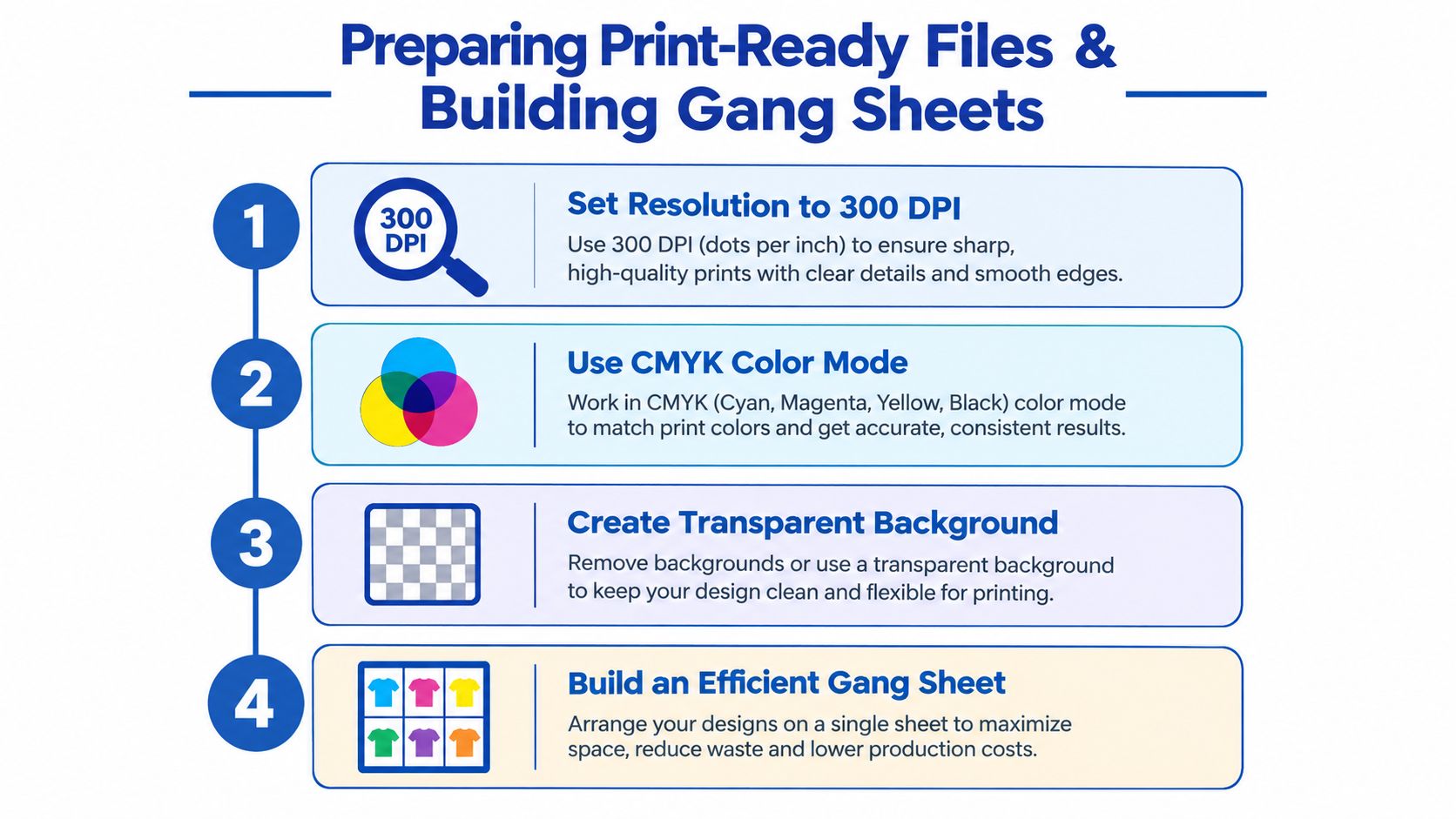
Start with the highest-quality version of the design. A raster file should be prepared at 300 DPI at the intended print size. Enlarging a small web graphic can create soft edges, broken text, and jagged curves that become obvious after pressing.
Use CMYK color mode when the provider requests it, and confirm how the shop handles color conversion. RGB artwork can appear brighter on a screen than on a printed transfer, so a proof or color reference matters when brand consistency is important.
Remove the background completely. A transparent PNG is usually the practical choice for a cutout design. Look closely around hair, lettering, thin outlines, and distressed textures. A faint white or gray halo may not show against a white artboard, but it can become a visible border on a dark shirt.
Size for the garment, not the file window
Measure the intended print area on the actual garment. A left-chest logo, full front graphic, sleeve mark, and youth-size design shouldn't all use the same dimensions. Keep important details thick enough to survive printing and pressing, especially when the design includes small type or fine lines.
Check these details before uploading:
- Transparent background: Delete hidden rectangles, white canvas layers, and stray pixels.
- Readable text: Convert fonts to outlines when appropriate so substitutions don't change the design.
- Edge inspection: Zoom into thin outlines and distressed effects to catch halos and accidental gaps.
- Final dimensions: Set the artwork to the size you'll press, not merely the size that looks right on your monitor.
- Color reference: Keep an approved version of the logo available when multiple garments or reorders must match.
Let the Auto-build builder do the nesting
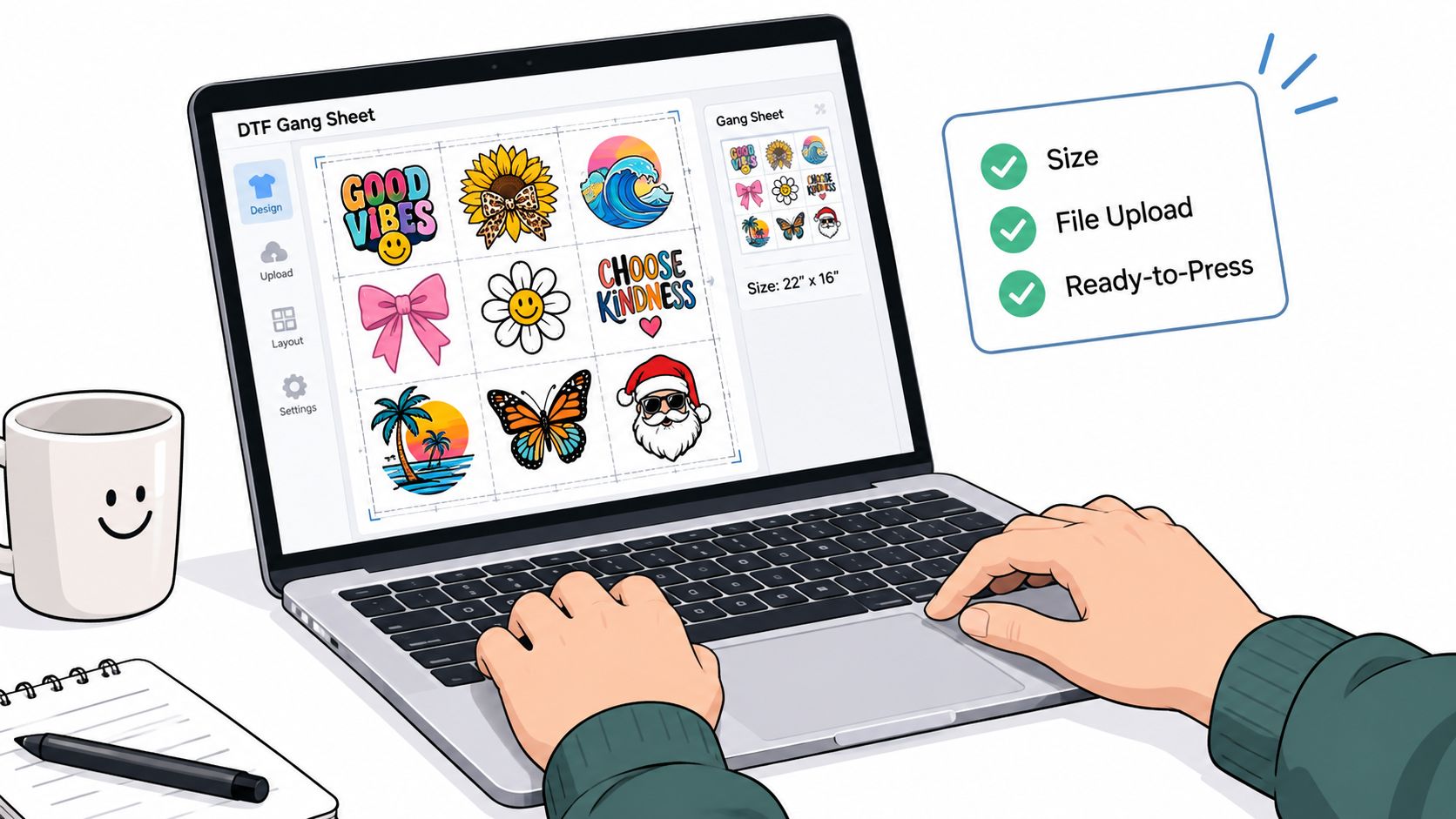
Manual gang-sheet layout takes attention away from production. Upload the cleaned artwork into the Auto-build gang sheet builder, let it arrange designs for efficient space use, and inspect the preview before exporting. The builder is useful for a mixed order because you can place full-front graphics, chest logos, sleeve marks, and repeat designs together instead of purchasing several sheets with unused film.
The economics are clear in a pay-per-export model. DTFGSA lists $0.15 per 22" × 36" sheet, with no subscription, and allows users to build and preview sheets free until they export a production file in its gang sheet pricing information. That approach supports a practical workflow: experiment with spacing and combinations first, pay only when the production layout is ready.
Suppose a Cleveland shop needs team logos, left-chest marks, and a few larger event graphics. Put all compatible artwork on one 22" × 36" sheet, leave enough separation for cutting, and preview the arrangement at actual size. Better nesting reduces unused film and can lower the effective cost per design, especially when the order contains many small graphics.
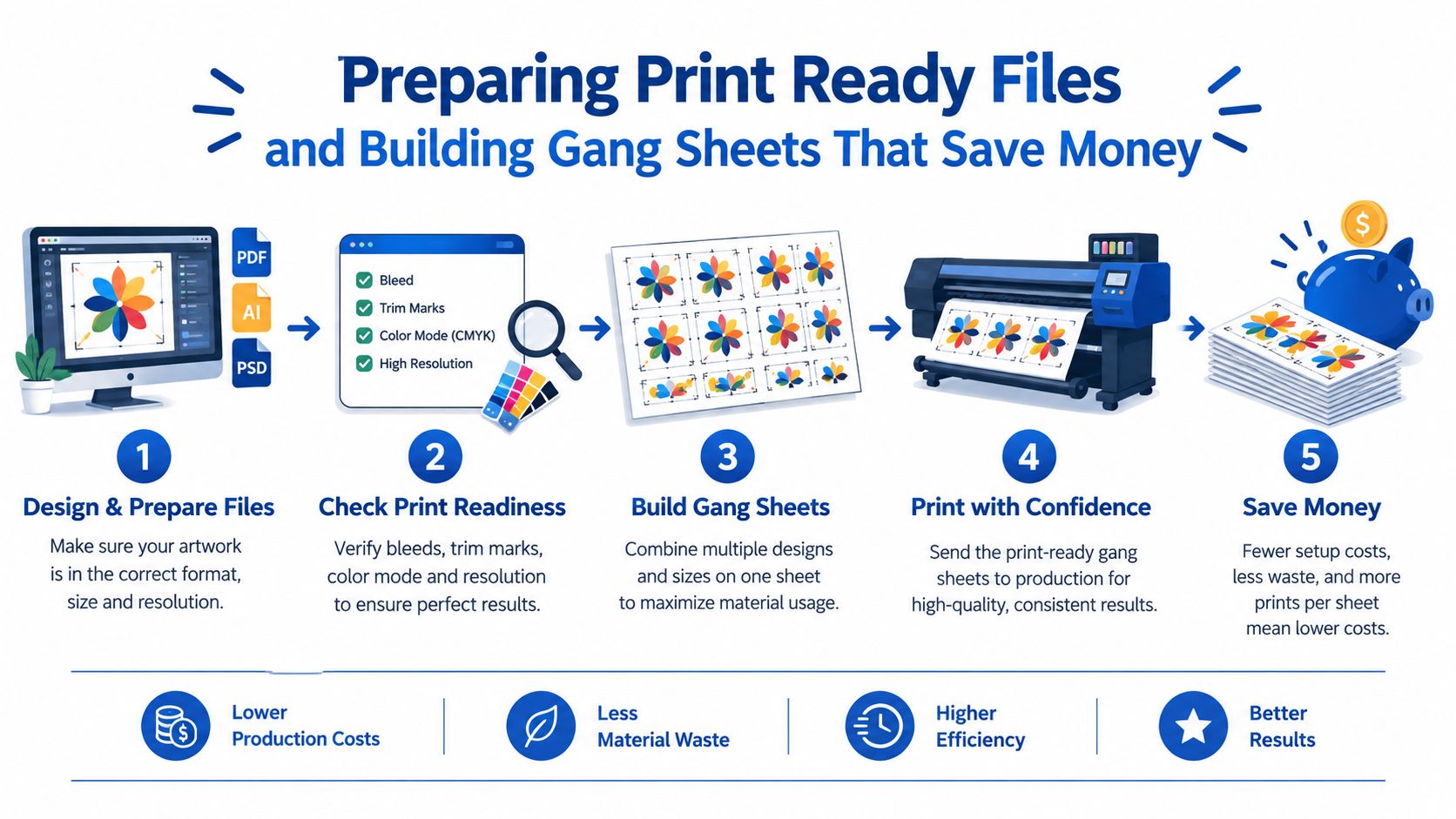
Use the DTF gang sheet workflow guide when you're deciding whether to arrange the sheet yourself or send the layout to a provider. The important habit is to preview the complete sheet before payment, verify every design is present, and keep a copy of the approved layout for future reorders.
Placing Your Order With Confidence on Pricing Turnaround and Delivery
Once the artwork is clean and the sheet is arranged, ordering should feel like a controlled production handoff. Start by choosing the format that matches the job: build a custom gang sheet, order DTF by individual size, upload a finished file, or select a ready-to-press design from an existing collection.
Some providers advertise pricing as low as $0.017 per square inch, with the final value depending on how densely you use the sheet. A large empty area still costs you capacity, while a well-packed sheet spreads the film and production cost across more usable transfers.
Confirm the order before production begins
Review the uploaded file, dimensions, quantity, garment application notes, and shipping or pickup method. If you need a proof, ask whether production waits for approval or proceeds immediately. That one detail can change the schedule.
For buyers using a provider with 24-hour printing, 1–2 business day shipping, same-day pickup, or next-day air, treat each option as a separate service level rather than combining them into one vague promise. Ask whether the production time begins at payment, file approval, or the next business day. Confirm the carrier service and the tracking handoff.
A buyer who needs shirts for an event may choose pickup when the provider confirms a local ready time. Another buyer may choose shipping because the order is planned and doesn't justify a drive. Someone with a hard deadline may prefer next-day air, but only after confirming that the print job itself will be completed before the carrier cutoff.
Deadline check: Get four answers in writing: file approval time, production completion time, carrier or pickup handoff, and the exact tracking or pickup confirmation you'll receive.
If you're short on design time, ask about vectorization or a “We Build a Gang Sheet for You” service. Those options can be more economical than correcting a rushed file after printing, especially when the design includes logos, small lettering, or several placements.
A useful order confirmation should identify the approved artwork, sheet dimensions, quantities, requested finish, delivery method, and contact path for changes. Tracking should appear after the order has been handed to the carrier, not merely when a label is created. For pickup, request a message confirming that the package is physically ready before leaving your shop or home.
Pressing and Curing for Vibrant Long Lasting Results
The heat press decides whether a good transfer becomes a durable garment. Film quality matters, but so do platen pressure, temperature accuracy, dwell time, peel timing, and the way you finish the print.
Begin with a clean, firm pressing surface. Pre-press the garment briefly to remove moisture and wrinkles, then position the transfer with the printed side facing the fabric and the film carrier on top. Follow the supplier's recommended settings for that specific transfer, because hot-peel films and adhesive systems aren't interchangeable.
Use a repeatable press routine
Temperature should be verified at the platen rather than trusted blindly from the display. Pressure must be firm and even, especially across seams, pockets, and textured garments. Press for the specified time, open the press, and peel while the film is still hot if the transfer calls for hot peeling. Pull the carrier smoothly instead of snapping it upward.
A second press through parchment or a protective sheet helps finish the bond and can improve the surface feel. Don't use a second press to rescue a transfer that was badly positioned or exposed to the wrong temperature. If the adhesive never activated, repeating the same mistake won't fix it.
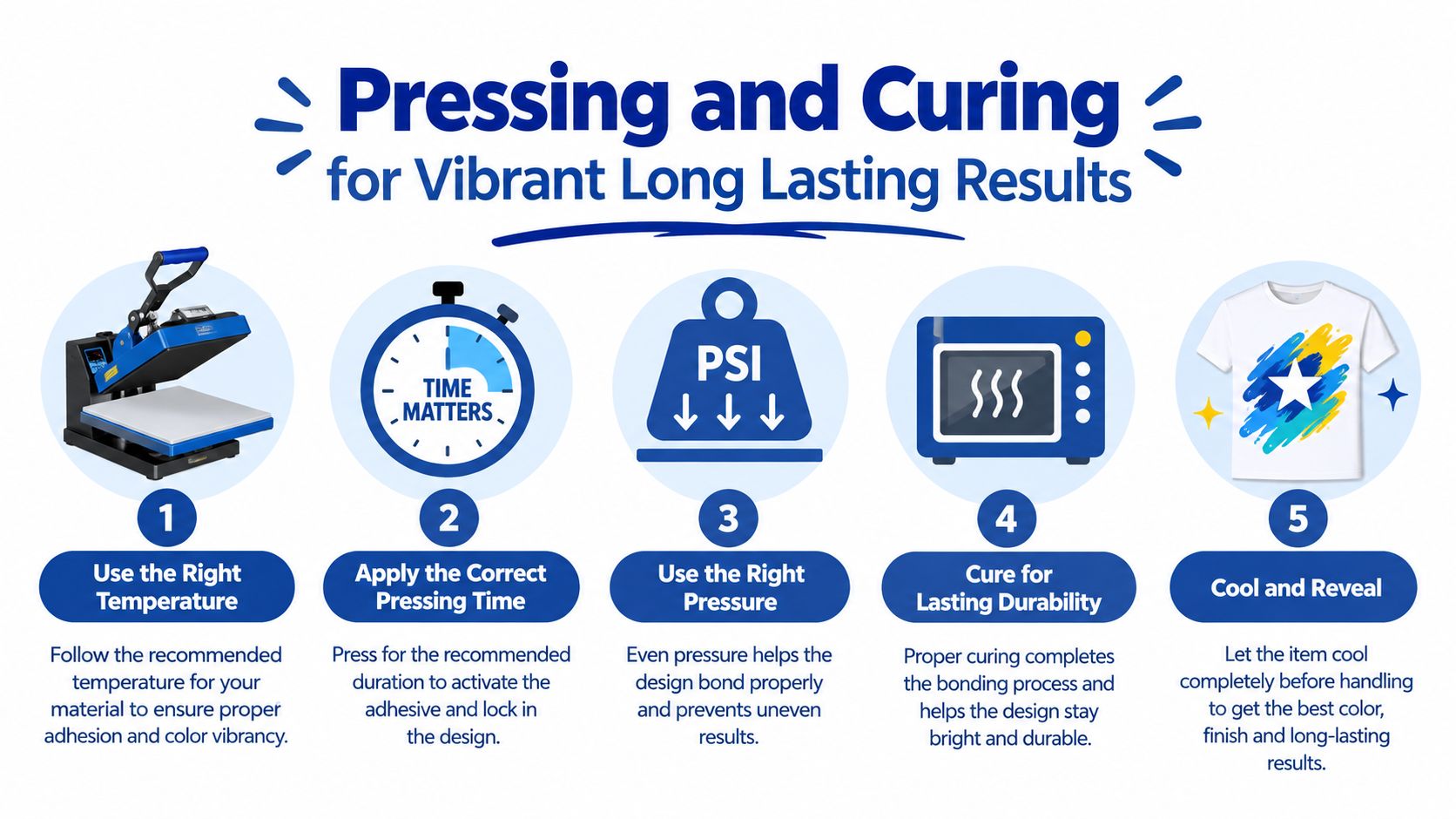
Key takeaway: Use the supplier's specified temperature, time, pressure, and peel method, then complete the recommended second press. A smooth hand feel, sharp detail, and edges that stay flat are better indicators than appearance on the carrier film.
Cotton usually gives a forgiving starting surface, while polyester may require extra attention to dye migration and heat sensitivity. Blends can behave differently depending on fiber content and garment finish. Test one garment from the actual batch before pressing the full order, particularly for dark polyester or performance fabric.
Judge durability before delivery
A properly bonded print should feel integrated with the fabric rather than sitting like a brittle plastic patch. Stretch the garment gently and rub the edge with a finger. Look for lifted corners, cracking, powdery adhesive, blurred detail, or a color shift.
Technical production guidance places practical DTF lifespan at about 50–60 washes when application and care are correct, while the strongest prints generally retain bright color and sharp edges through roughly the first 20 washes and may show slight softening or fading in high-flex zones by 40–60 washes, as described in this DTF wash-lifespan benchmarking guide. Use those figures as a benchmarking range, not a guarantee for every garment or press.
For shop quality control, sample one garment per shift and validate it with a 10-cycle accelerated wash test plus a stretch and rub check, following the KPI described in that same guide. That catches under-curing, edge lift, and adhesive degradation before the customer receives the order.
For care instructions, turn garments inside out, use a gentle wash routine, avoid harsh treatment, and keep high heat away from the print when the garment-care label allows. Good application and sensible laundering work together.
Troubleshooting Common Issues and Cleveland Buyer FAQs Answered
Most DTF failures leave clues. The fastest way to reduce reprints is to identify whether the problem started in the file, on the press, during peeling, or in garment care.
Quick fixes for common defects
- Cracking: The film may not have bonded fully, or the print is being stressed in a high-flex area. Recheck platen temperature and pressure, then test a fresh garment before reprinting the entire run.
- Edge lift: Uneven pressure, seams, moisture, or insufficient dwell can leave the perimeter weak. Re-press only when the transfer is otherwise sound and the supplier's method allows it. If the edge remains loose, reprint.
- Color shift: Dye migration, incorrect color conversion, or an inconsistent print profile can change the finished appearance. Compare the approved file and test print, then ask the provider about color handling before ordering replacements.
- Powdery residue: Excess adhesive or incomplete bonding can leave a rough surface. Inspect the film and press settings, clean the garment area, and don't ship until the hand feel is acceptable.
- Adhesion failure: Wrong temperature, light pressure, moisture, or peeling at the wrong stage can prevent bonding. A controlled test press can separate a press problem from a defective transfer.
Cleveland questions buyers ask
Can I pick up DTF transfers the same day? Only if the provider physically offers local pickup, has capacity, and confirms the cutoff and ready time. A vendor shipping into Cleveland isn't the same as a Cleveland pickup location.
Should I request a proof? Yes, when the logo is color-sensitive, the placement is unusual, or the deadline allows review. Ask whether proof approval pauses production.
What minimum should I expect? Minimums vary by provider and product format. Ask before building a sheet so you don't pay for unused capacity or discover that a small order can't be processed as planned.
How should I prepare for Browns, Cavs, or festival season? Start with the deadline, then confirm production capacity, cutoff time, proof timing, and pickup or carrier handoff. Build the artwork early in the Auto-build gang sheet builder, keep a tested file ready, and order a sample before committing to a larger run.
The most reliable Cleveland workflow is simple: prepare clean files, build an efficient sheet, confirm the delivery path, test press one garment, and inspect it before scaling. The builder remains the cost-saving tool because it lets you arrange and preview artwork before exporting, while a disciplined press check protects the money already invested in film and garments.
Lion DTF Transfers offers custom gang sheets, DTF transfers by size, ready-to-press designs, fast production, pickup and shipping options, and support with vectorization or gang-sheet building. Build your Cleveland order around a clean file, an efficient Auto-build layout, and a tested press result, then visit Lion DTF Transfers to start your sheet and confirm the best delivery option for your deadline.
Email orders@LionDTF.com or Text or Call: 833-350-5466