


It's Friday at 4 p.m. and a coach needs forty matching shirts for Saturday, with names spelled right and numbers readable from the stands. On Monday, a different customer walks in with one phone photo of a dog and wants a single shirt that looks like a portrait, not a blurry souvenir. Both jobs are profitable if you pick the right decoration style, size it for the press, and batch the transfers well.
That's how this list judges decorating t-shirt ideas. A pretty concept that cracks, misaligns, or eats a whole gang sheet for one small logo won't earn its place on your rack. You'll see nine approaches rated on print area, complexity, batch economics, and pressing risk, so you can match each idea to the order in front of you.
The market supports that practical filter. Nova One Advisor valued the U.S. decorated apparel market at approximately $7.52 billion in 2025, which means customers have plenty of choices and little patience for fuzzy type or late delivery. DTF gives you full color without separate screens, but you still have to control artwork size, blank color, and placement.
Start with portraits if your buyers bring photos. Start with numbers, pockets, or clean type if you sell to teams and businesses. Either way, test small, press one sample, wash it, and scale only what survives.
1. Full-Color Photo Portrait Tees Build Them Fast with the Auto-Build Gang Sheet Builder for Ease of Use and Cost Effectiveness
A customer sends a golden retriever photo on Tuesday and wants five shirts for a birthday on Saturday. That's the sweet spot for DTF portraits. The transfer holds gradients, fur detail, and skin tones without forcing you to simplify the image into flat spot colors. Crop tight, clean the background, and the subject carries the shirt.
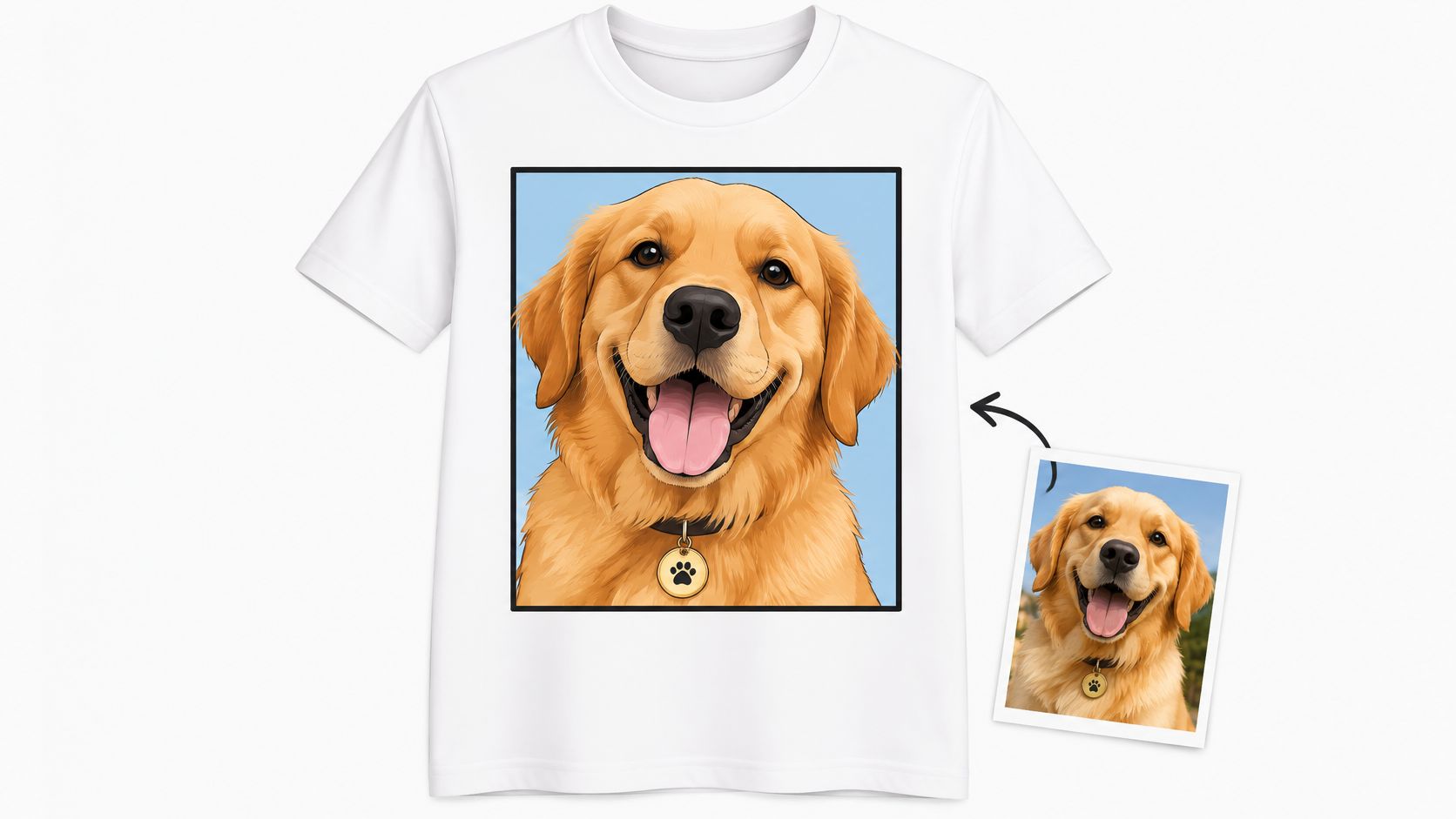
Memorial tees for celebrations of life, pet portraits for online sellers, and wedding party shirts with couple photos all follow the same production logic. One strong image, one clear placement, and a proof at actual print size before you press the batch. Don't approve from a phone thumbnail, because soft edges show up fast on fabric.
Batch the Portraits Instead of Printing Singles
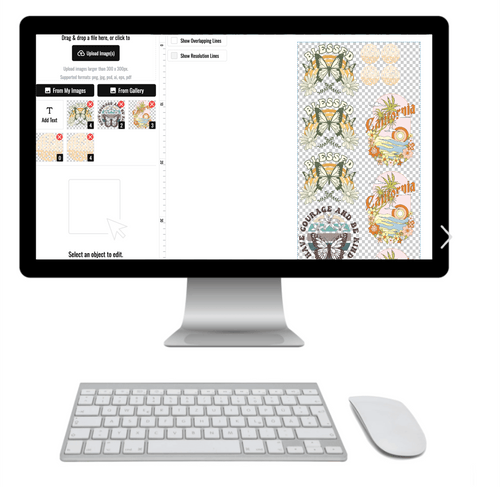
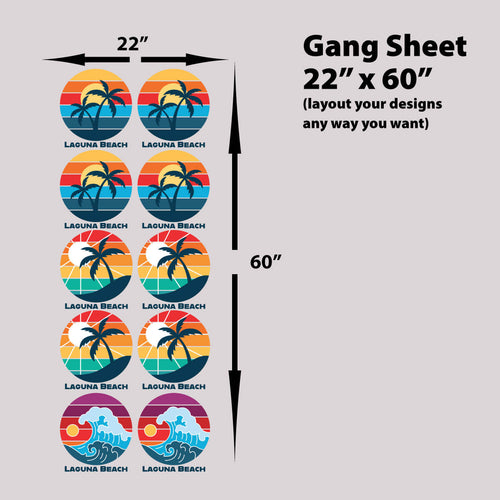
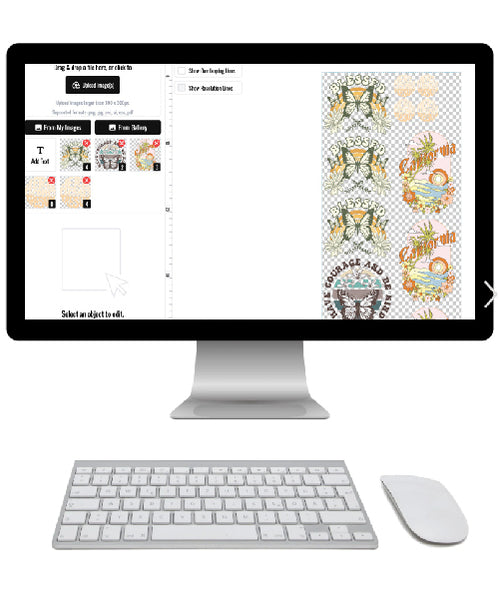
Use our Auto-build gang sheet builder to place several portraits on one sheet, resize them, and set quantities in one pass. You pay for filled sheet space, not awkward empty corners, and you can mix a memorial portrait with a pet design if deadlines line up. Pre-press the blank for 5 seconds, cover with Teflon or parchment, and press with medium pressure following the film instructions.
Portraits fail when the source file is tiny or the face sits too close to a seam or collar. I recommend keeping the subject centered in the safe chest area and ordering one extra transfer for the test press. It costs less than remaking a family set.
2. Team Name and Number Jerseys Produce Matching Sets Using the Auto-Build Gang Sheet Builder for Ease of Use and Cost Effectiveness
Team orders look simple until the roster changes. One player swaps numbers, a coach adds a late signup, and suddenly your neat stack of shirts is a sorting problem. DTF helps because names, numbers, and logos can be produced as separate pieces and pressed only when the roster is locked.
Confirm spelling, font, and number size in writing before you build the sheet. A youth league set, a reversible practice jersey order, or race shirts for a tournament all need the same discipline. If the customer can't proof the list, don't press it yet.
- Lock the roster first: Get names and numbers in a spreadsheet, not in a string of texts.
- Order spare digits: Extra common numbers save you when a player changes size or position.
- Press for a clean finish: Use even pressure and a protective sheet so athletic fabric doesn't shine.
For layout help, our guide to heat press numbers covers placement choices that keep backs readable without crowding the shoulders. The Auto-build gang sheet builder then arranges dozens of small names and numbers efficiently, so you're not paying for separate transfers for every player. That's where team work stays profitable.
Sort finished shirts by size first, then by number. Bag each player's shirt separately if the coach will hand them out at practice. Small packing steps prevent the most common team order complaint, which is confusion, not print quality.
3. Distressed Vintage Graphic Tees Create Worn-In Looks with the Auto-Build Gang Sheet Builder for Ease of Use and Cost Effectiveness
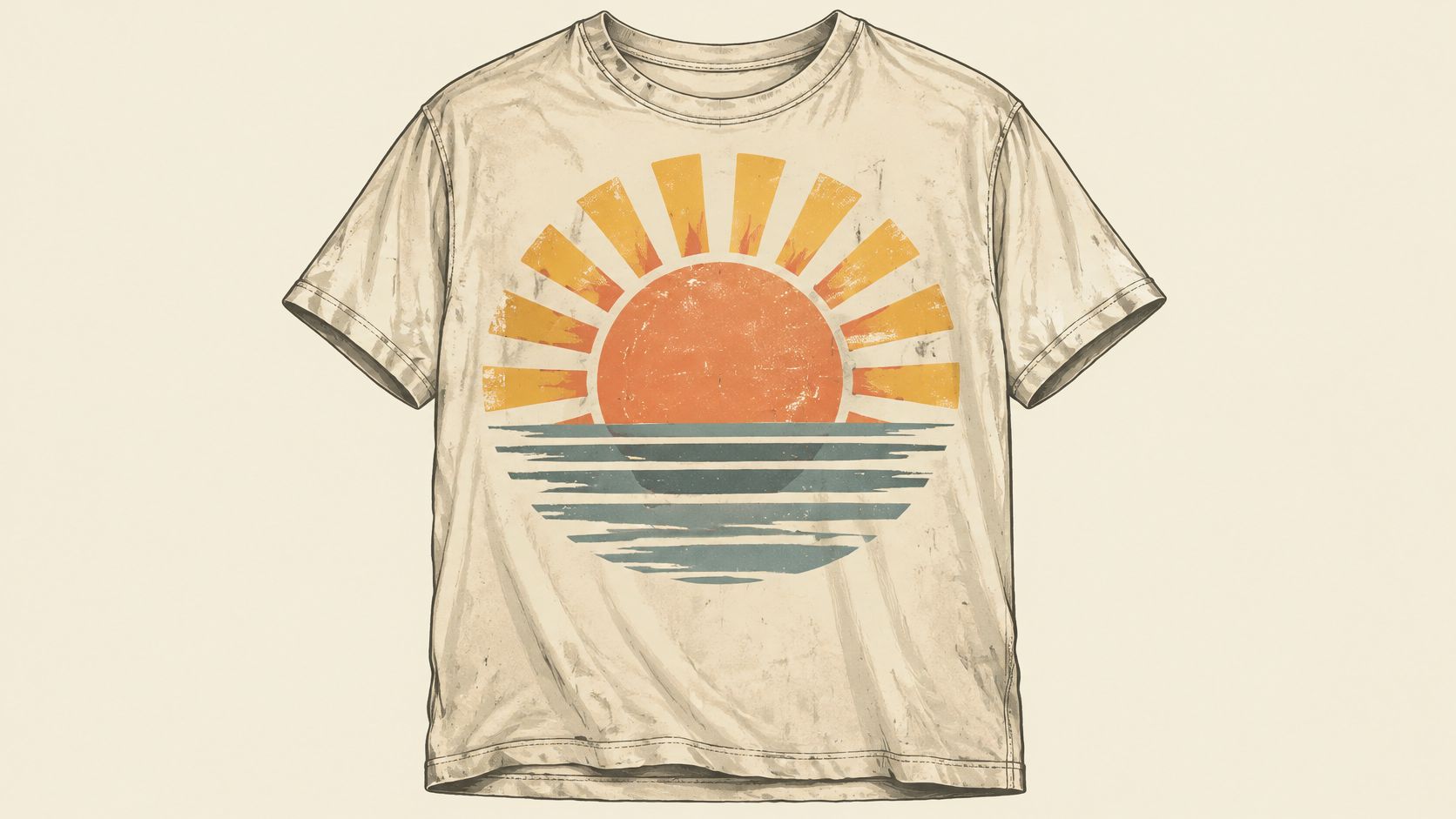
Vintage sells when it looks worn, not damaged. Build the distress texture into the artwork file, with controlled cracks and faded edges, instead of hoping a soft blank will magically make a new graphic look old. DTF prints that texture consistently across a run, so shirt twelve matches shirt one.
This style has real history behind it. The Washington Post account of campaign and message shirts traces the Smithsonian's oldest campaign T-shirt to a 1948 Thomas Dewey shirt, showing how early a short slogan turned a garment into portable signage. Vintage buyers still respond to that formula, a bold symbol, a few words, and instant recognition.
Local brands use it for retro sports themes, fictional band graphics, and hometown landmarks. Small shops sell it well at weekend markets because customers understand the design from across the aisle. Keep type large, because heavy distress on small lettering turns readable words into noise.
Test on the exact blank color you'll sell. A faded sunset that looks warm on beige can disappear on a light heather, and too much texture on white reads as a misprint. With the Auto-build gang sheet builder, group three or four retro designs on one sheet and test the whole mini collection before you commit to depth in any single graphic.
4. Tie-Dye Inspired Graphic Tees Add Bold Color Designs Using the Auto-Build Gang Sheet Builder for Ease of Use and Cost Effectiveness
Real tie-dye is fun for ten shirts and a headache for two hundred. No two dyed blanks match, colors bleed differently, and a logo can land on a dark swirl on one shirt and a pale patch on the next. A tie-dye inspired DTF graphic gives you the swirl, splatter, and saturated color with repeatable placement.
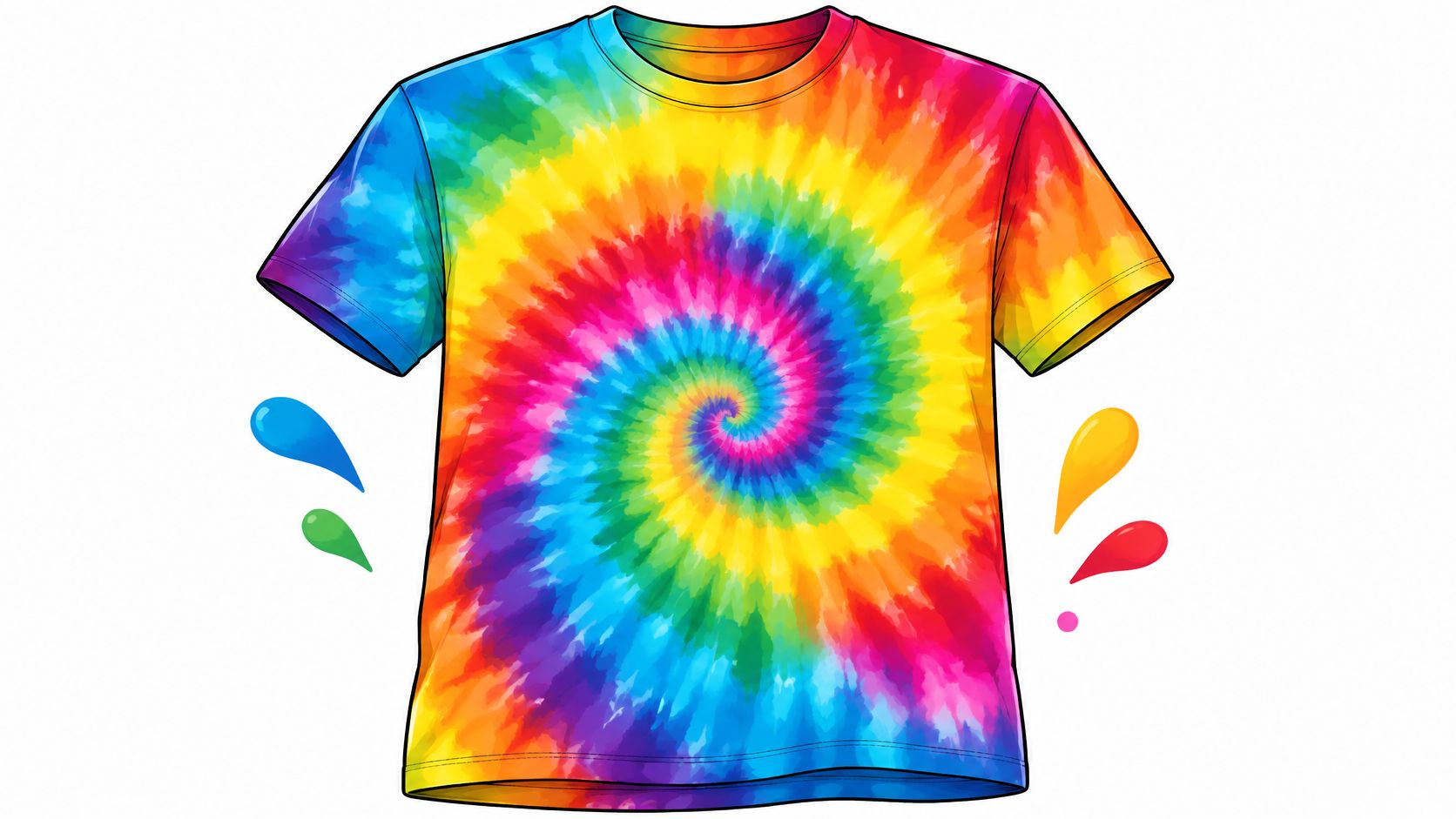
Design the pattern to fill the intended print area, then decide whether the edge should fade, stop cleanly, or sit inside a shape. Visible rectangular edges are the giveaway that cheapens this style. Match the blank to the palette, usually white or a very light color, so the printed swirl carries the effect.
Summer camps, festivals, and school fundraisers are natural buyers. Say a camp needs the same rainbow design in youth and adult sizes. You can print one design at different sizes for campers, counselors, and parents, then press each run as sizes are confirmed.
Press with even pressure across the full graphic, because a large color field shows weak corners quickly. Large solid coverage also feels heavier than a small chest print, so tell buyers what they're getting. The Auto-build gang sheet builder helps you combine full-size swirls with smaller sleeve or back marks on the same sheet, which improves material use without adding layout time.
5. Pocket and Sleeve Accent Prints Add Small Custom Details with the Auto-Build Gang Sheet Builder for Ease of Use and Cost Effectiveness
Small prints make money when placement is perfect and lose money when it drifts. A left chest logo that's half an inch lower on every third shirt makes a restaurant crew look sloppy, even if the transfer itself is flawless. Use a placement guide or template, mark the same reference point on every blank, and press a sample you can measure against.
Typography rules matter more at small sizes. VistaPrint design guidance on text and graphics recommends one or two complementary fonts, bold or semi-bold weights, and keeping the smallest lettering at least 1/4 inch tall. Thin script that looks elegant on a monitor can fill in or vanish on a coarse weave.
Size the Accent for the Garment
Check dimensions against our DTF sizing chart before you order, especially when the same logo moves from adult polos to youth tees. Restaurant and hotel staff shirts, trade show polos, and service crew tees all benefit from a restrained mark that doesn't fight a name tag, apron, or lanyard.
Practical rule: If you can't read the smallest word from arm's length on a printed proof, enlarge it or cut it. Customers won't lean in to decode a sleeve.
The Auto-build gang sheet builder is built for this work. Dozens of pocket logos, sleeve flags, and back neck marks fit on one sheet, dropping your cost per piece and making reorders fast. I recommend this as a first B2B offer, because businesses reorder staff shirts more predictably than fashion buyers reorder trends.
6. Glitter and Metallic Accent Designs Make Eye-Catching Shirts with the Auto-Build Gang Sheet Builder for Ease of Use and Cost Effectiveness
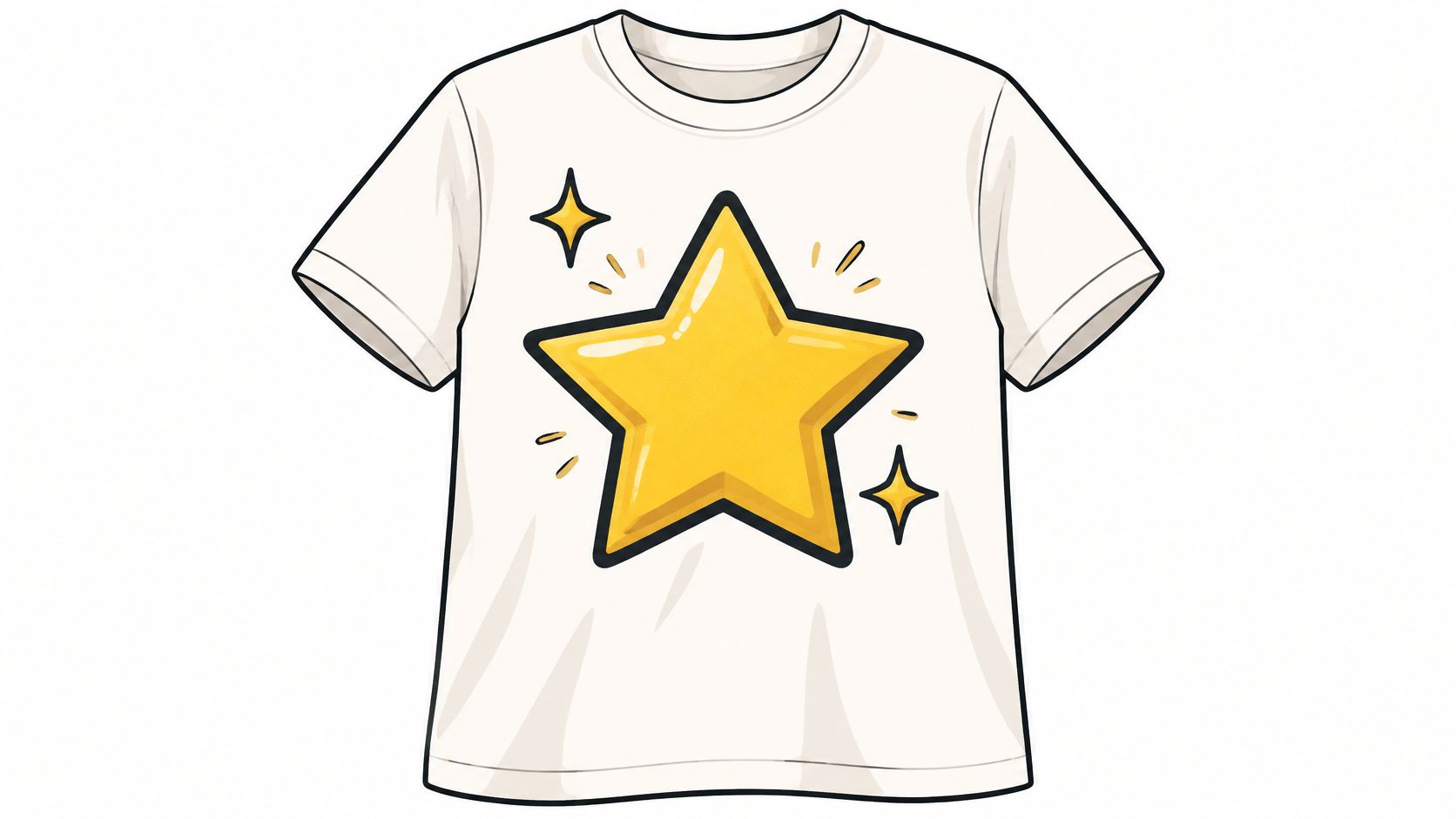
Sparkle sells for a party and disappoints when fine detail gets buried in the finish. Keep glitter and metallic work bold, simple, and high contrast. Chunky lettering for a dance team, a star for a birthday shirt, or a short holiday phrase will read clearly. A detailed portrait under a specialty finish usually won't.
Confirm that your specialty film works with your press, blanks, and peel method before you quote a cheer squad or wedding party. Then test wash it. INTO THE AM guidance on graphic tee quality notes consumers expect graphic tees to last about 50 washes, while ordinary garment durability standards may require only 15 to 20 wash cycles. That gap is where returns start.
Tell customers to turn shirts inside out, wash cold with mild detergent, and tumble dry low or hang dry. Don't promise that a glitter accent, a basic tee, and an athletic uniform will all age the same way. Decoration durability and garment durability are different things.
Use the Auto-build gang sheet builder to group several seasonal sparkle designs, names, and numbers into one efficient order. New Year's Eve shirts, cheer lettering, and bachelorette sets often share a deadline, so batching protects your schedule. Press one, wash it, stretch it, and check the edges before the full run goes on the platen.
7. Matching Family and Reunion Tees Coordinate Group Designs Using the Auto-Build Gang Sheet Builder for Ease of Use and Cost Effectiveness
Family reunion orders fail on logistics, not artwork. Aunt Linda changes size, two cousins share a first name, and someone asks for a toddler version the night before the picnic. Collect sizes, names, and shirt colors in one shared form with a firm deadline, then freeze the list before you build transfers.
Personalization has limits buyers understand. Customcy's summary of customization trends reports 72% of global consumers are willing to buy customized apparel when prices stay within 10 to 15% of standard garments. Price the name and date option clearly, keep it modest, and don't offer unlimited changes for free.
- Use one shared crest or headline: Keep the family name, year, and location identical across every shirt.
- Vary only one element: Change the individual name, role, or graduation year so proofing stays manageable.
- Order common size extras: A few spare medium and large shirts cover late requests without a rush rebuild.
A class reunion works the same way. The graduation year locks the group identity, while nicknames give each shirt a personal reason to be kept. Keep one font system and one color scheme across youth, adult, and extended sizes.
The Auto-build gang sheet builder lets you combine the shared design, size scaled versions, and individual names in one order. That lowers cost per shirt and reduces the chance that one branch of the family gets a different shade or layout. Pack by household, not only by size, and pickup day gets much calmer.
8. Seasonal Holiday Collection Tees Launch Timely Designs with the Auto-Build Gang Sheet Builder for Ease of Use and Cost Effectiveness
Holiday shirts have a hard expiration date. A great Halloween graphic delivered on November first is inventory you'll store for a year. Build your release calendar several weeks ahead, decide which designs are seasonal, and keep some evergreen faith, coffee, family, or humor designs in the same drop to absorb unsold traffic.
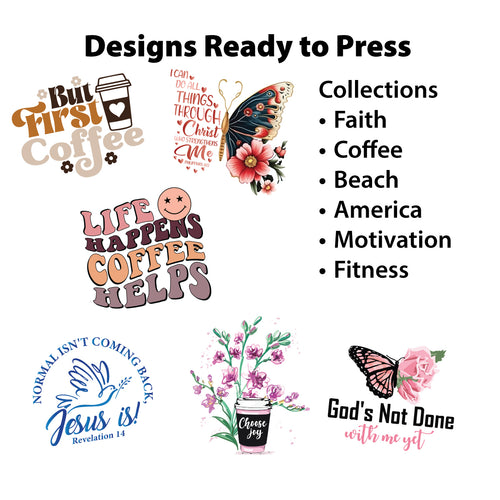
Ready to press collections speed this up when you don't have design hours to spare. Our collections include Fall and Halloween, Christmas, Easter, Mother's Day, and St. Patrick's Day, plus year round themes you can press onto tees, hoodies, sweatshirts, and tote bags. For a dated example of planning around a peak, see our guide to Valentine's DTF transfers and work backward from the shipping cutoff.
Price seasonal work with your selling fees in view. Etsy's fee policy charges a $0.20 listing fee per item and a 6.5% transaction fee on the displayed price plus shipping and gift wrap amounts. If you charge extra for a name, that amount joins the transaction fee base, so calculate margin on the full customer price.
Say a boutique wants Christmas gift shop tees plus a small Halloween test for fall. Put both themes, in adult and youth sizes, through the Auto-build gang sheet builder and press to order instead of stocking deep sizes. You'll learn which graphic moves before you spend on a second, larger sheet. Seasonal speed matters, but controlled testing protects cash.
9. Vectorized Logo and Typography Tees Produce Sharp Brand Designs with the Auto-Build Gang Sheet Builder for Ease of Use and Cost Effectiveness
A logo shirt either looks professional or it doesn't. There's no middle ground when a customer's business name has jagged edges across the chest. Start with vector artwork whenever you can, because clean lines scale from a pocket mark to a full back print without turning soft.
VistaPrint's t-shirt design guide recommends AI, EPS, SVG, or print-ready PDF files for logos and line art, and raster artwork at approximately 300 DPI at final size for photos or texture. Convert fonts to outlines, use a transparent background unless the background is part of the print, and specify CMYK or Pantone colors instead of trusting screen RGB.
Build One Master File Then Make Variants
Create one master vector design for a company logo, slogan, mascot, or badge. From that file, export light and dark garment versions, a left chest version, and a large back version. You'll keep branding consistent for staff tees, giveaway shirts, hoodies, and tote bags without rebuilding artwork every time.
If the only logo file is a small screenshot from a website, get it vectorized before you quote the job. Pressing a bad file larger won't fix it.
We offer vectorization and logo or shirt design support when a customer can't supply a clean file. Once the art is right, the Auto-build gang sheet builder places multiple logo sizes and typography designs on one sheet for ease of use and cost effectiveness. Test at actual size on fabric, because bold type that reads on a monitor can still close up on a textured blank.
How the nine decorating styles compare for DTF production
| Item | Best For | Design Complexity | Ideal Batch Size |
|---|---|---|---|
| Full-Color Photo Portrait Tees | Memorials, pet portraits, and personalized gifts | High; requires high-resolution photos | One-offs to small batches |
| Team Name and Number Jerseys | Matching sports team uniforms | Moderate; requires precise placement of multiple pieces | Large rosters |
| Distressed Vintage Graphic Tees | Retro-inspired apparel and rotating designs | Moderate; distressed textures need careful design | Small runs |
| Tie-Dye Inspired Graphic Tees | Festival, camp, and fundraiser shirts | Moderate; multicolor patterns need a full print area | Group orders |
| Pocket and Sleeve Accent Prints | Corporate, hospitality, and retail uniforms | Moderate; small prints require precise placement | Uniform batches |
| Glitter and Metallic Accent Designs | Party, holiday, dance, and cheer apparel | Moderate; bold shapes work best | Seasonal and event runs |
| Matching Family and Reunion Tees | Family gatherings and class reunions | Moderate; may include size-specific personalization | Small to large group orders |
| Seasonal Holiday Collection Tees | Holiday gift shops and seasonal promotions | Low to moderate; themed artwork can be reused | Multiple designs in seasonal batches |
| Vectorized Logo and Typography Tees | Company branding and promotional apparel | Low to moderate; artwork should be print-ready | Multi-design brand orders |
Choose Two Styles to Test Before Your Next Run
A team shop can test jersey numbers alongside pocket logos. An online seller might pair pet portraits with seasonal typography. Choose one style for your main customer group and another that shares blanks, press settings, or gang-sheet space. That keeps the first test focused while showing how different designs perform.
Start with a small gang sheet and press samples on the garments you plan to sell. Check placement on the body, not just on a flat table. Wash a sample inside out in cold water, then inspect it for edge lift, fading, cracking, or a heavy feel across large printed areas. If the result falls short, adjust the artwork size, line weight, blank, or press routine before changing the concept.
Plan labels before a bulk order. Federal Trade Commission clothing and textile guidance says most textile products sold in the United States must display fiber content, country of origin, and the identity of the manufacturer or another responsible business, along with care information. If the label is hidden by packaging, the care information must also appear on the outside packaging or a hangtag.
Care instructions need a reasonable basis. The FTC guide to complying with the Care Labeling Rule calls for washing and drying directions, plus warnings when a procedure could harm the garment. Use care language that reflects the garment and transfer combination you have checked. Avoid calling every combination wash-proof.
Use the online gang sheet builder to arrange two designs on one sheet. Lion DTF Bulk Studio offers a T-Shirt Pricing Calculator and Quote Builder to estimate order costs before scaling. If you want a finished garment rather than transfers alone, Lion DTF Transfers lists a Custom Printed Unisex T Shirt, with printing, pressing, and shipping, at $12.77.
Upload two concepts, size them on a sheet, and press samples before committing to a larger run. Lion DTF Transfers offers custom DTF transfers, gang sheets, ready-to-press designs, vectorization, and apparel pressing support. Visit Lion DTF Transfers to build a test sheet and prepare your next order.
Email orders@LionDTF.com or Text or Call: 833-350-5466