










Getting into custom apparel usually kicks off with one big question: what's the best printer for heat transfer paper? For anyone just starting out, the answer is almost always an inkjet printer loaded with pigment-based ink. This combo is your ticket to vibrant, wash-resistant designs that look awesome on T-shirts and other fabrics. It's a fantastic, low-cost way to start making professional-looking custom gear right from your own workspace.
Your Starting Point for Custom Apparel Printing
Kicking off your own custom apparel project is exciting, and picking the right gear is your first real step toward making things you're proud of. The world of printing can seem overwhelming, but the basics for heat transfer paper are surprisingly simple.
Think of your printer as the heart of your creative studio. It’s the machine that turns your digital ideas into tangible, wearable art.
The real goal here is to make designs that not only look incredible but can also handle being washed over and over without fading, cracking, or peeling. This is where the right technology makes a huge difference. While a lot of printing methods exist, a reliable inkjet printer is the most accessible and effective path for most newcomers.
Beyond just standard heat transfer paper, you might eventually explore other methods like sublimation, which is a popular technique for getting those super-vibrant prints on polyester. If you're curious, you can learn more by reading this guide on Sublimation Heat Transfer: A Guide to Vibrant Textile Prints from Spark Blank Textiles.
Why The Right Printer Matters
Choosing your first printer is all about balancing cost, quality, and how easy it is to use. The wrong printer can lead to a ton of frustration—dull colors, jammed paper, and designs that fall apart after one wash. A great printer, on the other hand, gives you the power to create high-quality products with confidence.
This guide is here to cut through the confusion and help you understand:
- Why specific inks are a must: You’ll learn exactly why pigment-based ink is the go-to choice for durability and pop on fabric.
- The printer features that count: We'll cover the technical specs that actually impact your final product.
- Your path to growth: Starting with DIY printing is great, but knowing when to use professional services is key as you expand.
By starting with a solid grasp of the basics, you're setting yourself up to produce stunning, retail-quality results. This isn't just about making a single T-shirt; it's about building a skill that can support a fun hobby or even grow into a small business.
As you get deeper into heat transfer paper printing, just remember that your first setup is only the beginning. Learning when to print projects yourself versus when to use professional Direct-to-Film (DTF) services will be a huge part of scaling up efficiently. Our Auto-build gang sheet builder is designed for exactly that, making professional quality easy and cost-effective.
Inkjet vs. Laser: The Showdown for T-Shirt Printing
When you’re ready to print on heat transfer paper, you’ll hit your first major fork in the road: inkjet or laser? This isn’t just a technical detail—it's the single decision that will define the look, feel, and lifespan of your custom apparel. The choice you make here dictates everything from how vibrant your colors are to the actual texture of the design on the shirt.
Think of an inkjet printer like a painter using a super-fine airbrush. It sprays microscopic droplets of liquid ink onto the transfer paper, which is perfect for creating soft, beautifully blended gradients. This method is the clear winner for photorealistic images and rich, saturated colors that really pop off the fabric. The final design feels flexible and light.
A laser printer, on the other hand, works more like a high-tech laminator. It uses heat to fuse toner—a fine plastic powder—onto the paper. This process delivers incredibly sharp, crisp lines and bold graphics, making it a solid choice for text or simple logos. But that plastic toner often leaves a stiffer, more noticeable layer on the garment that can feel heavier and less breathable.
The Feel and Finish: What "Hand" Really Means
In the apparel world, the "hand" of a fabric is just a simple term for how it feels to the touch after a design is pressed onto it. This is where you can physically feel the difference between an inkjet and a laser print.
Inkjet transfers, especially when you use good quality paper, have a much softer hand. The ink soaks into the transfer layer, which then bonds with the fabric fibers, creating a design that feels like it's part of the shirt, not just sitting on top of it.
Laser transfers create a thicker, more plastic-like layer because you're literally melting toner onto the shirt. While modern laser papers have come a long way, they can still feel heavier than their inkjet cousins and may be prone to cracking over time if the shirt is stretched too much. For projects where a soft, premium feel is non-negotiable—like baby clothes or high-end fashion—inkjet is almost always the way to go.
Key Takeaway: For soft, vibrant designs that feel great to wear, inkjet printers are the superior choice. For sharp, bold graphics where a stiffer feel is acceptable, a laser printer can work.
It’s also critical to remember that each printer needs its own special paper. You absolutely cannot use inkjet transfer paper in a laser printer (or vice-versa). The intense heat from a laser printer's fuser would melt the inkjet paper instantly and could wreck your machine. For a full breakdown on getting the application right, check out our guide on how to use transfer paper correctly.
Durability and Washability: Which One Lasts Longer?
Both printer types can create durable designs, but how they hold up in the wash boils down to the quality of your ink, toner, and transfer paper.
High-quality pigment inks for inkjet printers are your best friend here. They are naturally water-resistant and UV-stable, which means they fight off fading and bleeding for dozens of washes. This is why using pigment ink is a must for professional-looking, long-lasting results.
Laser transfers are water-resistant by default since the toner is plastic. However, that same plastic can become brittle over time, leading to cracking or peeling, especially if the heat press temperature and pressure weren't perfect during application. The choice really comes down to what you value more: the soft, integrated feel of inkjet or the crisp durability of laser.
This simple chart can help you figure out if you're on the right track.
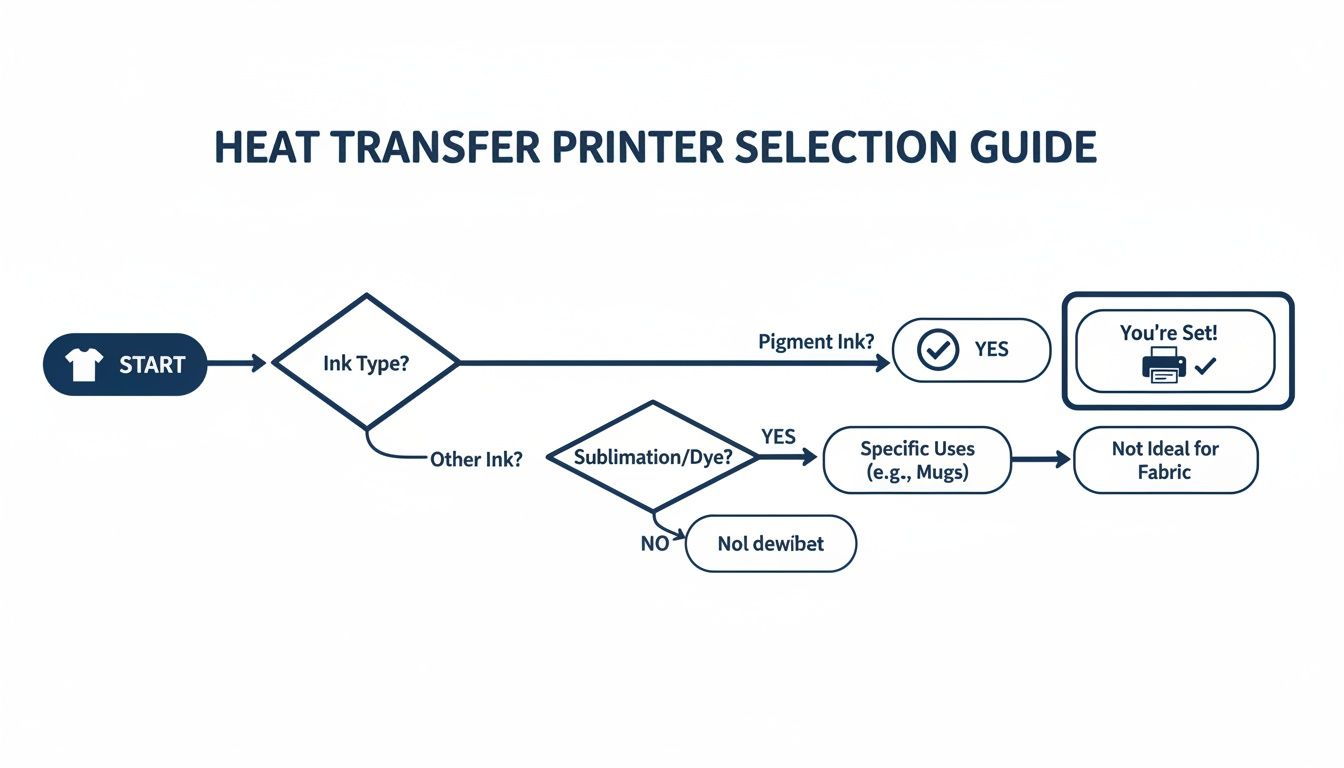
As you can see, the most important takeaway is that using pigment ink with your inkjet printer is the most direct path to creating quality custom apparel that lasts.
Key Features That Make a Printer Great for Transfers
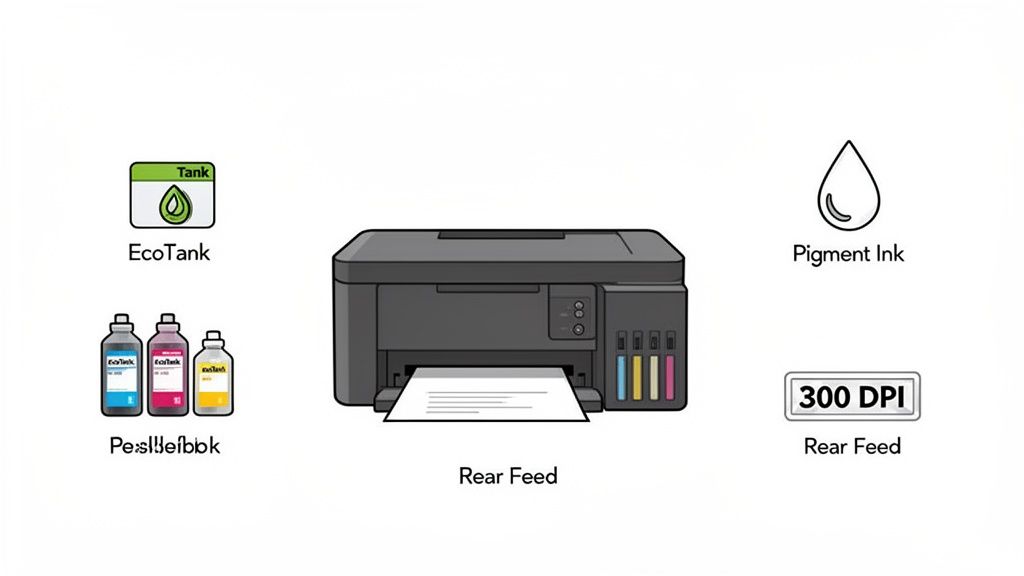
Alright, you get the basic difference between inkjet and laser. Now, let’s drill down into the specific details that turn a regular inkjet printer into a beast for making transfers. These are the features that will directly impact your workflow, your cost per shirt, and the final look of your custom apparel.
Think of it like buying a car. Sure, any car gets you from point A to B, but things like gas mileage, cargo space, and a smooth ride make all the difference. The same goes for printers—nailing these features saves you money, cuts down on frustration, and gives you a much better final product.
Ink System: The Cartridge vs. Tank Debate
One of the biggest shifts in home printing has been the move to refillable ink tank systems, like the ones in Epson's famous EcoTank line. Instead of pricey, disposable cartridges, these printers have big, built-in tanks you top off from affordable ink bottles.
This is an absolute game-changer for anyone doing heat transfers, since full-color designs drink up a lot more ink than a typical document.
- Cost Efficiency: You get way more ink for your money with bottles. We're talking a dramatically lower cost per milliliter, letting you print hundreds of vibrant designs for a fraction of what cartridges would cost. For a small business, that’s huge.
- Convenience: The tanks are massive, so you’re not constantly stopping to swap out cartridges. It saves you from that nightmare scenario where you run out of magenta mid-print, wasting a sheet of expensive paper and your time.
- Reduced Waste: It’s also the greener choice. No more tossing out plastic cartridges every few prints.
Simply put, a printer with a refillable ink tank system transforms the economics of printing transfers. It moves ink from being a constant, high-cost consumable to a manageable, low-cost expense, allowing you to price your products more competitively.
Pigment-Based Ink: The Non-Negotiable Ingredient
If there's one thing you absolutely can't compromise on, it's using pigment-based ink. The standard dye-based inks found in most cheap home printers are water-soluble. That's a disaster for a t-shirt. Once it hits the wash, those inks will bleed, fade, and ruin your hard work in no time.
Pigment ink, on the other hand, is made of tiny solid color particles suspended in liquid. After you print and press the design, those particles become water-resistant and UV-stable. This is what gives your transfers the power to survive dozens of washes without losing their pop. It's the secret sauce for durability.
Paper Handling: The Importance of a Rear Feed Tray
Heat transfer paper is thick. It's way heavier and stiffer than the flimsy copy paper you're used to. This is where your printer's paper feed tray becomes critical.
Most budget printers have a front-loading cassette tray, which forces the paper through a tight U-turn on its way to the print head. That sharp bend is a recipe for disaster with thick media, leading to jams and smudged ink.
The solution is a rear paper feed tray. This gives the paper a much straighter path through the printer, drastically reducing the risk of jams and ensuring your designs come out clean. It's a simple feature that saves you from wasting expensive transfer paper and pulling your hair out over failed prints.
When you're cranking out a lot of designs, feeding sheets one by one gets old fast. If you need to produce a bunch of transfers efficiently, it might be time to look at a professional service. Our Auto-build gang sheet builder lets you upload all your designs at once, and it automatically arranges them to fit perfectly on a large sheet for maximum cost effectiveness. It’s an incredibly efficient and affordable way to scale up your production.
Setting Up Your Printer for Flawless Results
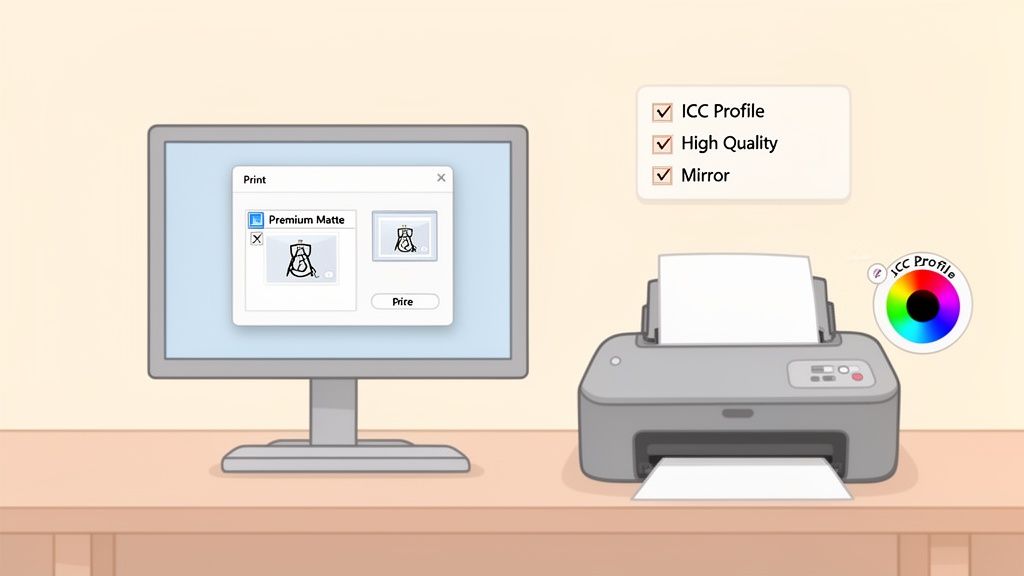
Unboxing your new printer is a great feeling, but the real work of getting a perfect t-shirt transfer has just begun. If you just plug it in and hit "print," you're going to be disappointed. The default settings are almost never right for the specific needs of heat transfer paper.
Think of it like being a chef. You wouldn't just throw ingredients in a cold oven and hope for the best. You have to prep everything first. Taking a few minutes to dial in your settings will save you a ton of wasted paper, ink, and frustration later on.
Dialing in the Perfect Print Settings
All the magic happens inside your printer’s software. This is where you tell the machine exactly how to lay down ink to get those vibrant, crisp transfers you’re looking for.
Here are the three non-negotiable settings you need to check every single time:
- Paper Type Selection: Your printer doesn't have a "Heat Transfer Paper" setting, so you have to trick it. Choose an option like "Premium Matte" or "Photo Quality Inkjet Paper." This tells the printer to use more ink, which is exactly what you need for rich, saturated colors that will pop on a shirt.
- Print Quality: Always, and I mean always, set the quality to "High" or "Best." Sure, it slows things down, but it dramatically increases the resolution (DPI). This is the difference between sharp, professional lines and a blurry, pixelated mess.
- Mirror Image: This is the easiest step to forget and the one that will ruin your day. You absolutely must mirror (or flip horizontally) your design before printing. When you press the transfer, the image gets reversed again, appearing the correct way on the final product. Forget this, and all your text will be backward.
Proper setup isn't just a suggestion; it's the barrier between an amateur-looking hobby project and a professional, sellable product. Getting your settings right from the start builds consistency and confidence in your workflow.
Understanding Color Management with ICC Profiles
Ever printed something and the colors on paper look nothing like they did on your screen? That’s a color management problem, and the solution is something called an ICC profile.
An ICC (International Color Consortium) profile is basically a translator. It’s a tiny data file that tells your printer exactly how to reproduce the colors from your monitor using your specific ink and paper combo. It’s the secret to getting predictable, accurate colors every single time.
Thankfully, many high-quality transfer paper brands provide free ICC profiles for popular printers. Installing one is usually a simple process, but it makes a world of difference—turning your muddy oranges into true reds and your dull purples into rich blues.
Simple Fixes for Common Print Headaches
Even with a perfect setup, things can go wrong. Here are two of the most common issues and how to fix them fast:
- Color Banding: Seeing faint horizontal lines across your print? That’s almost always a clogged nozzle in the printhead. Just run your printer's built-in "Nozzle Check" and "Head Cleaning" cycles. That usually clears it right up.
- Ink Bleeds: If your colors look like they're bleeding into each other, you're probably laying down too much ink for the paper to handle. Go back to your paper settings and try a less intense option, like a standard "Matte" setting instead of "Premium."
Getting these settings right is crucial for the kind of high-precision work that defines the professional printing world. The thermal transfer overprinter market, a key technology for detailed labels and transfers, was valued at USD 433.95 million and is still growing. Low-capacity models are a huge part of this, holding over 50% of the market share because they're affordable and easy to maintain—perfect for small businesses. You can find more insights about the thermal transfer overprinter market on databridgemarketresearch.com.
When to Level Up with Professional DTF Transfers
Using a printer for heat transfer paper is an incredible way to kickstart your custom apparel journey. It’s affordable, easy to get into, and lets you experiment with designs right from your home or studio. But as your hobby turns into a business or your order queue starts to grow, you'll inevitably bump up against the limits of this method.
Sooner or later, every growing brand hits a ceiling with heat transfer paper. It’s a fantastic launchpad, but it’s not the final destination for creating professional, scalable products. Knowing when you’ve reached this point is the key to pushing your brand to the next level.
The Limits of DIY Heat Transfer Paper
While heat transfer paper works great for small batches and prototypes, it has some real downsides that become obvious once you start to scale up. These limitations can impact both the quality of your product and the efficiency of your entire workflow.
The most common issue is the "hand" of the design—that is, how it feels on the shirt. Heat transfer paper often leaves a noticeable, sometimes stiff, polymer background around the design. Even with the newer "no-weed" papers, the final product can feel heavier and less breathable than a professionally printed garment.
Durability can also be a real problem. After several washes, even the best heat transfer paper prints can start to show their age, with a tendency to crack, fade, or peel. That’s a major drawback for anyone trying to build a reputation for high-quality, long-lasting apparel.
But the biggest roadblock by far is weeding. For any design with fine lines, small text, or intricate details, you have to sit there and painstakingly pick out all the unwanted material by hand. That tedious process just isn't sustainable when you're facing orders for dozens or hundreds of shirts.
The Professional Solution: Direct to Film Transfers
When you're ready to leave those headaches behind, the clear upgrade is Direct-to-Film (DTF) transfers. DTF is a commercial printing technology that produces transfers with an unbelievably soft feel, fantastic stretch, and durability that stands up to real-world wear and tear.
Unlike heat transfer paper, DTF transfers require zero weeding. The designs are printed directly onto a special film, and an adhesive powder is applied that only sticks to the ink. This means you can produce complex, multi-color, and incredibly detailed designs without any of the manual labor.
- Superior Feel: DTF transfers have an exceptionally soft hand, feeling almost like they're part of the fabric. No stiffness, no plastic feel.
- Amazing Durability: Professionally made DTF transfers are tested to withstand 100+ washes without cracking, peeling, or losing their color.
- Vibrant and Versatile: The technology produces brilliant, full-color prints that look amazing on all sorts of fabrics, including cotton, polyester, and blends.
The demand for high-quality apparel decoration is exploding. In fact, the heat transfer printing machine market is projected to grow at a healthy 5.90% CAGR through 2030, driven by the need for top-tier, durable prints. This industry growth makes commercial-grade technology, like the kind we use for our premium hot-peel transfers at Lion DTF, more accessible than ever. You can read more about this growing market on cognitivemarketresearch.com.
Making Professional Quality Accessible and Affordable
Here's the best part: you don't need to sink thousands of dollars into your own DTF setup to get these pro-level results. Services like Lion DTF Transfers bridge that gap, giving you access to commercial-grade transfers without the massive upfront investment and steep learning curve. If you're curious about what a professional setup involves, check out our guide on the best DTF printer for a small business.
To make things even easier and more cost-effective, we developed the Auto-build gang sheet builder. This intuitive online tool lets you upload multiple designs—different logos, graphics, and sizes—and automatically arranges them onto a single large sheet to maximize every square inch.
This approach is a total game-changer for small businesses. Instead of printing one design at a time, you can order a whole sheet packed with your artwork for one low price. It dramatically lowers your cost per print and makes your production process way more efficient, letting you take on bigger orders with total confidence.
Answering Your Top Heat Transfer Printing Questions
Once you start exploring the world of custom apparel, a lot of questions pop up. It’s totally normal. This last section is all about giving you clear, no-fluff answers to the questions we hear most often. Think of it as your go-to cheat sheet for troubleshooting a tricky print or figuring out your next business move.
Can I Use Just Any Inkjet Printer for Heat Transfer Paper?
Technically, yes, most inkjet printers can run a sheet of transfer paper through them. But if you want professional results that don't wash out, the answer is a firm no. The single most important factor is the ink—you absolutely need pigment-based ink. The standard dye-based inks found in most home printers are water-soluble, which means they'll bleed and fade into a muddy mess after the first wash.
Another huge help is a printer with a rear paper feed tray. This gives the thick, stiff transfer paper a straight shot through the printer, dramatically cutting down on the risk of frustrating paper jams. It’s why you see so many crafters and small shops using models like the Epson EcoTank series; they offer pigment ink compatibility and smart paper handling.
Why Do My Heat Transfer Colors Look So Dull After Pressing?
This is easily one of the most common headaches people run into, but the fix usually comes down to one of three things.
First, check your printer settings. You have to tell your printer you're using special paper. Choose a high-quality setting like "Premium Matte Paper" and crank the print quality up to "High" or "Best." This forces the printer to use more ink, giving you much richer, deeper colors.
Second, your heat press settings are non-negotiable. The temperature, pressure, and time have to be dialed in exactly to what the transfer paper manufacturer recommends. Being off by just a little can mean the ink doesn't transfer fully, leaving you with a faded, lackluster design.
Finally, the ink itself could be the issue. If you're still using the dye-based ink that came with your printer, it just might not have the punch you need. For consistently vibrant, pop-off-the-shirt colors that last, using a professional print service is unbeatable.
Key Takeaway: Getting bright, durable colors with heat transfer paper isn't a single trick. It's a combination of the right ink (pigment), the right printer settings (high quality), and precise heat press settings. If one of those is off, the final product pays the price.
What Is a Gang Sheet and How Does It Save Me Money?
A gang sheet is the smartest tool in a growing apparel business's toolbox. It’s simply a large sheet of transfer film where you print a bunch of different designs all at once. Instead of paying per design, you pay for the whole sheet, which makes your cost per print drop significantly.
It's the perfect way to knock out a bunch of different logos, various sizes of the same graphic, or a whole collection of designs for multiple jobs. At Lion DTF Transfers, our Auto-build gang sheet builder makes this process dead simple. You just upload your artwork, and the tool automatically nests everything together to use every square inch of the film and eliminate waste. It’s hands-down the most efficient and cost-effective way for creators to get a variety of pro-level transfers without breaking the bank.
Should I Stick with Heat Transfer Paper or Move to DTF for My Small Business?
This is the big question every creator hits eventually. Heat transfer paper is a fantastic, low-cost way to get your feet wet, test designs, and handle small, one-off orders. It's the perfect starting line.
But the moment you need to produce consistent, high-quality products at any kind of scale, upgrading to professional DTF (Direct-to-Film) transfers is the logical next step. DTF transfers feel softer, stretch better, and are rated to survive 100+ washes, giving your customers a product that feels truly premium.
Even more importantly, ordering from a service like Lion DTF gets you out of the business of weeding vinyl or trimming paper for hours on end. That time is far better spent designing awesome products and actually growing your brand—all without having to sink thousands into your own commercial gear. A tool like the Auto-build gang sheet builder is designed specifically to make this transition seamless, letting you produce multiple designs with ease and at a much lower cost.
Ready to feel the difference that professional quality makes? Lion DTF Transfers delivers vibrant, durable, and incredibly soft hot-peel DTF transfers that are ready to press. Stop wasting time with weeding and start creating apparel that stands out.
Build Your First Gang Sheet and Level Up Your Business Today!